
How to find warm, high intent leads on LinkedIn, and run warm outbound to them
The best way to find warm, high intent leads on LinkedIn: five sources, how to spot in-market buyers, the tools sales teams use, and how to run warm outbound.
TL;DR: The best way to find warm leads on LinkedIn is to start from what people do on LinkedIn, not from a title search. Find the people who post, comment on or like posts about the problem you solve, view your profile, or engage with your competitors and the creators your buyers follow, then keep only the ones who fit your ideal customer profile (ICP). traxy runs this end to end: it finds those people from LinkedIn activity and a plain-English search of 71M+ scanned LinkedIn likes, posts and comments, keeps only 50%+ ICP matches, enriches and researches each one, then runs personalized LinkedIn and email outreach from your own accounts. The campaign runs on autopilot once you approve it, or you approve every message.
Checked November 10, 2026. traxy wrote this guide and is one of the tools in it. Every other tool is described only from its own website, linked where it appears and checked November 2026. Features change, so check details with each vendor.
What's the best way to find warm leads on LinkedIn?
Start from activity, then check fit. A search by title and company size gives you people who could buy. Activity tells you who is thinking about the problem now, and gives you something true to say in the first line. Warm leads on LinkedIn come from five places:
Where warm leads come from | What it tells you | How to find them by hand | How traxy finds them |
|---|---|---|---|
Posts about the problem you solve | The person wrote about it, often in their own words | Search LinkedIn posts by keyword and read each one | Signals: you describe the problems and topics, and traxy finds people who post about them |
Comments and likes on posts in your market | They reacted to the topic. A comment says more than a like | Open the comments and reactions on posts in your niche and check each profile | The same Signals, with every lead labeled Warm, Related or Activity by how strong the evidence is |
Engagers with competitors, creators and company pages | They follow the voices your buyers follow | Check who reacts to each competitor or creator post | Tracking: people (tagged competitor, influencer, teammate, investor or custom), single posts by URL and company pages by domain |
Your own posts and profile views | They engaged with you, or looked you up | Your notifications and your profile viewer list | Track your own profile, and turn on the Profile views switch so viewers become leads |
Past activity on a topic | Everyone who already engaged on a topic, not only this week | Not practical by hand | Social intent search across 71M+ scanned LinkedIn likes, posts and comments, in plain English |
Whatever the source, check fit before interest. Even a great comment from someone outside your ICP is not a lead. In traxy, a person only becomes a lead with a 50%+ ICP match, and the post, comment or like behind every lead stays on it, so you can read it before you write. For sources outside LinkedIn, such as website visitors and third-party intent data, see the best sources of high intent B2B leads.
What makes a LinkedIn lead warm?
A LinkedIn lead is warm when four things are true: the person fits your ICP, they did something recently, that action relates to what you sell, and you can see it well enough to mention it. If one is missing, the lead is cooler than it looks. The long version is in what makes a lead warm.
Not all activity counts the same. A rough order:
Strong: they wrote a post about the problem, asked for a recommendation for what you sell, or left a comment with an opinion on it.
Medium: they engage with the topic again and again, viewed your profile, or engage with a competitor's posts.
Weak: one like on a popular post.
traxy labels each lead by the strength of its evidence. Warm is a direct signal relevant to your offer, Related is contextual evidence, and Activity is observed activity with a weaker link to your offer (signals docs). The label is separate from the ICP match score, so a lead can fit well and still have weak evidence. See ICP match score vs signal strength.
Warm gives you a better reason to start a conversation. It does not mean the person is ready to buy.
How do I find high intent leads on LinkedIn?
Describe who fits, name the problems that make someone relevant, then watch the places those people show up and check each one. Here is the order, by hand or in traxy:
Write down your ICP. Roles, seniority, company size, industry, location and keywords. In traxy, enter your website and it drafts your Lead criteria and Signals for you to fix.
Name the signals. Write the problems, topics and situations that make someone relevant, in your buyers' words, such as "outbound isn't working" or "hiring our first SDR". In traxy these go in Signals, and you can add a custom signal in plain English.
Track who your buyers watch. Add the competitors, creators and partners your buyers follow, your own profile and your team's, competitor company pages, and any single post that drew the right crowd. See who to track on LinkedIn for leads.
Turn on profile views. In traxy, the LinkedIn activity card under Targeting > Signals has a Profile views switch. In Leads > Filters you can then pick "Viewed any profile" or "Viewed <your name>'s profile" for any time or the last 7, 30 or 90 days. See how to turn profile views into leads.
Search for a first list. Ask social intent search in plain English, for example "founders in the US looking for help with LinkedIn outbound". Each result comes with the post or comment behind it.
Check ten leads yourself. Read the post or comment behind each one. Mark weak matches Bad fit with a reason, and change your criteria if you see a pattern.
Keep out who you shouldn't contact. Put customers and competitors on the Blocklist and opt-outs on Do not contact. See how to keep customers and competitors out of your list.
Enrich the leads you keep. Look up a work email and phone, or turn on Auto-Enrich for new leads. Auto-Enrich doesn't backfill old ones.
By hand, steps 3 to 6 mean opening posts, reading comments and checking profiles one at a time. That works for a few leads a week. traxy does the watching, the fit check and keeps the evidence, and you review the list. You can run it in the app, through trax (the traxy agent, in one chat), or from Claude, ChatGPT, Codex, Cursor or Grok with the traxy MCP.
How do I find in-market buyers on LinkedIn?
An in-market buyer is someone working on the problem you solve right now. On LinkedIn you can see that at two levels: the account, when a company shows interest, and the person, when someone posts, comments or asks about the problem.
Account level. LinkedIn Sales Navigator's Buyer Intent "shows you which companies are actively showing interest", and its Account Pages bring buyer intent signals, account insights and engagement data into one place, according to its product page (checked November 2026). That tells you which accounts to look at, and LinkedIn's help pages say the Account page also shows which contact or group of contacts at the account is showing intent (Buyer Intent in Sales Navigator, checked November 2026). Those signals are interest in your own company. They don't show who posted or commented about the problem you solve.
Person level. Look for people who:
ask for a recommendation for the kind of thing you sell (how to find them);
say they are switching tools, or are unhappy with the one they have;
post about hiring for the role your product supports;
post about the problem more than once in a few weeks;
comment on a competitor's post about the topic.
Stack a second signal. One signal is a reason to look. Two is a reason to write. Adam Salmanov, traxy's founder, runs one of his campaigns like this: track 20+ GTM LinkedIn profiles, pull everyone who liked or commented on their posts, keep the ICP fits, flag the ones who posted 4+ times in the last 28 days, and send that group to a campaign built only for them (Adam's post).
Add a trigger with research. Hiring, funding, job changes and tech changes add timing. In traxy, LinkedIn activity is found directly, and those other signals come from research on each lead inside a campaign, not from a live event feed. See engagement signals vs trigger events and hiring signals in outbound.
No public signal proves someone is ready to buy. Treat in-market as a reason to reach out now, and let the reply tell you the rest.
What tools help sales teams find warm leads on LinkedIn?
The tools that help sales teams find warm leads on LinkedIn fall into four groups: tools that find people from LinkedIn activity and reach out to them (traxy, Valley), LinkedIn Sales Navigator, data and signal platforms (Apollo, Clay, Common Room), and tools that export or message the people you point them at (PhantomBuster, Waalaxy). traxy is built to find warm leads from LinkedIn activity and run the LinkedIn and email outreach to them in the same place.
Judge any tool on six things:
Where the leads come from. Activity on LinkedIn, or filters on a database?
Evidence on each lead. Can you see the post, comment or like?
Fit check. Is each person checked against your ICP before you see them?
Research on each lead. Does it look up the facts you need before a message is prepared?
Outreach. Does it send on LinkedIn and email from your own accounts, or hand off to another tool?
Control. Can you test first, approve the launch or every message, and stop on a reply?
Tool | Where warm leads come from | Fit check and research | Outreach | Best for |
|---|---|---|---|---|
traxy | Posts, comments and likes on your topics, profile views, Tracking of people, posts and company pages, and social intent search over 71M+ engagements | 50%+ ICP match for every lead; research on each lead in campaigns | LinkedIn and email sequences from your connected accounts; approve the launch or every message | Teams that want warm LinkedIn leads and the outreach in one tool |
50+ search filters across 1+ billion members, Buyer Intent on companies, alerts on saved leads, TeamLink paths | Your own filters and saved lists | InMail and LinkedIn messages | Teams that live in LinkedIn and want warm intros through shared connections | |
240M+ contacts and 30M+ accounts, with buying signals such as intent, job changes and website visits | Filters, plus agents that research and build lists | A workspace for prospecting, outreach and dialing | Emails and phone numbers at volume | |
Data from 200+ data and AI vendors, and intent signals you define | You build the qualification; customers use Claygent to find and qualify leads | Triggers emails and more through your other GTM tools | Ops teams building custom enrichment and signals | |
Signals across CRM, product, marketing and engagement, resolved to real people | Buying-committee mapping, account and contact research | Pre-filled emails and sequences that advance on their own | Teams of 50 to 1,000+ reps with lots of first-party data | |
People engaging with your content, companies hiring, a competitor's audience, or your own list | Checks fit and researches the reason to reach out | LinkedIn and email in your voice, review before sending, one inbox | LinkedIn-first teams that want messages in their own voice | |
Likers and commenters of the posts you pick | Filters by location, title or reaction type | A separate workflow sends connection requests and up to 3 follow-ups | A raw list of a post's engagers | |
Lists from LinkedIn Search, Sales Navigator or Recruiter Lite, and targeting by post reactions, groups and events | Your own list building | Connection requests, messages and email follow-ups | Simple LinkedIn automation on lists you build |
Here is where each one fits, and where it fits better than traxy.
traxy
traxy finds people from LinkedIn activity: posts, comments and likes about your topics, who views your profile, and who engages with the profiles, posts and company pages you track. Social intent search covers 71M+ scanned LinkedIn likes, posts and comments. Only 50%+ ICP matches become leads, with the evidence on each one. Then traxy enriches them, researches each lead in a campaign and runs LinkedIn and email sequences from your own connected accounts. Leads can also go to Slack, Clay, Zapier, n8n or a webhook. Not a fit if your buyers rarely use LinkedIn, you sell to consumers, or you need Instagram or Facebook leads (on the roadmap). traxy is not a contact database you browse.
LinkedIn Sales Navigator
Sales Navigator searches 1+ billion members with 50+ filters such as function, seniority and years at company. It alerts you when saved leads have updates like a job or role change, and its Relationship Explorer surfaces lead highlights like job changes and recent LinkedIn posts. TeamLink shows shared connections across your sales team to find warm paths into new accounts, and a Who Viewed My Company Page filter finds people who viewed your company's LinkedIn page; both are only on the Advanced and Advanced Plus plans. It also sends InMail to people you aren't connected to (product page, checked November 2026). Fits better if your team already works in Sales Navigator and wants warm intros through shared connections, buyer intent on the accounts and contacts showing interest in your company, and InMail in one LinkedIn product. Many teams use both. See our Sales Navigator guide.
Apollo
Apollo's homepage lists 240M+ contacts and 30M+ accounts, buying signals such as intent, job changes and website visits, agents that research, build lists, write outreach, follow up and book meetings, and a workspace for prospecting, outreach and dialing. Its Chrome extension gets verified emails and phone numbers while you work in other tools (checked November 2026). Fits better when you need contact coverage, emails and phone numbers at volume, call-heavy outbound, or buyers who rarely post on LinkedIn. See Apollo vs Clay.
Clay
Clay's homepage offers one contract to buy data from 200+ data and AI vendors in its marketplace, says you can "create intent signals from anything on the internet", and triggers emails, ads and more through integrations with your existing GTM tools. One customer story describes using Claygent to find and qualify leads (checked November 2026). Fits better if you have someone to build and maintain custom workflows across many data sources. traxy can send its leads into Clay.
Common Room
Common Room's homepage says it brings together every signal across CRM, product, marketing and engagement, identifies real people, maps buying committees down to individuals, and handles account research, contact research and message personalization. It says it is built for teams of 50 to 1,000+ reps (checked November 2026). Fits better for large sales teams whose signals sit across product usage, web visits and CRM data, with RevOps to run it. See traxy vs Common Room.
Valley
Valley's homepage says it finds relevant buyers, checks fit, researches each person and runs outreach in your voice across LinkedIn and email. Its plays start from people engaging with your content, companies hiring, a competitor's audience or your own list. It says you review before sending and replies come into one inbox (checked November 2026). Valley is the closest to traxy in this list. Fits better if writing in your own voice is your top priority, or your plays often start from a list you already have. See Valley alternatives.
PhantomBuster
PhantomBuster's LinkedIn Post Commenter and Liker Scraper pulls the commenters and likers of posts, with key profile data such as name and LinkedIn profile URL. It processes up to 8 posts per day, monitors up to 50 posts at once, and needs a connected LinkedIn account through its browser extension (help article, checked November 2026). A separate LinkedIn Post Engagers to Lead Outreach workflow sends connection requests and up to 3 follow-ups after acceptance, with filters such as location, title or reaction type. Fits better if you want a raw list of a few posts' engagers to work in your own sheet or CRM. See PhantomBuster alternatives.
Waalaxy
Waalaxy's homepage says it sends connection requests, messages and follow-ups, adds email follow-ups, builds lists from LinkedIn Search, Sales Navigator or Recruiter Lite, and lets you target by intent signals such as post reactions, groups and events. It says you can send up to 800 new connection requests per month (checked November 2026). Fits better if you already know who to contact and want simple automation for the sending. See traxy vs Waalaxy.
How do I run warm outbound on LinkedIn?
Warm outbound on LinkedIn means you message people because of something they did, and you say it in a way they would recognize. Find the warm leads, give each signal its own campaign, research each lead, open with the signal, and follow up on LinkedIn and email until they reply or opt out.
Give each signal its own campaign. People who commented on a competitor's post get a different first message from people who viewed your profile. In traxy you can run many campaigns at once. They run in priority order, so one lead never gets two campaigns at once.
Research each lead for what you need. Tell the campaign which facts matter for your offer: an open role, a recent round, a job change, the tools they use. traxy researches each lead before any message is prepared, filters out who doesn't fit and groups the rest by signal. Each group gets its own message variant, personalized with the evidence.
Open with the signal, lightly. Mention the topic, not the fact that you watched them. Keep the ask small. Adam's team asks "want me to send them over?" instead of asking for a call. See how to message post engagers without sounding creepy.
Connect, then send a short message. traxy sequences run LinkedIn and email steps in one campaign, and a wait can depend on an event like the connection being accepted. Add email for people who don't accept. See a LinkedIn and email sequence after post engagement.
Test before anything sends. Run the plan on sample leads: traxy prepares the research and drafts, and nothing is sent. Then read the launch review: who joins, who is skipped because another campaign holds them or they were contacted before, the sender, the steps and the delivery mode. See how to test a campaign on a few leads.
Choose how much you approve. Approve every message in a review queue, or approve the launch and let the campaign send on its own from your connected LinkedIn accounts and mailboxes. Replies, unsubscribes and hard bounces stop the sequence, and every conversation lands in one inbox.
Compare it with your old list. Send the same message to your old list and the warm one, and compare acceptance, replies and meetings. See test the list before you rewrite the copy.
traxy runs your entire LinkedIn GTM end to end, from finding high intent leads from social intent to enriching and researching each one, to running relevant, personalized LinkedIn and email outreach to them on autopilot. You approve the campaign once and it runs, or you approve every message. The outreach side is on the LinkedIn outbound page, and the full model is on the signal-based outbound page.
What does this look like in practice?
Paper Run: from title lists to industry engagement. Paper Run used to run LinkedIn outbound off Sales Navigator title filters, at three to five meetings every 60 days. With traxy, it tracks competitors, industry voices and its own content, and traxy scores everyone who engages against its ICP. Every conversation now opens on something the prospect did recently. It booked 16 meetings in the next 60 days, with connection acceptance up 104% and replies nearly doubled. The first meeting came three days in (case study).
Superfiliate: warm leads, every note by hand. traxy surfaces the people engaging with relevant content: the CEO's, the market's and competitors'. The CEO still writes and sends every message himself, with zero LinkedIn automation, and the team books 10 to 20 qualified meetings a month (case study). Warm leads work with manual sending too.
traxy's own outbound: warm ICP fits only. Over four weeks, Adam's team sent 9,930 connection requests across traxy's own and client campaigns, only to ICP fits who had liked a post about the problem or engaged with traxy's posts. 39.3% accepted, 603 replied and 251 were interested. The signal picked the template: someone hiring for a specific role got one message, and someone who had posted 2+ times in 30 days got another (Adam's post with the dashboard).
What changes when the list changes. Teams that switch to traxy leads from other sources usually see LinkedIn reply and acceptance rates about double. Platter went from about 20% to 41% reply rate. More Conversions went from 2% to 18% connection acceptance, with prospects found from competitor content, DTC thought leaders and industry conversations. In a test Ben Buaron posted, the same message got 12.6 replies per 100 leads on a traxy-sourced campaign, against 3.6 to 4.55 on three Sales Navigator campaigns; the campaign owner isn't named. These are the numbers each team reported. Your results depend on your market, offer and message.
FAQ
Is a LinkedIn like enough to make a lead warm?
Only if the person fits your ICP and the post relates to your offer. A like is the weakest signal. A comment with an opinion, a post of their own about the problem, or repeat engagement on the topic is stronger.
Does a warm lead mean they're ready to buy?
No. It means you have a real reason to start the conversation and something true to say. Engagement is not a decision to buy, so keep the first ask small.
Can I find warm leads on LinkedIn without Sales Navigator?
Yes. Warm leads come from activity: posts, comments, likes, profile views and engagement with competitors and creators. You can find them by hand by reading posts in your market, or with a tool that reads LinkedIn activity, such as traxy. Sales Navigator adds search filters, alerts on saved leads and InMail.
How soon should I reach out after someone engages?
While the topic is still current for them. Work from the newest signals first, and mention the topic rather than the date. See speed to lead for response-time benchmarks.
Does traxy send the outreach, or only find the leads?
Both. traxy runs LinkedIn and email sequences from your own connected sender accounts. You test on sample leads with nothing sent, review the launch and approve it, then the campaign runs on its own, or you approve every message. Replies, unsubscribes and hard bounces stop the sequence.
Can I run this from Claude or ChatGPT?
Yes. With the traxy MCP you can search social intent, list and research leads, and draft, test and launch campaigns from Claude, ChatGPT, Codex, Cursor or Grok. The AI asks for your yes before anything sends or launches.
Who is traxy not a fit for?
B2C brands, teams whose buyers rarely use LinkedIn, and anyone who needs Instagram or Facebook leads, which are on the roadmap with no date. For those, start from a contact database or another channel.
Related reading
Keep reading
All LinkedIn Lead Generation guides
LinkedIn Lead Generation (2026): What It Is, Strategy, Tips and Tools for B2B
What LinkedIn lead generation is, a 7-step B2B strategy, the 5 main tactics, tips, tools and metrics, plus every LinkedIn lead generation guide we publish.
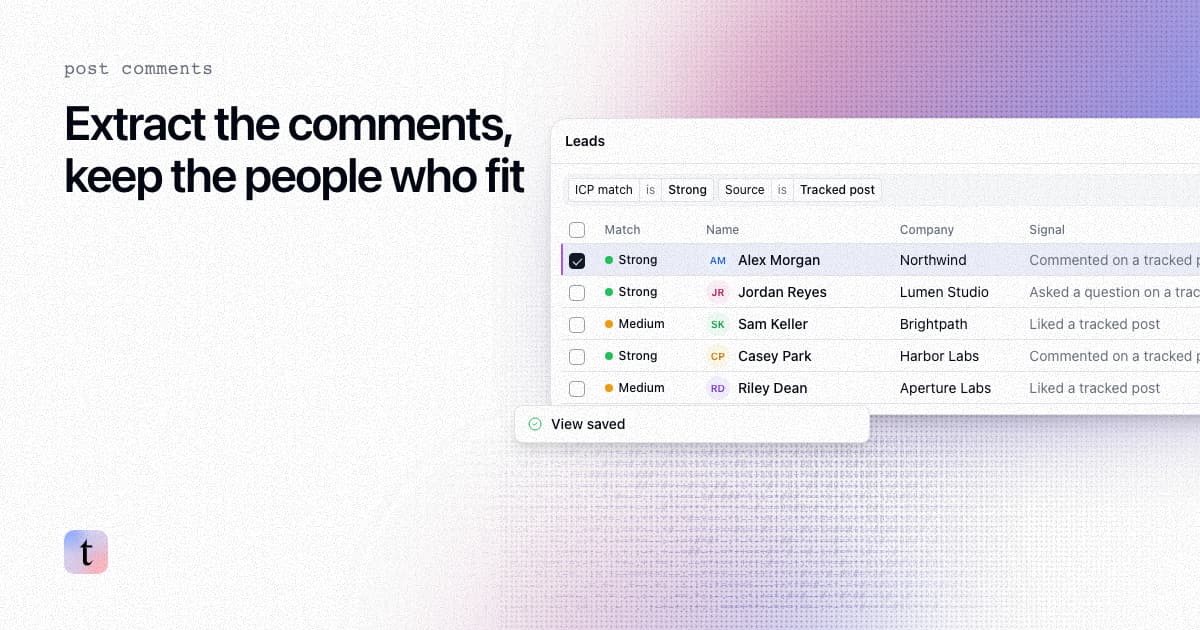
How to extract comments from a LinkedIn post, and keep only the commenters who fit your ICP
Four ways to extract comments from a LinkedIn post, what each returns and risks, and how to keep only the commenters who fit your ICP.
How to find leads from the people who engage with a LinkedIn company page
Most company page engagers are employees, job seekers and peers. How to find the ones who fit your ICP, with the post that brought each one in.