
PhantomBuster alternatives for LinkedIn post likers and commenters: export the list or qualify it
PhantomBuster alternatives for LinkedIn post likers and commenters, compared by output, login, scheduling and whether engagers get checked against your ICP.
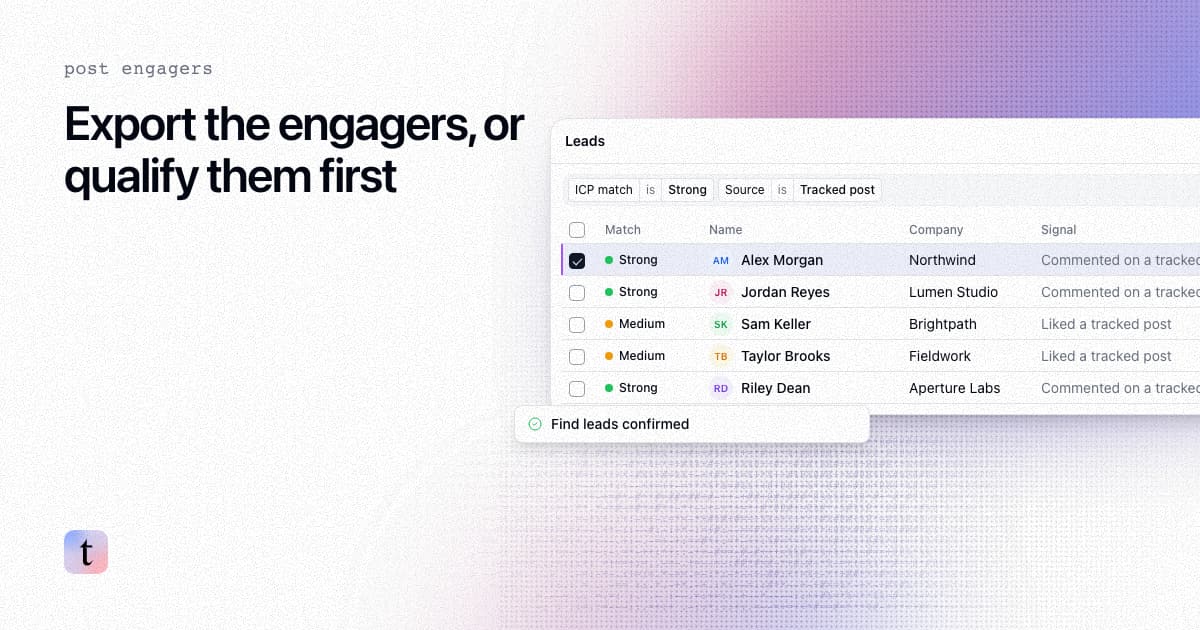
TL;DR: PhantomBuster exports the people who liked or commented on a LinkedIn post through your LinkedIn session cookie, and one of its workflows adds AI filters and contact details. Choose an alternative by what you need after the export. For raw engager rows from an API, look at Apify actors. For a spreadsheet of comments or likes, look at ExportComments. For engagers checked against your ideal customer profile before they become leads, look at traxy, Embers or Teamfluence. Whichever you pick, qualify people before you pay to enrich or contact them.
Last checked: November 9, 2026. Competitor details come from each vendor's own help center or product pages, linked in each section. Pricing is left out on purpose because it changes often. Check each vendor's pricing page.
What does PhantomBuster do with LinkedIn post likers and commenters?
PhantomBuster's help center lists these four automations for post engagement:
LinkedIn Post Likers Export returns each liker's profile link, name, occupation, connection degree and reaction type. The page notes that LinkedIn shows "up to 3,000 people who liked a post," so larger posts stop there (Likers Export).
LinkedIn Post Commenters Export returns the comment text, comment URL, date, likes on the comment and whether the post author wrote it. Posts with 10,000 to 20,000 or more comments "may not allow full extraction" (Commenters Export).
LinkedIn Post Commenter and Liker Scraper is a workflow that checks one source once a day on a fixed schedule, processes up to 8 posts per day, and lists someone who both liked and commented in two rows that are not merged (Commenter and Liker Scraper).
LinkedIn Post Engagers to Lead Outreach is a workflow that extracts engagers, applies AI filters on job title, location and industry, adds contact details "where available," and sends connection invites (Post Engagers to Lead Outreach).
All four list your LinkedIn session cookie as a required input. Plans are measured in execution time and slots (execution time), and AI and email steps use separate credits (plan features).
Why do teams look for a PhantomBuster alternative?
The session cookie. The automations act through your LinkedIn session. PhantomBuster's own guidance tells you to space out launches so LinkedIn does not detect "bot behavior" (rate limits). Some teams would rather not run scrapers from the account they sell with.
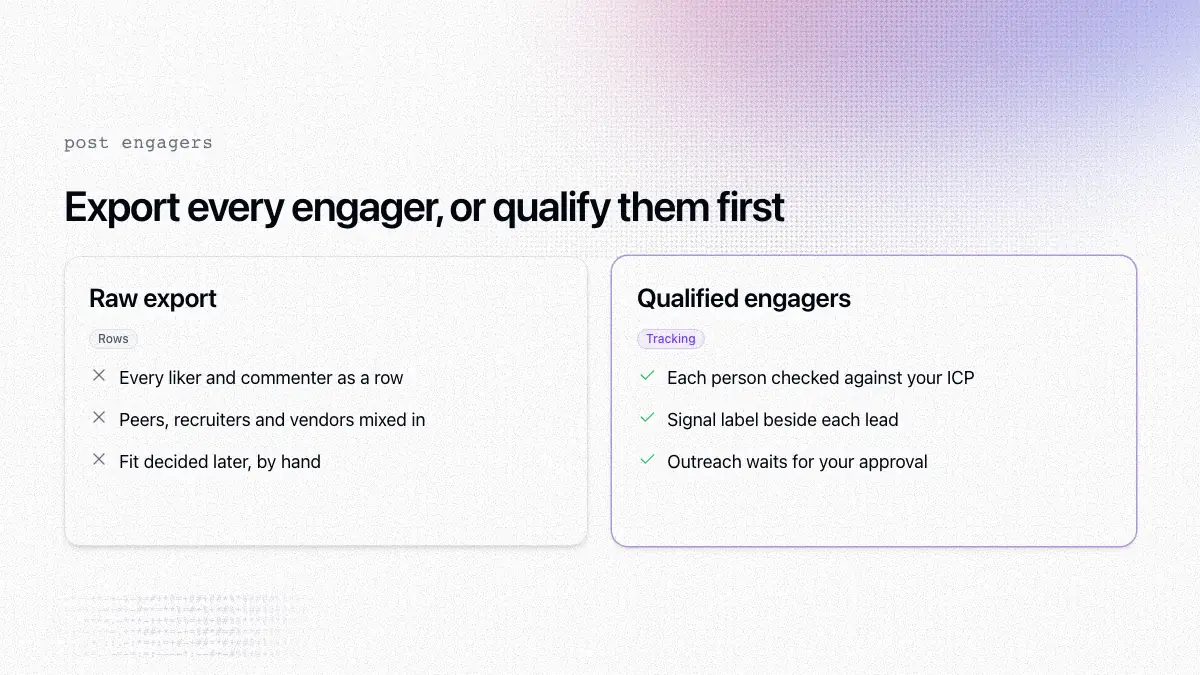
Rows instead of leads. The two exports return every engager LinkedIn shows them, up to their limits. A post about hiring pulls in recruiters, and a post about outbound pulls in other vendors. Someone still has to decide who fits.
Stitching tools together. With the exports alone, you export in one tool, emails in another, scoring in a spreadsheet and outreach in a fourth. Each handoff is a place where duplicates and stale rows creep in.
If none of that bothers you, PhantomBuster may still be the right tool, especially when LinkedIn engagers are one flow among many scrapers you run.
How to compare PhantomBuster alternatives
Ask every tool the same five questions:
Output. Raw rows of engagers, or leads that passed a fit check?
Login. Does it run on your LinkedIn session, its own data sources or a browser extension? Read the help center, not only the sales page.
One post or ongoing. Can it watch posts or profiles over time, or does it only process a URL you paste?
Evidence. Can you see whether the person commented or reacted, and on which post?
What happens next. A CSV, your CRM, Slack, a webhook or a campaign you approve?
PhantomBuster alternatives at a glance
Tool | What you get | Account requirement, as the vendor states it | Fit check |
|---|---|---|---|
PhantomBuster | Likers and commenters as rows; one workflow adds filters and contact details | Your LinkedIn session cookie | AI filters on title, location and industry in the outreach workflow |
traxy | Qualified leads from a tracked post or profile, each with a signal label | Sending through traxy needs a connected sender | ICP match of at least 50% against your lead criteria |
Apify actors | Reaction or comment rows by API, CSV or JSON | Several actors say no cookies or account; others use a session | Not described on the actor pages |
ExportComments | Comments or likes in a spreadsheet, with parsed title and company | Public posts without login; private posts need your session | None; it suggests enrichment tools |
TexAu | Post likers and comments exports, plus enrichment and CRM pushes | Its LinkedIn native actions need no login or cookie, per its guides; Desktop uses a Chrome extension | Scoring is listed on its homepage |
Embers | A post's engagers matched to your ICP and ranked | Says it needs no LinkedIn password, cookies or extension | ICP match with a 0 to 100 score |
Teamfluence | Reactors and commenters on tracked posts | Chrome extension and your LinkedIn account | Persona and company criteria |
Rows other than traxy summarize each vendor's own pages as of November 9, 2026.
1. traxy: when you want engagers checked against your ICP before they become leads
traxy finds people from LinkedIn activity you choose to watch. For a single post, choose Track post from the New menu, paste the post URL, review the candidate scope and confirm Find leads. The docs say candidate counts describe people to evaluate, not a guaranteed number of qualified leads (Tracking). To keep watching an author, track the profile with a relationship such as competitor, teammate, influencer, investor or custom. Ongoing monitoring follows a managed window of the five most recent posts published after the profile was added. For an older post, track the post itself.
Each person is checked against your lead criteria, such as role, seniority, company size and industry, and needs an ICP match of at least 50% to become a qualified lead (qualification). A relevant post does not make someone a lead if they do not fit your criteria (lead criteria). Each lead also carries a signal label (Warm, Related, Activity or ICP match) that describes the strength of the evidence, separate from the ICP match score (signals). New qualified leads use your workspace capacity, which every discovery source shares.
Next, look up contact details for the people worth contacting. A lookup is not a guarantee that a usable address or number exists (contact details). To send through traxy, connect a sender and build a campaign. A test prepares research and previews without sending outreach, and nothing launches until you confirm Launch (review and launch). You can also route leads to Slack, a webhook, Clay, n8n or Zapier (integrations).
Pick traxy if your problem is unqualified engagers rather than the export itself. Skip it if you need every liker on a post as raw rows for your own processing. An export tool fits that job better.
2. Apify actors: when you want raw engager data through an API
Apify hosts community-built actors for LinkedIn posts. HarvestAPI's LinkedIn Post Reactions Scraper says it works with "No cookies or account required" and notes that LinkedIn "stops loading more reactions after 1218 items" (post reactions actor). Its comments actor returns comment text, counts, the commenter's headline and the date (post comments actor). Other actors run on an authenticated session, so check each actor's inputs. The HarvestAPI actors are paid per event, and Apify Schedules can run actors on a cron.
Pick Apify if someone on your team will build the qualification and enrichment steps on top. None of these actor pages describe an ICP check.
3. ExportComments: when you want a spreadsheet of comments or likes
ExportComments exports comments and reactions to Excel from LinkedIn and other platforms such as Facebook, Instagram and YouTube. Its LinkedIn exporter returns the commenter's headline, a parsed current title and company, reaction counts by type and reply threads. The current page says public mode reads posts set to "Anyone" without login, while private posts need authenticated mode with your own session (LinkedIn comments exporter). An October 2024 help article said a session cookie was required, so the behavior has changed over time. Its homepage says exports can repeat hourly, daily, weekly or monthly.
Pick ExportComments if the job is a clean spreadsheet. It does not qualify anyone, and its own page suggests sending the profile URLs to an enrichment tool.
4. TexAu: when you want export, enrichment and CRM pushes in one tool
TexAu runs as a cloud product and a separate Desktop app. Its cloud guides say the LinkedIn native actions, including post likers and post comments exports, need "No LinkedIn login or cookie" and cover public posts only (LinkedIn native actions). The homepage adds waterfall enrichment, scoring and pushes to CRMs. TexAu Desktop runs through a Chrome extension and lists post likers and commenters at up to 2,500 each (Desktop automations), and it says there is no scheduler yet (how it works).
Pick TexAu if you want a general growth automation tool with LinkedIn engagers as one input among several.
5. Embers and Teamfluence: other tools that qualify engagers
Embers matches the people behind LinkedIn activity "against your ideal customer profile" and ranks each person by fit and signal context. Its Qualify a post feature works on anyone's post (qualify a post), and the homepage says it needs no LinkedIn password, browser cookies or Chrome extension. Embers does not send messages itself. It pushes leads to Slack, CRMs and outreach tools, and suggested messages stay drafts that you send (Embers).
Teamfluence lets you "Track any public posts to capture everyone who reacts to it or comments on it" (Teamfluence signals) and checks each person against your ICP criteria (AI agent setup). It works through a Chrome extension and a connected LinkedIn account (workspace setup), and its focus is your own team's network. Compare options in Teamfluence alternatives.
One tool that used to appear on these lists has closed: Trigify's homepage says its standalone platform is being retired, with monitoring for standard customers ending on October 22, 2026. See what to use now that Trigify shut down.
6. Staying on PhantomBuster: add a qualification step
Treat the export as candidates, not leads.
Filter by title, seniority and company type. Drop other vendors, recruiters and job seekers.
Rank commenters above people who only reacted. A comment tells you more about what someone thinks.
Merge people who appear in both the likes rows and the comments rows.
Look up emails only for the people you keep (what contact enrichment is).
Write the first message around what they engaged with (from a LinkedIn signal to a message).
How to turn one LinkedIn post into qualified leads in traxy
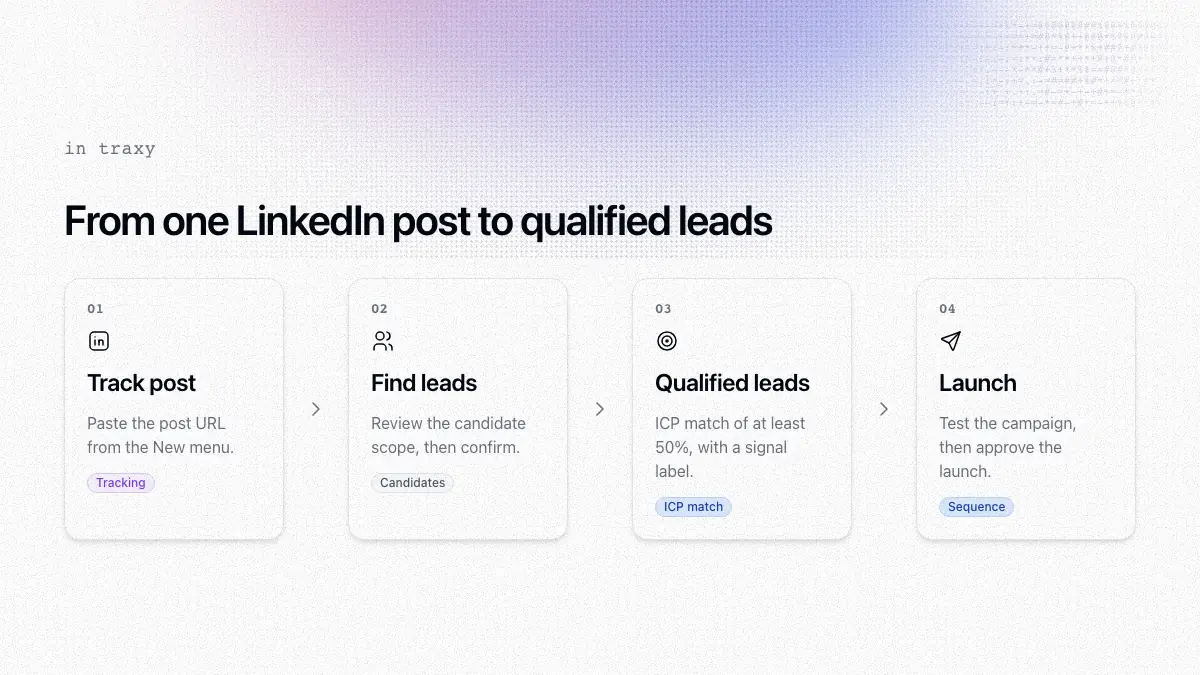
Set your lead criteria: roles, seniority, locations, company size and industry.
Choose Track post from the New menu and paste the LinkedIn post URL.
Review the candidate scope, then confirm Find leads.
Open the qualified leads and check role, company, ICP match and signal label.
Request a contact lookup for the people you want to reach.
Save a view, build a campaign, run a test, and confirm Launch when the audience, sender and steps look right.
You can also ask trax, the in-app assistant, to find leads from a post URL (find leads from any LinkedIn post). If you only need the comment text, see how to extract comments from a LinkedIn post. For the same job compared across more tools, see how to choose a tool that turns a post URL into qualified engagers with work emails.
Mistakes to avoid when you replace PhantomBuster
Reading a like as a reason to pitch. A like is weak evidence. Write a message that matches what the person did.
Enriching before you qualify. You pay for lookups on people you will never contact.
Running heavy scrapes from the account you sell with. Follow each vendor's stated limits.
Comparing tools on the sales page alone. Check the help center for login, limits and scheduling.
If you are weighing other tools in this category, Valley alternatives and Signado alternatives compare the tools that find leads from LinkedIn signals and then help you reach them.
FAQ
Is there a PhantomBuster alternative that exports LinkedIn post likers?
Yes. Apify actors, ExportComments and TexAu all export post reactions or comments. Check each one's stated limits on large posts and whether it uses your LinkedIn session.
Which PhantomBuster alternative checks engagers against my ICP?
traxy, Embers and Teamfluence check engagers against your criteria before you work them. PhantomBuster's Post Engagers to Lead Outreach workflow also filters by job title, location and industry, and TexAu's homepage says it scores leads against your ICP.
Does PhantomBuster need my LinkedIn cookie for post engagers?
Yes. Its help center lists your LinkedIn session cookie as a required input for the likers export, the commenters export and both engager workflows.
How is traxy different from PhantomBuster for post engagers?
PhantomBuster's exports return the engagers they can load as rows. traxy returns the people who engaged and passed your ICP check, each with a signal label. Contacting them is a separate step you approve, such as confirming Launch on a campaign or Send on a one-off message.
Can I use PhantomBuster and traxy together?
Yes. You can keep PhantomBuster for other scraping jobs and use traxy for LinkedIn engagement leads, then route leads to your other tools with a webhook, Clay, n8n or Zapier.
Next step
Take one post your buyers engaged with, run it through your current export and through one tool that qualifies, and count how many people from each list you would message. More head-to-head pages are in traxy alternatives and comparisons. Start with traxy and see who is already engaging in your market.
Keep reading
All traxy vs Alternatives guides
traxy Alternatives & Comparisons (2026)
Every traxy comparison in one place: traxy vs Trigify, Sales Navigator, Taplio, Expandi, Common Room and more, plus tool roundups and stack pairings.
Signado alternatives (2026): LinkedIn signal tools compared by what they watch and how they send
Signado alternatives compared by what each tool watches on LinkedIn, how it checks fit and how it sends: traxy, Signl, SignalRaven, Linked Panda and Embers.
Valley alternatives (2026): LinkedIn prospecting tools compared by lead source and who approves the message
Valley alternatives compared by lead source, fit check, sending account and approval: traxy, Gojiberry, Saava, La Growth Machine, Expandi and Embers.