
How to extract comments from a LinkedIn post, and keep only the commenters who fit your ICP
Four ways to extract comments from a LinkedIn post, what each returns and risks, and how to keep only the commenters who fit your ICP.
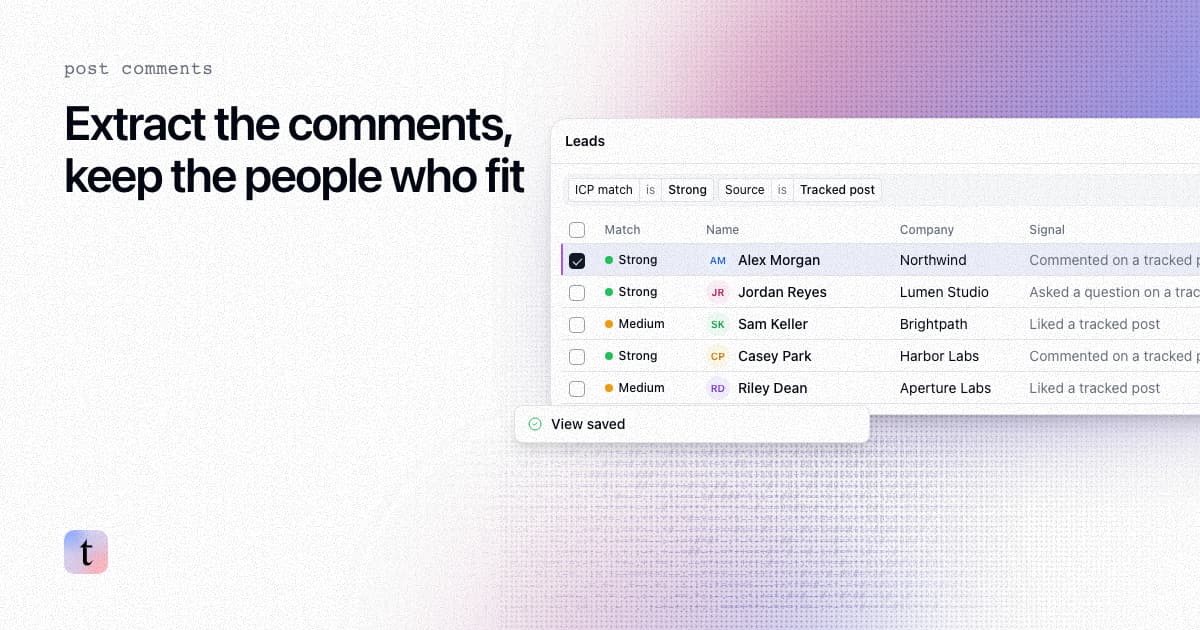
TL;DR: There are four main ways to get the comments off a LinkedIn post: copy them by hand, run a scraper, use a browser extension, or use a lead tool that reads the post's engagers and returns only the people who match your buyer. Copying works for one post with a few dozen comments. Scrapers and extensions return a raw export. LinkedIn's User Agreement prohibits software that scrapes or copies the service, and many of these tools run on your own LinkedIn session, so your account carries the risk. If your goal is leads rather than a spreadsheet, you may not need the full export: track the post in traxy and review the commenters and other engagers who fit your ICP, each with an ICP match and the engagement behind it.
Last checked: November 9, 2026.
Can you export comments from a LinkedIn post?
We found no built-in LinkedIn option to download a post's comments or its list of reactions. Page admins get analytics for company page posts, which show totals and audience breakdowns rather than a list of commenters you can export.
So every method below is a workaround. They differ in effort, risk and what you get back.
What are the ways to extract LinkedIn post comments?
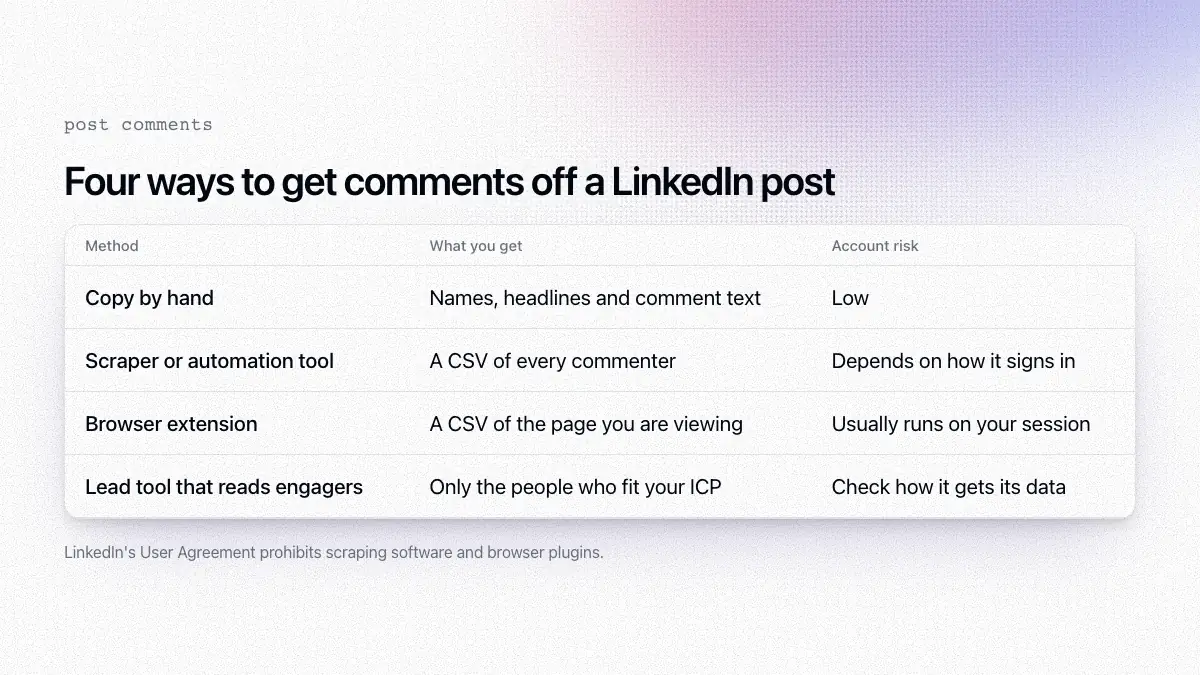
Method | What you get | Effort | Risk to your account | Best for |
|---|---|---|---|---|
Copy by hand | Names, headlines, comment text | High | Low | One post with a few dozen comments |
Scraper or automation tool | A CSV of commenters and comments | Low once set up | Depends on how it signs in | Research, volume |
Browser extension | A CSV from the page you are viewing | Low | Usually runs on your session | Occasional exports |
Lead tool that reads engagers | Only the people who fit your ICP, with context | Low | Check how the tool gets its data | Finding leads |
Copy comments by hand
Open the post, click the comment count, switch the sort from Most relevant to Most recent, and keep clicking Load more comments until the thread is fully open. LinkedIn's help center notes that some comments are only visible under Most recent. Expand replies too, since some of the best context sits in reply threads. Then copy each commenter's name, headline and comment into a sheet.
It is slow, and you still need to check each person's profile to see whether they fit. For one post with a few dozen comments, it is the lowest-risk option, and it teaches you a lot about who engages with that topic.
Use a scraper or automation tool
Scraping tools load the post and pull every commenter and comment into a file. Many run on your own LinkedIn session, through a cookie you paste in or a cloud browser logged in as you.
LinkedIn's User Agreement prohibits using software, scripts, crawlers or browser plugins to scrape or copy the service, and accounts tied to heavy automation can be restricted. If you use a scraper, read the tool's documentation on how it signs in and follow its limits. Our comparison of PhantomBuster alternatives for post engagers lists what several tools say about logins and limits.
Use a browser extension
Extensions read the page while you are on it and export what they see. They are convenient for an occasional post, and they carry the same account question as scrapers because they act inside your logged-in session.
Use a lead tool that reads post engagers
Some tools read engagement on a post and return people instead of a raw export. They filter the list against the buyer you described, so you get the commenters and other engagers who fit, with the reason each one is on the list.
Should you extract comments, likes or both?
Start with comments. A comment is the person's own words, which gives you two things a like does not:
Context for the message. If someone wrote "we tried three tools for this and none stuck," you know what to respond to.
A better read on fit. A comment can show whether the person has the problem, sells into it, or is a peer offering an opinion.
Likes still help at volume. Someone who liked several posts about the same problem in a month suggests an ongoing interest in that problem, even without a comment. traxy's signal cheat sheet treats them differently: respond to the specific point in a comment, and use a liked post's topic as context only when the interaction supports it. Our guide to reading LinkedIn comments goes deeper on what a comment can and cannot tell you.
How do you get the right commenters from a LinkedIn post with traxy?
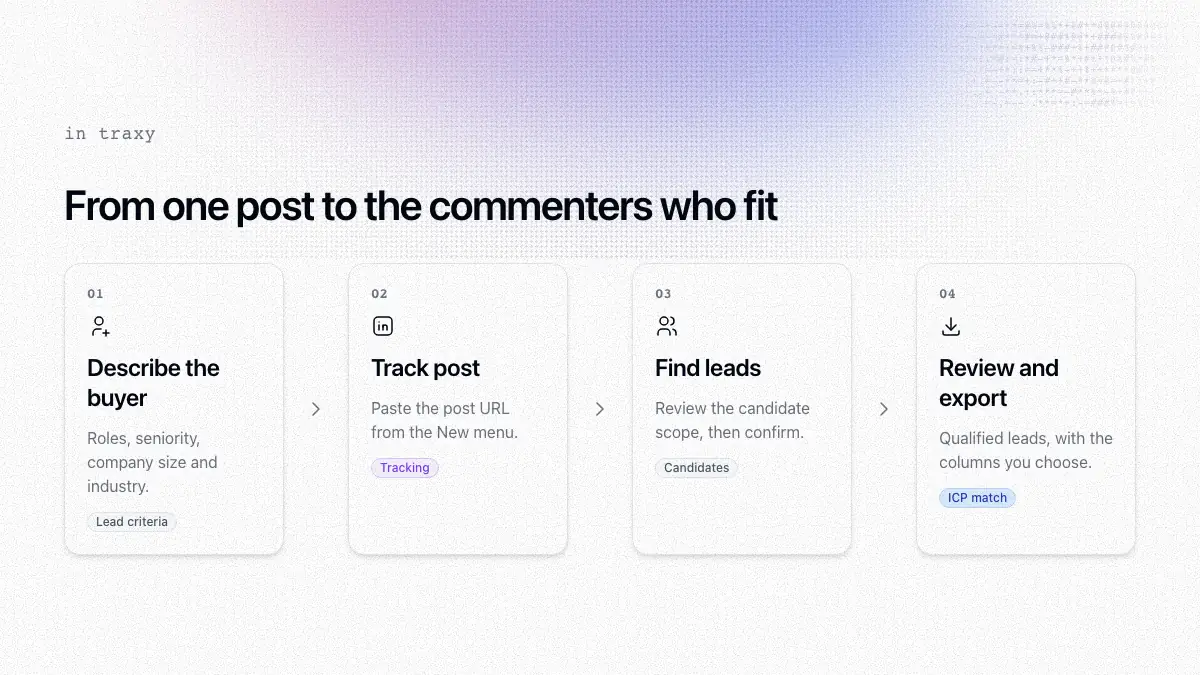
Describe your buyer. Set lead criteria for roles, departments, seniority and locations, plus company size, industry and relevant niches (lead criteria).
Add the post. Choose Track post from the New menu and paste the URL, or ask trax to find leads from the post.
Review the candidate scope. Before you confirm Find leads, review the candidate scope. Candidate counts describe people to evaluate, not a guaranteed number of qualified leads (Tracking).
Review the leads. Only people with an ICP match of at least 50% qualify (qualification). Open each lead to check role, company, signals and the source and date of the evidence before you reference it (leads).
Export or route. Select the leads and export them with the columns you choose (exports), or route them to Slack, a webhook, Clay, n8n or Zapier.
To follow the post's author over time instead of one post, track the profile. Ongoing monitoring follows a managed window of the five most recent posts published after the profile was added. The full walkthrough is in find leads from any LinkedIn post.
Which LinkedIn posts are worth extracting comments from?
Before you pull anything, open the comments and look at who is there.
Posts about a problem your offer solves. "What's the hardest part of hiring your first SDR?" tends to draw founders with that problem.
Competitor posts. People commenting on a competitor's product launch may be comparing options. Treat that as a reason to look closer, not as proof they are buying.
Posts that ask for recommendations. "Which tool do you use for X?" threads are full of people stating needs. See finding people asking for recommendations.
Your own posts and your clients' posts. The people engaging have already seen your work.
Skip posts where most commenters are other creators, vendors or members of engagement pods. A thread of "Great insights!" from people who sell what you sell rarely produces leads.
What should you do with the commenters once you have them?
Check each person against the four points in what makes a lead warm, then reach out to the people who fit and make the first message about what they said.
A fictional example, after a founder commented that new reps take months to ramp:
"Saw your comment on Dana's post about hiring a first SDR. You mentioned ramp time. We help seed-stage software teams shorten that. Open to a quick look at how?"
Keep the message to what the comment supports. A comment about a problem does not mean the person has budget, and a like does not mean they agree with every line of the post. For timing and follow-ups, see LinkedIn follow-up messages after post engagement.
FAQ
Can I download comments from a LinkedIn post?
We found no built-in export for a post's comments. You can copy them by hand, use a third-party tool, or use a lead tool that returns the commenters who fit your buyer.
Is it safe to scrape LinkedIn comments?
LinkedIn's User Agreement prohibits scraping, and tools that act through your logged-in session put that account at risk of restriction. Read each tool's documentation on how it signs in before you use it.
How do I see everyone who commented on a LinkedIn post?
Open the comment count, switch the sort from Most relevant to Most recent, and keep loading comments and replies until the thread is fully open.
Can traxy find leads from a single LinkedIn post?
Yes. Choose Track post, paste the URL, review the candidate scope and confirm Find leads. Only people who pass your ICP check become qualified leads, a post can return none, and new qualified leads use your workspace capacity.
What does traxy monitor after I track a profile?
Ongoing monitoring follows a managed window of the five most recent posts the profile publishes after you add it. For an older post outside that window, use Track post to request discovery for that post.
Next step
Pick one post your buyers commented on and compare the full comment list with the people who fit your criteria. Start with traxy and paste a post you care about.
Keep reading
All LinkedIn Lead Generation guides
LinkedIn Lead Generation (2026): What It Is, Strategy, Tips and Tools for B2B
What LinkedIn lead generation is, a 7-step B2B strategy, the 5 main tactics, tips, tools and metrics, plus every LinkedIn lead generation guide we publish.
LinkedIn says founders are up 70%. How to find the ones who fit your offer
LinkedIn reports founders on the platform are up 70%. How to find the founders who fit your offer with company traits, recent activity and three checks.

Can ChatGPT find leads? What it can and can't do on its own, and what changes with a connected lead source
What ChatGPT can and cannot do for B2B lead generation on its own, and what changes when a connected lead source supplies real engagement data.