
How to Generate Leads From LinkedIn Engagement: A Step-by-Step Framework (2026)
A step-by-step framework to generate leads from LinkedIn engagement, turning post likes and comments into qualified, sales-ready leads.
TL;DR: To generate leads from LinkedIn engagement, don't treat every like or comment as a lead. Filter engagers by fit (title, company size, industry) before you filter by interest, then act on comments and reposts before likes, since they carry more intent. The fastest path is: capture the engagement, score it against your ideal customer profile, and route only the qualified matches into outreach or your CRM, usually within a day or two of the original post, while the interest is still warm. For how engagement fits alongside outreach and content, see the full guide to LinkedIn lead generation.
What Counts as a Qualified Lead From LinkedIn Engagement?
A qualified lead from LinkedIn engagement is someone who both interacted with relevant content (yours, a teammate's, or a competitor's) and matches your ideal customer profile on the basics: job title, seniority, company size, and industry. Engagement alone isn't qualification. A college student liking a CEO's post about enterprise software isn't a lead; a VP of Sales at a 200-person company commenting on the same post is. The qualification step is what separates a list of names from a list of people worth a sales rep's time.
This distinction matters because "engagement" spans a wide range of intent. A like takes one tap and often means little more than passive agreement. A comment requires someone to stop, think, and type something public under their own name, a meaningfully higher-effort signal. A repost puts your content in front of their own network, which is a stronger signal still, and often means they're the kind of person other people look to for opinions on the topic. Being the author of the original post that draws replies is different again: worth checking, though it usually confirms the person is already in your funnel. None of these signals is proof of buying intent by itself; they're inputs to prioritize, not conclusions to act on.
Why Most Teams Miss the Leads Sitting in Their Notifications
Most B2B sales teams already have this information, but it isn't organized. Every LinkedIn post a founder, exec, or teammate publishes accumulates likes, comments, and reposts, and most of that engagement scrolls by unread. Even when someone manually checks the notification tab, three things get in the way of turning it into pipeline: engagers aren't filtered by fit, so a rep has to click into a dozen profiles to find the two that matter; there's no record of who's already been reached out to, so the same commenter gets pitched twice by two different reps or ignored entirely; and by the time anyone gets around to reviewing engagement from last week's post, the moment has passed. A comment on a product announcement is a warm signal for a day or two, not a month.
The result is a strange gap: teams spend budget on cold outbound lists and third-party intent data while ignoring people who already raised a hand by engaging with content their own company published. The signal is free and already high-intent by construction (someone chose to interact with a specific idea, in public, under their real name), but it's operationally invisible without a system to catch it.
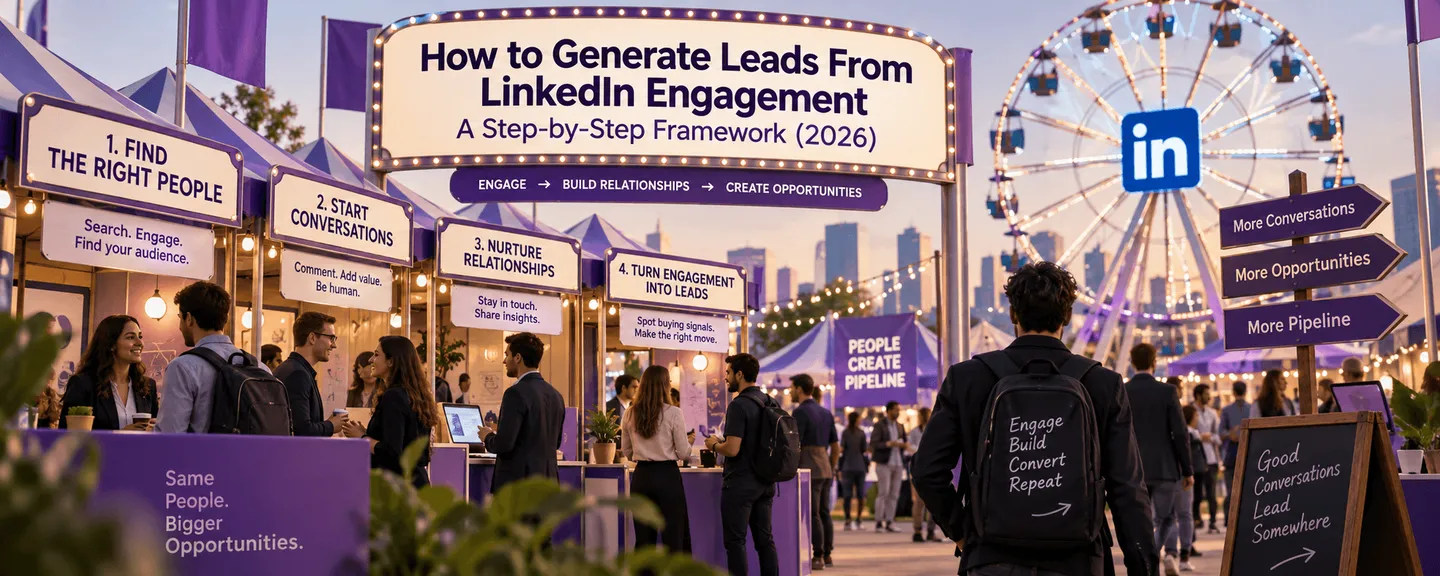
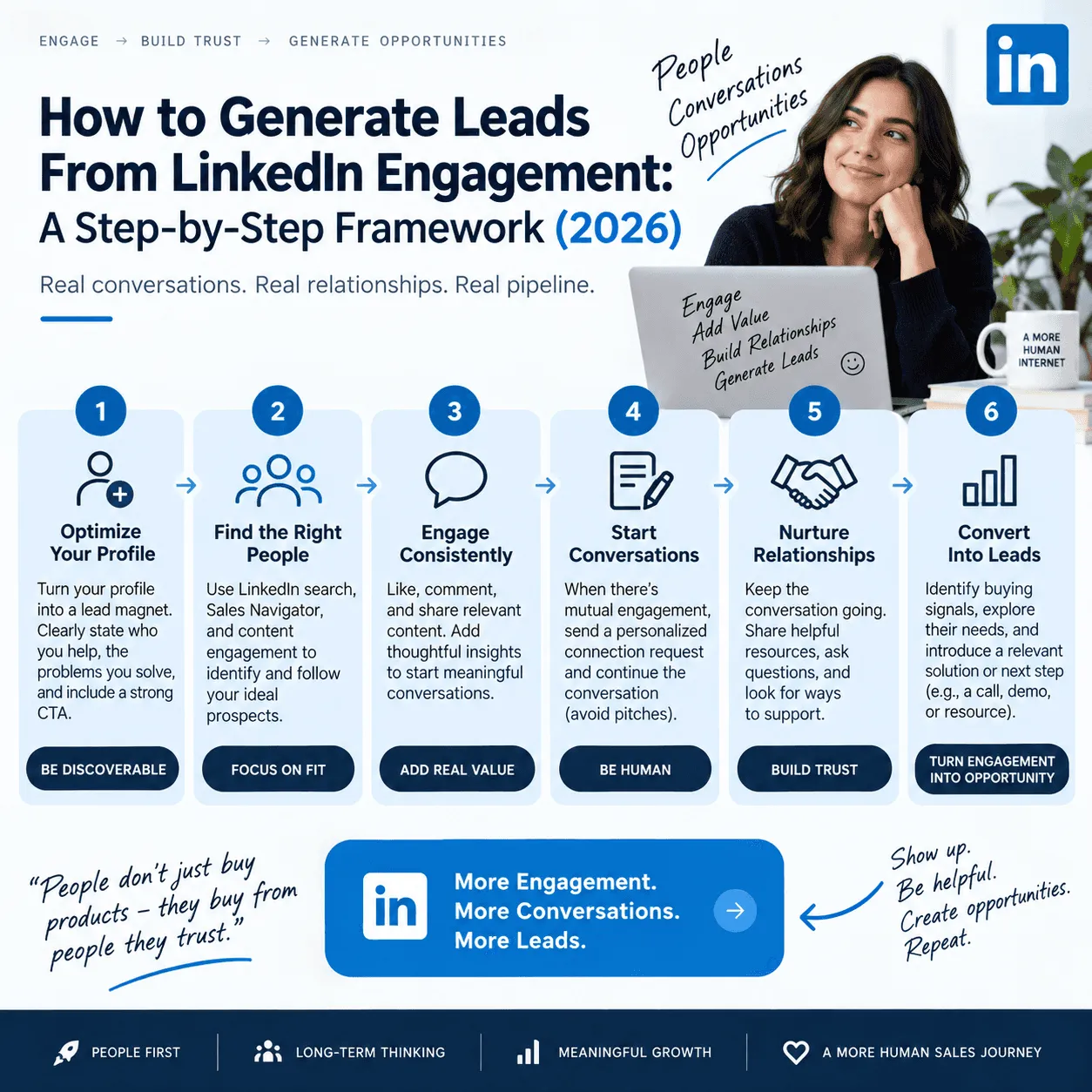
How to Turn LinkedIn Engagement Into Qualified Leads: The Framework
1. Monitor more than your own posts. Track engagement on posts from your founders, your sales and marketing team, and, where useful, competitor and industry-influencer posts. A prospect commenting on a competitor's product announcement is often a stronger signal than one liking your own content, because it shows active category interest rather than simple brand affinity.
2. Capture engagement as it happens, not in a weekly batch. Likes, comments, and reposts should be pulled continuously rather than reviewed manually once a week. Waiting even a few days turns a warm, specific signal ("I commented on a post about this exact problem") into a cold one that requires re-establishing context.
3. Filter by fit before you filter by interest. Cross-reference each engager's job title, seniority, company size, and industry against your ideal customer profile before anyone spends time on them. This step alone eliminates most of the noise: in any reasonably sized post's engagement, most engagers are peers, competitors, or people outside your buying market.
4. Weight the signal by engagement type. Not all engagement deserves the same follow-up speed or approach. Comments and reposts warrant a same-day or next-day response, ideally referencing what they said. Likes are worth tracking and aggregating (someone who's liked five posts from your company in a month is a better candidate for outreach than someone who's liked one), but they rarely justify an immediate one-to-one message on their own.
5. Enrich before you reach out. Once someone clears the fit filter, pull the contact details and account context (company domain, recent hiring or funding signals, existing CRM history) needed to personalize outreach and avoid duplicating a conversation another rep already started.
6. Route qualified leads to where the team already works. A qualified engager should land in the CRM or the channel your reps use every day. If the lead is being routed automatically, log the source post and engagement type so the first outreach message can reference it directly ("saw your comment on...") instead of opening cold.
7. Close the loop with feedback. Track which engagement-sourced leads convert, and use that to tighten the ideal-customer-profile filter over time. Signal-based prospecting gets more accurate the more it's corrected against real outcomes, not less.
Old Way vs. New Way: Manual Engagement Tracking vs. Signal-Based Qualification
Aspect | Manual tracking | Signal-based qualification |
|---|---|---|
Who gets reviewed | Whoever a rep remembers to check | Every engager across tracked posts, automatically |
Speed to outreach | Days to weeks, if it happens at all | Same day, while the signal is still warm |
Fit filtering | Eyeballed, inconsistent across reps | Applied consistently against a defined ICP |
Signal weighting | Likes and comments treated the same | Comments, reposts, and likes prioritized differently |
Duplicate outreach risk | High, with no shared record of who's been contacted | Low, since leads route through a shared system of record |
Scales past one person's own posts | Rarely, since it's too time-consuming | Yes, covering teammates, competitors, and influencers |
5-Question Checklist: Is This LinkedIn Engager a Real Lead?
Does the engager match your ideal customer profile? Check title, seniority, company size, and industry before anything else. Engagement from a poor-fit account isn't a lead, however enthusiastic.
What type of engagement did they take? A comment or repost is a stronger signal than a like and usually deserves faster, more personalized follow-up.
Is the signal still fresh? Engagement from three weeks ago has usually gone cold; prioritize what happened in the last day or two.
Have they engaged more than once? Repeat engagement across multiple posts is a stronger pattern than a single interaction and often signals real, ongoing interest rather than a one-off scroll-past.
Has anyone on your team already reached out? Check for existing CRM history before sending a message, so the same person isn't contacted twice from two different angles.
FAQ
How can you turn engagement on a founder's LinkedIn posts into qualified leads?
Track who likes, comments on, and reposts the founder's content, then filter that list against your ideal customer profile before following up. The founder's personal reach often surfaces senior, relevant engagers that a company page post wouldn't, but without a fit filter, it also surfaces a lot of noise from peers and industry commentators who aren't buyers.
Which platforms turn LinkedIn post engagement into sales leads?
Purpose-built social-selling and engagement-intelligence platforms (traxy among them) monitor specified LinkedIn profiles, capture likes, comments, and reposts on their posts, and match engagers against a defined ideal customer profile. This differs from a standard LinkedIn CRM, which typically manages contacts and outreach sequencing but doesn't independently discover new leads from engagement.
How reliable are LinkedIn engagement signals for predicting purchase intent?
Engagement signals are directional, not conclusive. A comment or repost from someone who matches your ideal customer profile is a meaningfully stronger indicator of interest than a cold contact with no signal at all, but it should inform prioritization and outreach timing rather than stand in for full qualification through a sales conversation.
What's the fastest way to build a warm outbound campaign from LinkedIn engagement?
Start with engagement on your highest-performing recent posts, filter engagers by fit, and reach out within a day or two while referencing the specific post or comment. Speed and specificity both matter: a fast, generic message performs worse than a slightly slower, personalized one that shows you read what they said.
How is this different from checking who liked your post manually?
Manually checking a notification tab doesn't scale past a handful of posts, has no fit filter built in, and leaves no record of who's already been contacted, so the same engager can get missed entirely or messaged twice. A systematic process (whether a spreadsheet or dedicated software) fixes all three problems at once.
Related Reading
Turning Notifications Into Pipeline
The leads sitting in a company's LinkedIn notifications are people who already told you, in public, that they're interested in the topic your product solves. The work is filtering that engagement by fit, moving on it while it's still fresh, and routing it somewhere a rep will see it. Teams that build this into a repeatable process are effectively running warm outbound at the volume most companies reserve for cold outbound. Platforms like traxy automate the capture, scoring, and routing steps described above, so the process runs continuously instead of depending on someone remembering to check.
Keep reading
All LinkedIn Lead Generation guides
LinkedIn Lead Generation (2026): What It Is, Strategy, Tips and Tools for B2B
What LinkedIn lead generation is, a 7-step B2B strategy, the 5 main tactics, tips, tools and metrics, plus every LinkedIn lead generation guide we publish.
How to find and review LinkedIn leads from Claude with traxy
Connect traxy to Claude as a remote MCP connector to list qualified LinkedIn leads, read the evidence behind each one and see which posts brought them in.
How to find leads from the people who engage with a LinkedIn company page
Most company page engagers are employees, job seekers and peers. How to find the ones who fit your ICP, with the post that brought each one in.