
How recruiters and staffing firms find hiring companies and hiring managers on LinkedIn
How recruiters and staffing firms find companies hiring on LinkedIn, reach the hiring manager who owns the role, and run LinkedIn and email outreach.
TL;DR: Recruiters and staffing firms find new clients on LinkedIn by looking for two things together: companies hiring for the roles they place, and the hiring managers at those companies who are posting, commenting on or reacting to posts about hiring right now. Confirm the open role, find the person who owns it, and write to them about that role, not with a generic "we help companies hire" note. traxy runs this end to end: it finds hiring managers and founders engaging with hiring-related posts and with your target companies' LinkedIn pages, keeps only 50%+ ICP matches, enriches them, researches each one (including the company's open roles), then runs personalized LinkedIn and email outreach from your own accounts. The campaign runs on autopilot once you approve it, or you approve every message.
Checked November 10, 2026. traxy wrote this guide and is one of the tools in it. Every other tool is described only from its own pages, linked where it appears and checked November 2026. Features change, so check details with each vendor. For the wider list of tools staffing firms use for sending, contact data and their ATS, see the best LinkedIn lead gen tools for recruiting and staffing firms.
How do recruiters find new clients on LinkedIn?
Recruiters find new clients on LinkedIn from five places: job posts, hiring managers who post about hiring, the people engaging with hiring posts in their niche, the LinkedIn pages of the companies they want to win, and the people engaging with their own posts and profile. A job post tells you a company has an opening. Activity tells you which person cares about it this week, and gives you a true first line. Using two or three together gives you both the opening and the person.
Where new clients come from | What it tells you | How to find it by hand | How traxy finds it |
|---|---|---|---|
Job posts and "we're hiring" posts | The company has an open role, and where it is based | LinkedIn Jobs by title and location, or Sales Navigator's Job opportunities account filter | Research on each lead in a campaign checks the company's open roles, with the link and date. It is not a live job feed |
Hiring managers posting about hiring | The person feels the open seat now, often in their own words | Search LinkedIn posts by keyword and read each one | Signals: you describe the hiring topics, and traxy finds people who post, comment and like on them |
Engagers with hiring posts in your niche | Managers and founders reacting to posts about hiring, team growth or the talent market | Open the reactions and comments on popular hiring posts and check each profile | Tracking people (talent leaders, founders, creators your buyers follow) and single posts by URL |
Your target companies' LinkedIn pages | Who engages with the company's hiring and growth posts | Visit each page and read the engagement on each post | Track companies by domain or LinkedIn page. traxy keeps the engagers who fit your ICP, not every employee |
Past activity on a hiring topic | People who engaged on it in the past, not only this week | Not practical by hand | Social intent search across 71M+ scanned LinkedIn likes, posts and comments, in plain English |
Your own posts and profile are a sixth source: track your own profile, and turn on the Profile views switch so the people who view your profile become leads.
Then check fit before interest. Hiring posts draw a lot of other recruiters, job seekers and vendors, and none of them are clients. In traxy, a person only becomes a lead with a 50%+ match to your ideal customer profile (ICP), and the post, comment or like behind each lead stays on it. Set the lead criteria to the hiring side: the roles, departments and seniority of the people who own hires, plus the company sizes, industries and locations you place for. Add the staffing and recruiting industry as an exclusion, and put competing agencies' domains on the Blocklist, so their recruiters don't turn up as leads.
Then reach out about the role you can fill. The rest of this guide takes each step in turn: the hiring companies, the tools, the hiring manager and the outreach.
How can a recruiting agency find companies that are hiring on LinkedIn?
A recruiting agency can find companies hiring on LinkedIn in three ways: search LinkedIn Jobs by the titles and locations it places, use Sales Navigator's Job opportunities account filter to list companies with open jobs posted on LinkedIn, and watch the LinkedIn pages of its target companies for hiring posts and the people engaging with them. Then confirm each opening before you pitch, because job posts often stay up after a role is filled.
Start from your desks. Write down the roles you place and where, for example "senior backend engineers, remote in the US" or "registered nurses in Ohio". Each desk becomes its own search, and later its own campaign.
Search LinkedIn Jobs. Search by title and location and filter by date posted. Write down the company, not only the role, because the company is the prospect.
Build the account list in Sales Navigator. LinkedIn's filter definitions list a Job opportunities account filter ("Filter accounts to only show those with open job opportunities posted on LinkedIn"), next to Company headcount growth and Department headcount growth over the last 12 months (Sales Navigator filter definitions, checked November 2026). LinkedIn's own guide says to save the search "to get notified when new accounts meet your criteria" (how to prospect with Sales Navigator).
Watch the company pages. A hiring post on a company page names the role, and the people reacting to it can include the manager and the team the hire will join. In traxy, track each target company by its domain or LinkedIn page. traxy reads the page's posts and keeps the engagers who fit your ICP, with the post behind each one. It finds engagers, not every employee at the company (leads from company page engagers).
Confirm the opening. A listing can be weeks old, already filled, or posted only to collect applications. In traxy, a campaign researches each lead's company for open roles, keeps the ones that match and gives hiring leads their own LinkedIn and email message variant. Ask for the job title, the city or country (or remote), the link, the date posted and who the role reports to if the post says. Signals outside LinkedIn, such as hiring, come from research on each lead, not a live job feed.
Which hiring companies are worth pitching?
The open roles worth pitching usually share a few traits:
The role matches a desk you fill well. You can point to candidates or recent placements like it.
It has been open a while, or was posted again. For a company selling software, an old job post is a weak signal. For an agency it can be the opposite: a role still open after several weeks may mean the team is finding it hard to fill. Use that to decide who to call first, not as a line in the message, and check the role is still open.
Several similar roles at once. A hiring push in one team or one city can mean more than one placement.
The post doesn't say "no agencies". Some job posts ask agencies not to get in touch. Have the research step flag that line, and respect it.
The location works for you. The job's location matters more than the manager's own location, which may be somewhere else.
The general version of these checks, for any company selling into a hiring team, is in hiring signals in outbound.
How do staffing firms find companies that are hiring?
Staffing firms find companies that are hiring from job boards and careers pages, from B2B data tools with job-posting filters, from company news such as funding rounds, new leaders and new offices, and from people talking about hiring on LinkedIn. Job data tells you which companies have openings. LinkedIn activity tells you which hiring managers are thinking about it this week, which a list of job posts can't show.
Job boards and careers pages. The most direct proof of an opening. Check the date posted, since old listings stay online.
Data tools with job-posting filters. Apollo, Lusha, ZoomInfo and Clay all describe ways to find companies with open roles or hiring growth. The comparison below shows what each one's own pages say.
Company news. A funding round, a new VP who will build a team, a new office or a new market often comes before a wave of hiring. Research on each lead in a traxy campaign can check for these too, with the source kept on the lead.
LinkedIn activity. Founders and managers post about the roles they can't fill, comment on hiring threads and react to posts about the talent market. This is where traxy finds people, with the post or comment behind each lead.
Your own network. Past clients, and candidates you placed who now hire their own teams. Research on each lead can check for a recent job change or promotion.
The strongest leads have both: a confirmed opening and a hiring manager who engaged with the topic. A company with a backend role open for six weeks, whose engineering manager recently commented on a post about how hard senior hiring is, is a better first call than a company with the same opening and nothing else.
Which tools help staffing firms find hiring companies and hiring managers?
The tools fall into three groups: tools that find hiring managers from LinkedIn activity and reach out to them (traxy), LinkedIn Sales Navigator, and B2B data platforms with hiring filters (Apollo, Lusha, ZoomInfo and Clay). traxy is built to find the hiring-side people who are active on LinkedIn now, check the opening with research, and run the LinkedIn and email outreach in the same place.
Judge any tool on five things:
How it finds hiring companies. Job-posting data, or LinkedIn activity?
How it finds the hiring manager. A title search in a database, or a person who engaged with a hiring topic?
Evidence on each lead. Can you see the job post, or the post or comment that put the person on your list?
Fit and checks. Is each person checked against your criteria, and is the opening confirmed before you write?
Outreach. Does it run LinkedIn and email from your own accounts with approval, or hand the list to another tool?
Tool | Finds hiring companies by | Finds hiring managers by | Outreach | Best for |
|---|---|---|---|---|
traxy | Research on each lead for open roles, with link and date; Tracking target company pages by domain | People posting, commenting and liking on hiring topics, tracked profiles and posts, and social intent search over 71M+ engagements; 50%+ ICP match | LinkedIn and email sequences from your accounts; approve the launch or every message | Firms that want the hiring managers active on LinkedIn now, and the outreach, in one tool |
Job opportunities account filter; company and department headcount growth | Lead filters for current company, function and seniority; people who posted on LinkedIn or changed jobs recently | InMail to people you aren't connected to | Teams that want LinkedIn's own account and people search | |
Job postings filter by job title, job location and posting date | People search by job title and other filters | Sequences, or push to HubSpot or Salesforce | Lists of companies posting a role, with contact data | |
Hiring surge signals by department and location | Finding the hiring manager who owns the role; 515M+ verified contacts | Drafts outreach in ChatGPT or Claude from verified data | Phone-first agency desks | |
Signals such as hiring plans, open positions, funding and leadership changes; intent on staffing topics | Org charts that show who reports to whom | Not covered on the page we checked | Larger firms that want org charts and many trigger types | |
Sculptor finds companies actively hiring; Claygent checks each company's site | Waterfall across 150+ providers for verified emails of hiring managers and HR leads | Pushes rows to Smartlead, Outreach or Salesforce | Teams that build custom hiring-signal tables |
Here is where each one fits, and where it fits better than traxy.
traxy
traxy finds hiring-side people from LinkedIn activity: the people who post, comment and like on the hiring topics you set in Signals, who engage with the profiles, posts and company pages you track, and who match a plain-English social intent search across 71M+ scanned LinkedIn likes, posts and comments. Only 50%+ ICP matches become leads, labeled Warm, Related or Activity by how strong the evidence is. A campaign then researches each lead's company for open roles and any other facts you ask for, groups leads by signal, and runs LinkedIn and email sequences from your own connected accounts. Leads can also go to Slack, Clay, Zapier, n8n or a webhook. Not a fit if you want a job board or a feed of every company with an open role, a candidate database, or an ATS. traxy feeds your ATS or CRM; it doesn't replace it.
LinkedIn Sales Navigator
LinkedIn's filter definitions list a Job opportunities account filter, Company headcount growth and Department headcount growth over the last 12 months, and lead filters for current company, function, seniority level, people who changed jobs in the last 90 days and people who posted on LinkedIn in the last 30 days (filter definitions). The product page says InMail reaches prospects "even if you're not connected", and alerts tell you when saved leads have updates like a job or role change (product page, both checked November 2026). Fits better if you want LinkedIn's own index of accounts with open jobs, and to browse the managers at a target account by function and seniority. You can use both: Sales Navigator for the account list, traxy for the people on it who are active on hiring topics. See the Sales Navigator filters that find ready-to-buy leads.
Apollo
Apollo's help center describes a Job postings filter that finds "companies currently hiring for open positions", by job title, job location and the number of days since a job was first posted. It says Apollo "detects job posting activity from multiple sources", and that some plans include more filters than others. After filtering, you can enroll contacts in a sequence, push them to HubSpot or Salesforce, or export a CSV (search filters article, checked November 2026). Fits better when you want a list of the companies posting a given role in a given place, with emails and phone numbers, at volume. See Apollo vs Clay.
Lusha
Lusha's page for recruiters says agency recruiters can "spot companies with a hiring surge, by department and location", "find the hiring manager who owns the role" and "draft outreach in ChatGPT or Claude from verified data". It lists 515M+ verified contacts and says Lusha "never scrapes LinkedIn or social networks" (Lusha for recruiting, checked November 2026). Fits better for phone-first desks that want direct dials for hiring managers at companies adding headcount. For a workflow that uses both, see traxy and Lusha together.
ZoomInfo
ZoomInfo's guide to business development for recruiting lists opportunity signals for staffing firms, including hiring plans, open positions, new hires, leadership changes, funding and RFPs. It describes intent data "tracking firms doing a significant amount of research about contingent staffing, employment agencies, IT staffing", org charts that show who reports to whom across IT, HR, Finance and Operations, and 30,000+ tracked technologies (ZoomInfo's guide, checked November 2026). Fits better for larger firms that want org charts, intent on staffing topics and many kinds of trigger events in one data platform.
Clay
Clay's page for staffing leads says Sculptor "scans Clay's company database for companies actively hiring", that Claygent "browses each company's site to confirm hiring activity", and that Clay waterfalls through 150+ providers for verified emails of hiring managers and HR leads. Rows can be scored by job count, headcount growth and hiring velocity, then pushed to Smartlead, Outreach or Salesforce (Clay staffing leads page, checked November 2026). Fits better if you have someone to build and maintain a custom table across many data sources. traxy can send its leads into Clay.
How do staffing agencies find hiring managers on LinkedIn?
Staffing agencies find hiring managers on LinkedIn by starting from the open role. The hiring manager is usually the head of the team the role sits in, often named in the job post's "reports to" line; at a small company it is usually the founder. Search the company's people by function and seniority, then start with the managers who have posted or engaged on LinkedIn recently. LinkedIn's own prospecting guide suggests the same: filter for people who posted in the past 30 days to raise the odds your message is received (LinkedIn's guide).
Roles you place | Who usually owns the hire | Also worth knowing |
|---|---|---|
Software engineers | Engineering manager, VP of Engineering or CTO | A talent acquisition lead at larger companies |
Sales reps and SDRs | Head of Sales, VP of Sales or a sales manager | The founder at small companies |
Finance and accounting | CFO, controller or finance director | HR at mid-size companies |
Nurses and clinical staff | Director of nursing or nurse manager | HR or talent acquisition at hospital systems |
Warehouse and light industrial | Site, warehouse or operations manager | HR or the plant manager |
Talent acquisition or the hiring manager? At companies with a talent acquisition team, that team often decides whether to use agencies and which ones. The hiring manager feels the open seat. You can write to both, with different messages: to talent acquisition about how fast you fill this kind of role, and to the manager about the candidates.
How to find the hiring manager by hand
Read the job post. Look for a "reports to" line or a named hiring team. The title of the person the role reports to is often in the description.
Search the company's people. Use the company's LinkedIn page, or Sales Navigator's Current company, Function and Seniority level lead filters.
Start with active people. In Sales Navigator, the Posted on LinkedIn filter shows people who posted in the last 30 days.
Check before you write. A manager's title and location don't tell you which role is open or where it is based. How a staffing agency confirms what a hiring manager is hiring for covers that check, including splitting leads by desk.
How traxy finds hiring managers
traxy starts from activity instead of a title search, then checks fit:
Lead criteria on the hiring side. Set the roles, departments and seniority of the people who own hires, and the company sizes, industries and locations you place for. Exclude staffing and recruiting companies.
Hiring topics in Signals. Add topics such as hard-to-fill engineering roles, building a first sales team or staffing a new site, or describe a custom signal in plain English. traxy finds people who post, comment and like on those topics, and labels each lead Warm, Related or Activity by how strong the evidence is.
Tracking. Track the profiles hiring managers in your niche follow (talent leaders, founders, industry creators), single hiring posts by URL, and your target companies' pages by domain. traxy keeps the engagers who fit.
Social intent search. Describe the person and the need in plain English, for example "engineering managers at US fintech companies posting about hiring backend engineers", and search 71M+ scanned LinkedIn likes, posts and comments. Adam suggests searches in the same style, such as "agency owners hiring their first sdr" (Adam's post). You can also ask trax: "Find posts about hiring a first sales team" is one of the example prompts in the traxy docs.
Every lead shows the post, comment or like that put them on the list, with its date, so the recruiter can read it before writing. For ideas on who to track, see who to track on LinkedIn to find leads.
How do I find hiring managers engaging with hiring posts, then check their company for open roles?
Put your hiring topics in Signals or track one hiring post by URL, so traxy finds the hiring managers who liked or commented, then give the campaign a research question about open roles at each lead's company and approve the launch before LinkedIn and email send. Here it is step by step for a tech recruiting desk.
Add the hiring topics. Under Targeting > Signals (your Signal Brief), add the situations your clients post and comment about, for example hiring senior backend engineers, not finding good engineers, or growing the engineering team after a raise. Review the suggested topics, then save. traxy finds the people who post, comment and like on those topics.
Track one hiring post by URL. When a post about hiring engineers fills up with comments, open Targeting > Posts > New > Track post, paste the URL and choose Find leads, or paste the URL into trax and say you want its audience. traxy checks the likers and the commenters against your lead criteria.
Keep only the hiring side. With engineering managers, CTOs and founders in your lead criteria and the staffing and recruiting industry excluded, only people with a 50%+ ICP match become leads, each with the post or comment behind them.
Give the campaign the open-role question. Create a campaign under Outbound > Campaigns (or ask trax), choose the shared lead view as the audience and describe the research, for example: "Does this person's company have open engineering roles? Return each job title, location or remote, link and date posted. Mark verified only if the posting is still live." The campaign researches each lead for that before any message is prepared, then groups leads by what it found. This is research on each lead, not a live job feed, so a lead with no verified opening gets a message without the role, or stays out.
Test, then approve. Ask for a test on sample leads and read the research and drafts; nothing is sent. At launch you see who joins, who is skipped, the sender, the steps and the delivery mode. Approve it and the campaign runs on autopilot over LinkedIn and email from your own connected accounts, or choose to approve every message in a review queue (LinkedIn outbound).
Each lead then carries two pieces of evidence you can check: the like or comment on the hiring post, with its date, and the open roles the research found, with links. For how traxy compares with Gojiberry and Seleqt on this exact flow, see which tool finds hiring managers engaging with hiring posts and checks for open roles.
How does traxy run client outreach for a staffing firm, end to end?
traxy runs your entire LinkedIn GTM end to end, from finding high intent leads from social intent to enriching and researching each one, to running relevant, personalized LinkedIn and email outreach to them on autopilot. For a staffing firm, that looks like this:
Set up. Give traxy your website. It drafts your lead criteria and signals, and you change them to the hiring side and your desks.
Find. Signals, Tracking, company pages and social intent search bring in hiring managers and founders. Only 50%+ ICP matches become leads.
Enrich. Auto-Enrich looks up contact data for newly qualified leads (it doesn't backfill old ones), and you can look up a work email or phone number on any lead.
Split by desk. Save a shared lead view per desk and build a campaign on each. Tag and assign leads so two recruiters don't work the same manager. You can run many campaigns at once on different signals, and they run in priority order, so one lead never gets two campaigns at once.
Research each lead. The campaign researches each lead's company for open roles, keeps the ones that match and groups leads by signal, each group with its own message variant. For example: "Find open engineering roles at this company. Return the job title, city or country (or remote), link, date posted and who it reports to if the post says. Note if the post says no agencies. Mark verified only if the post is still live, and say how many days it has been open."
Test and launch. A test prepares research and drafts on sample leads with nothing sent. The launch review shows who joins, who is skipped (held by another campaign or contacted before), the sender, the steps and the delivery mode (review and launch).
Outreach on autopilot. LinkedIn and email sequences go out from the sender accounts you connect. Once you approve the campaign it runs on its own, or you approve every message in a review queue. Replies, unsubscribes and hard bounces stop the sequence, and replies from both channels land in one inbox.
You can run the same flow from Claude, ChatGPT, Codex, Cursor or Grok with the traxy MCP: search social intent, research leads, and draft, test and launch campaigns, with the AI asking for your yes before anything sends. The outreach side is on the LinkedIn outbound page, and the full model is on the signal-based outbound page.
What should a recruiter's first message to a hiring manager say?
Name the role and where you saw it, show in one line that you can fill it, and make a small ask. Keep every claim to what the evidence supports. Three examples, one per signal:
A confirmed open role: "Saw the senior backend role on your careers page. We place backend engineers at fintech companies and know two people open to a move who have built payment systems. Want me to send their profiles?"
A comment on a hiring post: "Your comment on Maya's post about how long senior searches take stuck with me. If the backend role is still open, I can send two profiles this week."
A company page post: "Saw the post about your new Denver warehouse. We staff warehouse leads and forklift operators in Colorado. Worth a short call about the first hires?"
Avoid "we help companies hire great talent", the same note to every company with the same opening, and any line that says their team is struggling. An open role doesn't prove that. For more on matching a message to its signal, see from a LinkedIn signal to a message you can back up.
What does this look like for recruiting firms?
Resorsi: from keyword lists to engagement signals. Resorsi is a recruiting and outsourcing firm that helps U.S. and Canadian companies hire talent across Latin America. Its Sales Navigator lists were built on keywords, so its founder kept reaching people who looked right on paper and had no interest. With traxy, Resorsi booked 6 qualified meetings in about three weeks and closed $12K in under 30 days, with $24K projected. Connection acceptance rose 54%, unqualified leads fell by half, and three to four tools became one (case study). "Before, 50% of my leads were garbage," says Federico Waldman, its founder. "Now I'm confident in who I'm reaching out to without having to sweat it."
Vamo: hiring teams in the comments. Vamo finds engineers on GitHub and sells to recruiters, staffing firms and founders trying to fill engineering seats. Hiring teams looking for engineers were engaging with its founder's LinkedIn posts, and about four months of those leads had gone untouched. traxy flagged the engagers who fit Vamo's ICP across 64 posts it had already published. Vamo exported the matches, ran email sequences and got 14 replies and 11 meetings without writing a new post, with its first lead 4 minutes in. It then expanded Tracking to its new CEO, thought leaders and competitor audiences (case study).
Hiring as the trigger for the message. In Adam's campaigns, the signal picks the template: a lead hiring for a specific role gets one message, and a lead who posted 2+ times in 30 days gets another. Over four weeks, traxy's own and client campaigns sent 9,930 connection requests only to warm ICP fits; 39.3% accepted, 603 replied and 251 were interested (Adam's post with the dashboard).
Teams that switch to traxy leads from other sources usually see LinkedIn reply and acceptance rates about double. These are the numbers each team reported. Your results depend on your desks, your market and your message.
How do executive search firms find C-suite clients on LinkedIn?
Executive search firms find C-suite clients on LinkedIn by targeting the executives and investors who hire search firms by seniority, industry and city, and writing when something they or their company did gives a reason to talk. traxy runs this end to end. You set Lead criteria to the seniority, industries and locations you place for, then track the investors, operators and company pages those executives engage with. Every lead shows the post behind it, and a campaign can research each company for the facts you ask for, such as a leadership change, before it prepares a LinkedIn and email sequence from your own accounts.
A retained or executive search desk works differently from a contingency desk in three ways. The person who hires you is a CEO, founder, board member or investor rather than a hiring manager. There are fewer of them, so each lead is worth a closer look. And the reason to write is more often a change at the company, such as a new CEO, a funding round or an executive who left, than a job post.
How to set up traxy for executive search
Set Lead criteria to the client side. Under Targeting > Lead criteria, set the roles and seniority of the people who hire you, such as CEO, founder, chair, CHRO, and operating or talent partners at investment firms. Add the industries and company sizes you place into and the cities or countries you cover. Keep the staffing and recruiting industry excluded so other search firms stay out of your leads.
Track where executives engage. Under Targeting > People, track the investors, operators and industry voices your target executives follow, with a relationship such as investor or influencer. Under Targeting > Companies, track the LinkedIn pages of the investment firms and portfolio companies you want to work with. traxy keeps the engagers who fit your criteria, not every employee.
Search for the situation. Describe the person and the moment in plain English in social intent search, for example "CEOs of PE-backed healthcare companies posting about building their leadership team", and search 71M+ scanned LinkedIn likes, posts and comments.
Research each company for the reason to write. In the campaign, ask for the facts behind a search, with the source link and date for each. For example: "Check this company for a C-suite or VP change in the last six months, a funding round or acquisition, and open senior roles. Return the source link and date for each, and mark it verified only if the source is dated." Leadership changes and funding rounds come from research on each lead, not a live event feed.
Reach out with that reason. The campaign groups leads by signal, gives each group its own message variant, and prepares a LinkedIn and email sequence that sends from your own connected accounts. You test it on sample leads with nothing sent and see who joins before launch. Once you approve the campaign it runs on autopilot, or you approve every message in a review queue. Replies, unsubscribes and hard bounces stop the sequence (LinkedIn outbound with traxy).
Keep the first message to what the evidence shows, as in this fictional example after a funding round: "Saw the growth round you announced last month. We run CFO and COO searches for PE-backed healthcare companies. Worth a short call about the hires that come next?"
Real example: Nostra's referral loop. Many search firms grow through referrals, and so does Nostra. It sells to mid-market and enterprise Shopify retailers, and its best customers come through other customers. Nostra added its customers, board members, advisors and employees to traxy. When a prospect engages with one of them, the signal goes to Slack ("Ben liked Arthur's post") and the person who knows the prospect asks for the intro. The first intro came about 30 minutes after onboarding, and Nostra has 5+ live deals sourced from signals (Nostra case study). "traxy is perfect for people with a large network, but not a lot of time," says Arthur Root, its founder. A search firm can track its partners, the executives it has placed and the investors it works with in the same way. These are Nostra's results, not a promise.
FAQ
Should a recruiter contact the hiring manager or HR?
Often both, with different messages. The hiring manager owns the open seat and cares about the candidates. At companies with a talent acquisition team, that team often decides whether to use agencies. At a small company with no recruiter, write to the founder or the manager.
Can traxy find job postings?
Yes, through research on each lead in a campaign, not as a job board or a live job feed. The campaign looks up the open roles at each lead's company and returns what you ask for, such as the title, location, link and date posted, and keeps the source on the lead. To start from job data, find the companies in LinkedIn Jobs, Sales Navigator or a data tool, then track them in traxy by domain.
Do I need to post on LinkedIn for this to work?
No. You can track the profiles, posts and company pages your market follows, and search social intent, without posting yourself. Your own posts add another source, as Vamo found. See do you need to post on LinkedIn for traxy to work?
How do I keep other recruiters out of my leads?
Exclude the staffing and recruiting industry in your lead criteria, put competing agencies' domains on the Blocklist, and mark any that slip through as a bad fit with a reason. Only people with a 50%+ ICP match become leads.
How do I stop two recruiters from contacting the same hiring manager?
Assign each lead an owner and tag it with its desk. Campaigns run in priority order, so one lead never gets two campaigns at once, and the launch review skips leads held by another campaign or contacted before.
Should I pitch a company whose job post says "no agencies"?
Respect the request for that role, and have the research step flag it so those leads are left out of the campaign. The same company may work with agencies on other roles later.
Can I run this from Claude or ChatGPT?
Yes. With the traxy MCP you can search social intent, research leads, and draft, test and launch campaigns from Claude, ChatGPT, Codex, Cursor or Grok. The AI asks for your yes before anything sends or launches.
Can I target C-suite executives by industry and city?
Yes. In Lead criteria, set the roles and seniority you want (for example CEO, CFO or COO), the industries and the locations you cover. Only people with a 50%+ ICP match become leads, each with the post, comment or like behind them. A campaign can then research each company for a leadership change or funding round before any outreach goes out.
Can traxy find hiring managers who commented on a specific hiring post?
Yes. Track the post under Targeting > Posts > Track post, or paste the URL into trax, and traxy checks the likers and commenters against your lead criteria. Only people with a 50%+ ICP match become leads, and a campaign can then check each lead's company for open roles before any outreach goes out.
Related reading
Keep reading
All LinkedIn Lead Generation guides
LinkedIn Lead Generation (2026): What It Is, Strategy, Tips and Tools for B2B
What LinkedIn lead generation is, a 7-step B2B strategy, the 5 main tactics, tips, tools and metrics, plus every LinkedIn lead generation guide we publish.
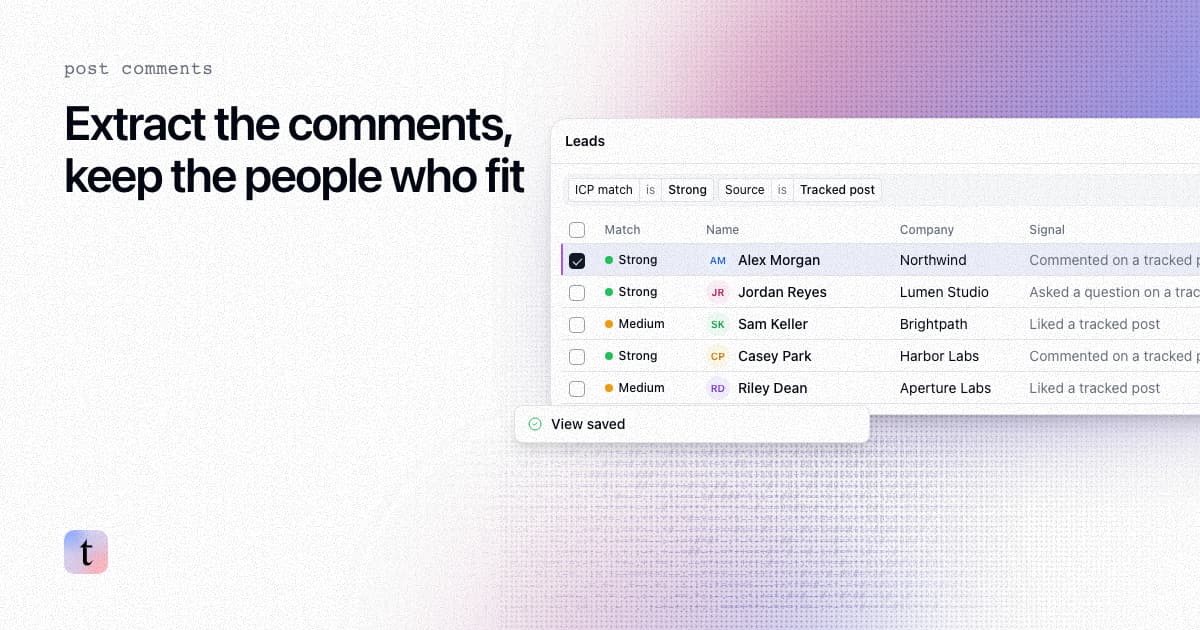
How to extract comments from a LinkedIn post, and keep only the commenters who fit your ICP
Four ways to extract comments from a LinkedIn post, what each returns and risks, and how to keep only the commenters who fit your ICP.

How to find leads from the people who engage with a LinkedIn company page
Most company page engagers are employees, job seekers and peers. How to find the ones who fit your ICP, with the post that brought each one in.