
LinkedIn's Profile Relevance model: why more people outside your network see your posts, and how to tell which engagers are leads
LinkedIn's Nov 2026 Profile Relevance model shows posts to people outside your network who match by profile. What changed, and which engagers are leads.
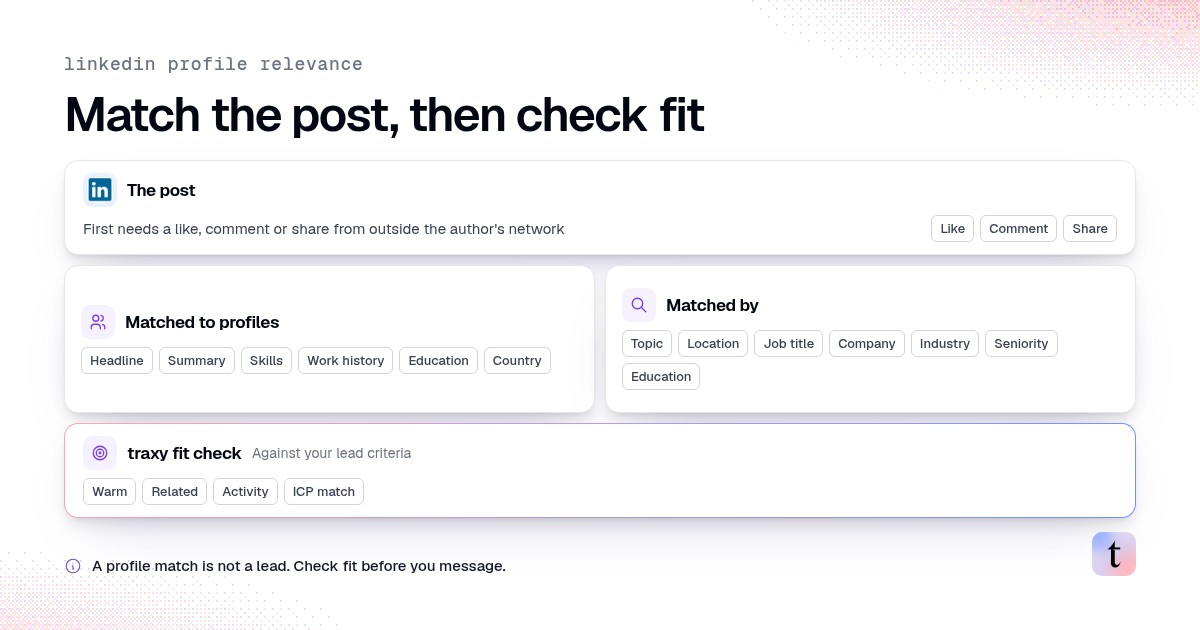
On November 9, 2026, LinkedIn's engineering team described Profile Relevance, a feed system that matches posts to members outside the author's network by comparing the post's text with each member's professional profile: headline, summary, skills, work history and education. A post only enters this source after at least one like, comment or share from someone outside the author's network. For B2B sellers, this means a well-targeted post can reach and draw engagement from people who fit your buyer profile but have never connected with you. Those engagers are worth reviewing, and they still need to be checked for fit before anyone contacts them.
Last checked: November 10, 2026, against LinkedIn Engineering's Profile Relevance post (November 9, 2026) and traxy's tracking and qualification docs.
Why are more people outside my network seeing my LinkedIn posts?
Because LinkedIn's Profile Relevance model, described on November 9, 2026, matches posts to members outside your network whose profiles fit the post's topic, once someone outside your network likes, comments on or shares it. Whether those engagers are leads depends on fit. For one or two posts, check each person's role, company and seniority by hand. For several posts a week, traxy tracks the posts, keeps engagers at a 50%+ ICP match as high intent leads, and runs LinkedIn and email outreach from your own connected accounts after you approve the campaign (LinkedIn outbound).
What LinkedIn announced
LinkedIn calls posts from outside a member's network "Unconnected Content." Its engineering post explains that traditional recommendation relies heavily on network proximity and engagement, which makes posts from outside your network harder to discover, especially for creators still building an audience. Profile Relevance is LinkedIn's answer to that.
According to the post:
Each member gets a "member prompt" built from the professional information they chose to put on their public profile: headline, summary and key skills, companies and titles held, and education. LinkedIn says it does not include personal attributes such as name or gender.
Each post gets an embedding built from its text, titles and transcripts, plus author metadata such as location when available.
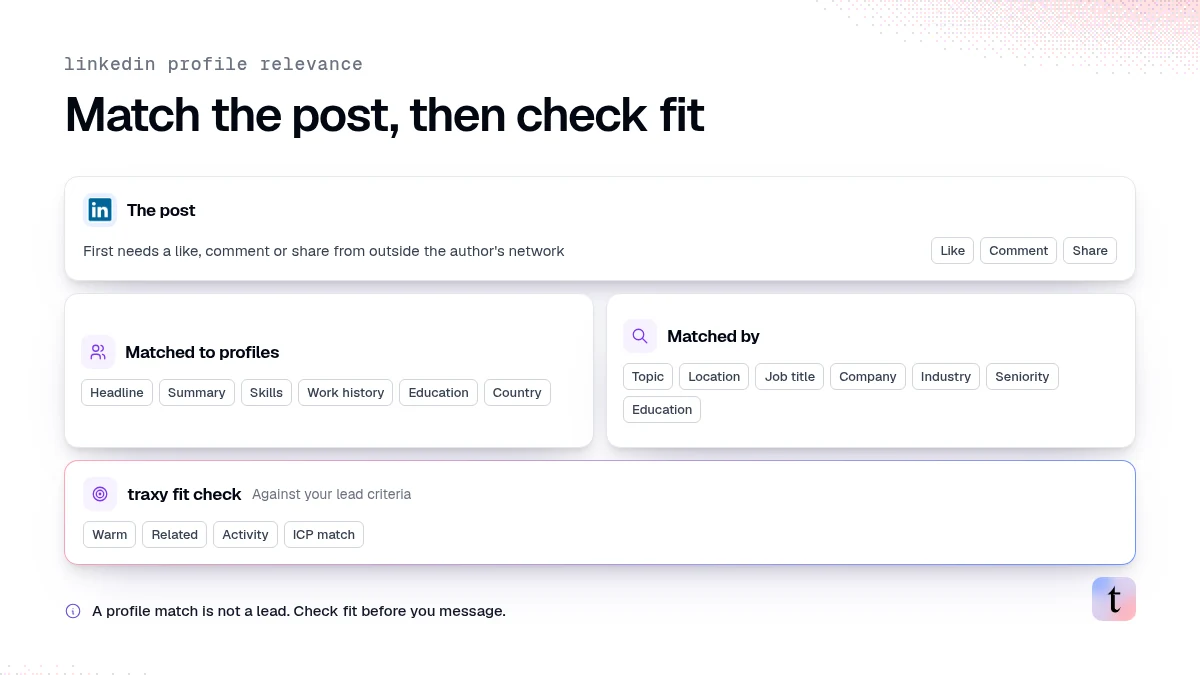
Matching is judged on specific factors: topic, location, job title, company, industry, seniority and education.
Country is added explicitly to both member and author prompts, because rewriting the prompts sometimes weakened geographic cues.
There is an engagement gate. A post from this source must have received at least one viral action (a like, comment or share) from an unconnected member before it is recommended.
LinkedIn reported that, in online experiments, the production version lifted Feed Updates Viewed by 0.54%, raised the viral rate by 0.94% and cut the hide rate by 18.8%. For members with little activity history, it reported a 17.7% increase in viral engagement.
As of November 2026, LinkedIn's engineering post still reports these figures and the gate of one like, comment or share from an unconnected member.
What it means for who engages with your posts
LinkedIn is matching posts to people by professional context. If your post talks clearly about a problem that a specific role in a specific industry has, the system has more to match on. Four practical consequences follow.
1. More of your engagers can be strangers who fit
A founder who posts about outbound hiring could be shown to sales leaders at similar companies who have never seen their name. When those people react or comment, they show up in your post's engagement as out-of-network people. Some of them are exactly the people you would have searched for.
2. Clear topics matter more than clever hooks
The model reads post text, titles and transcripts. A post that names the job, the problem and the industry gives it more to work with than a vague one. For video, the transcript counts, so say the topic out loud.
3. Your profile works as targeting too
The same system reads members' profiles to decide what they see. It also reads your profile as an author, at least for location. LinkedIn's post doesn't say your headline or work history are used to match your own posts, so keep your profile location accurate and don't expect profile edits alone to change reach.
4. The first outside interaction matters
Because a post needs one viral action from an unconnected member before it enters this source, posts that get early engagement from beyond your network have a better chance of being recommended further. This fits what we covered in why most LinkedIn reach now arrives after the first two hours.
How to tell which out-of-network engagers are leads
An engagement is a sign that a topic was relevant to someone. It is not proof of budget or a plan to buy. Treat every engager as a candidate and check two things before you do anything else (what makes a lead warm).
Check fit first. Does the person's role, seniority and company match the people you sell to? A like from a student or a vendor tells you the post was interesting. It doesn't tell you they could buy.
Then check the strength of the signal. A comment that describes the problem in the commenter's own words is stronger than a reaction. A repost with their own note is stronger than a silent repost. See ICP match score vs signal strength.
Doing this by hand
Open the post's reactions and comments.
For each person, open their profile and check role, company and seniority against your criteria.
Note what they did: reacted, commented (and what they said) or reposted.
Keep only people who fit. Write down the specific comment if there is one.
This works for one post. It gets slow when several posts a week draw engagement. For a manual method, see how to extract comments from a LinkedIn post.
Doing it with traxy
traxy checks post engagers against your lead criteria for you:
Track the post. Open Targeting > Posts, choose Track post from the New menu and paste the LinkedIn post URL. Review the candidate scope before confirming Find leads. Candidate counts describe people to evaluate, not a guaranteed number of qualified leads (tracking).
Or track the author. Track your own profile, a teammate's or another relevant person's under Targeting > People. Ongoing monitoring follows the five most recent posts published after the profile is added. Request a specific post for anything older.
Review the qualified leads. People need an ICP match of at least 50% against your lead criteria to qualify (qualification). Each lead shows a signal label (Warm, Related, Activity or ICP match) and, on the Signals tab, the recorded observation and source link.
Save a view. Filter for the leads you want, such as Warm leads above a chosen ICP match, and save it so the audience updates as new people arrive (saved views).
If you work from Claude or another MCP client, traxy_qualify_linkedin_post requests qualification for a post URL once you confirm that new qualified people may use lead capacity (MCP tools).
How to reach out to someone who doesn't know you
Out-of-network engagers have no prior relationship with you, so the first message carries more weight.
Refer to what they did, in proportion. "Saw your comment about ramping new reps" is fair if they wrote that. Don't imply they read the whole post or agree with all of it. traxy's docs make the same point: a reaction alone does not prove someone read the post or wants to buy (content-led outreach).
Lead with something useful. A resource, an answer to their question or a short observation works better than a meeting request.
Connect before pitching when you plan to use LinkedIn messages. See how to message LinkedIn post engagers without sounding creepy.
What this does not change
Your network still matters. Profile Relevance adds a source for out-of-network posts. LinkedIn describes it as complementing existing network and engagement signals.
Engagement still isn't intent to buy. More relevant strangers engaging is useful, and each one still needs a fit check.
The numbers are LinkedIn's own experiment results. They describe feed-wide effects, not what any one post will get.
For how LinkedIn's earlier feed test changed who engages, see LinkedIn's Network feed test.
FAQ
What is LinkedIn Profile Relevance?
It is a feed retrieval system LinkedIn described on November 9, 2026. It uses LLM-generated embeddings to match members with posts from outside their network based on professional context, such as topic, job title, company, industry, seniority, education and location.
Does LinkedIn use my name or gender to decide what I see?
LinkedIn's engineering post says the member prompt summarizes the professional information members choose to share and does not include personal attributes such as name or gender.
Why did a post get engagement from people I don't know?
One likely reason is that LinkedIn showed it to members outside your network whose profiles matched the post's topic. Under Profile Relevance, a post needs at least one like, comment or share from an unconnected member first.
Are out-of-network engagers good leads?
Some are. Check each person's fit against your criteria, then the strength of what they did, before contacting them.
Next step
Pick your last three posts that drew engagement from people you don't know, track them in traxy, and see how many of those engagers fit your lead criteria.
Keep reading
All Prospecting & Outreach guides
LinkedIn Prospecting (2026): How to Prospect on LinkedIn Step by Step, With Message Examples & Signals That Tell You Who to Contact First
How to prospect on LinkedIn step by step: profile, ICP, list building, message examples, signals, niche markets, tools and every outreach guide we publish.
Sales Prospecting Statistics (2026): Follow-Ups, Response Time and Reply Rates
Sales prospecting statistics for 2026 on follow-ups, lead response time, cold email and cold call reply rates and SDR metrics, each linked to its source.
Best Clay Alternatives (2026): 7 Tools for Signal-Based Prospecting
Compare the best Clay alternatives in 2026 for signal-based prospecting: traxy, Apollo, Persana, Common Room, Unify, Sales Navigator, and ZoomInfo.