
What is social prospecting? How to find prospects from LinkedIn activity and reach out to them
Social prospecting is finding prospects from their LinkedIn posts, comments, likes and profile views, checking fit, then reaching out on LinkedIn and email.
TL;DR: Social prospecting is finding sales prospects from what they do in public on social networks, such as the posts they write, the comments they leave and the posts they like, and then reaching out to them about that activity. In B2B it happens mostly on LinkedIn, because every post, comment and like comes with a name, a job title and a company. traxy runs your entire LinkedIn GTM end to end, from finding high intent leads from social intent to enriching and researching each one, to running relevant, personalized LinkedIn and email outreach to them on autopilot once you approve the campaign, or with every message approved by you.
This guide explains what social prospecting is, how it differs from social selling and social intent, which LinkedIn activity counts, how a person becomes a lead, how to enrich and research each lead, how to reach out on LinkedIn and email, and how to measure it. You can run every step by hand. For each step we also say what you set up in traxy and what traxy does. traxy wrote this guide.
What is social prospecting?
Social prospecting is the part of sales prospecting that starts from public social activity instead of a static contact list. You look for people whose posts, comments, likes or profile views connect them to the problem you solve, check that each one matches your ideal customer profile (ICP), and contact them with a message about what they did.
A classic prospecting list is built from filters: job title, company size, industry, location. Everyone on it fits on paper, but you know nothing about what they care about this month. A social prospecting list is built from evidence. The person wrote a post asking how other founders hire their first sales rep, or commented "we are looking at this too" under a competitor's post, or viewed the profile of someone on your team. You still check fit, but you start with a reason to talk.
Social prospecting has two halves, and both matter:
Finding the people. Spotting the activity, deciding which of it counts, and keeping only the people who fit your ICP.
Reaching out to them. Getting contact details, researching each person and their company, and sending a message on LinkedIn and email that refers to the activity, while it is still recent.
Many teams do the first half well and stall on the second: a spreadsheet of interesting engagers that nobody contacts. Others send fast but generic messages that ignore the signal. Good social prospecting keeps the evidence attached to the lead all the way to the first message.
Social prospecting vs social selling vs social intent: what is the difference?
The three terms overlap, but they describe different things. Social intent is the signal, social prospecting is the process of turning that signal into conversations, and social selling is the wider habit of building relationships on social networks.
Social intent is what people show through their public activity: what they post, comment on and like, whose profile they view, and whose posts they engage with. It is the raw material. See how to find leads with intent on social media for a full definition and where B2B buyers show it.
Social prospecting is the sales process built on top of social intent: find the people, check fit, research them, reach out. It ends with a list of qualified people and a first message to each.
Social selling is broader. It covers your profile, the content you post, the comments you leave and the relationships you build over months, so that buyers know you before you ask for a meeting. Our LinkedIn social selling playbook covers that side.
In practice, social selling gives you more activity to prospect from (your own posts attract engagers, your profile attracts viewers), and social prospecting makes sure the people who show interest hear from you.
Which LinkedIn activity counts: posts, comments, likes, reposts and profile views
Any public LinkedIn activity that ties a named person to the problem you solve can count. Some activity says much more than other activity, so it helps to rank it before you build a list. From strongest to weakest:
A post asking for what you sell. "Can anyone recommend a tool for this?" or "We are replacing our current agency."
A post describing the problem you solve. A sales leader writing that outbound replies dropped, or a founder asking how others run LinkedIn outreach.
A comment that adds a need. "Same here, we need to fix this before Q1" under someone else's post.
Engagement with a competitor's post, a creator who writes about your category, or a company page your buyers follow.
A like or repost on a post about your topic. Useful in volume, weak on its own.
A profile view of you or a teammate, often after you posted, commented or sent a request.
In traxy, social intent covers four sources, and you can use any mix of them:
Post engagement on your topics. You describe the problems, topics and situations that make someone relevant in your Signal Brief (Targeting > Signals), and traxy finds people who write, comment on and like posts about them.
Tracking. You track LinkedIn profiles (competitors, creators and influencers, teammates, investors), single posts by URL, and company pages by domain, and traxy qualifies whoever engages with their posts. Tracking a company page finds people who engage with that page's posts, not every employee at the company.
Profile views. traxy picks up the profile views of the sender accounts you connect. In Targeting > Signals, the LinkedIn activity card has a "Profile views" switch, and in Leads > Filters you can filter by "Viewed any profile" or by a specific person's profile, for any time or the last 7, 30 or 90 days. LinkedIn does not reveal viewers who browse in private mode, so neither does traxy. See how to turn LinkedIn profile views into leads.
The social intent database. You can search 71M+ scanned LinkedIn likes, posts and comments in plain English, for example "founders in the US looking for help with LinkedIn outbound", and each person comes with the post or comment behind them. See social intent search.
What about signals outside LinkedIn, such as a company hiring for sales roles, raising a round or a prospect changing jobs? In traxy those come from research on each lead inside a campaign, not from a live event feed. That is covered in the enrich and research step below.
From activity to a lead: a 50%+ ICP match, with the post behind each lead
Activity alone does not make someone a prospect. A like from a student, a competitor's employee or another vendor looks the same as a like from your buyer. So every social prospecting process needs a fit check between the activity and the outreach.
By hand, the check looks like this: open the profile, confirm the role and seniority, open the company page, confirm size, industry and location, and read the post or comment again to see whether it relates to your offer. It works, but it takes a few minutes per person, which is why most manual social prospecting stops after a few dozen names.
In traxy the fit check is built in:
You define who fits. In Lead criteria you set roles, departments, seniority and locations for people, and size, industry, revenue, funding and keywords for companies, plus exclusions. If you start from your website, traxy drafts the lead criteria and signals for you to correct.
Only a 50%+ ICP match becomes a lead. Every person is scored on fit, and only people at a 50% ICP match or higher become qualified leads. You can filter by match band to narrow the list further. The score measures fit with your ICP; it is not a probability that the person will buy.
The evidence stays on the lead. Each lead shows the post, comment, like or repost that put them on your list, with the source and date in the lead's Signals tab.
Labels show how strong the evidence is. Each lead is labelled Warm, Related, Activity or ICP match, so you can contact the strongest signals first.
You keep the wrong people out. A Blocklist excludes company domains (for example existing customers) and specific people from future discovery, and you can mark a lead Good fit or Bad fit with a reason.
Engagement shows interest in a topic, not a decision to buy. Treat a Warm lead as a good reason to start a relevant conversation, not as a sales-ready opportunity. For more on what separates warm from cold, see how to find warm, high intent leads on LinkedIn.
Enrich and research each lead
Once you have a list of qualified people, you need two things before you write: a way to reach them, and enough context to say something relevant.
Enrich: work email and phone
LinkedIn gives you a profile, but email needs an address. In traxy you can look up a verified work email on a lead (and a phone number where phone lookup is available), or turn on Auto-Enrich so newly qualified leads get contact data automatically. Auto-Enrich covers new leads and does not backfill old ones, so run lookups on older leads you want to contact. If you already have an email or phone for someone, you can ask trax to save it, and enrichment will not overwrite it.
Research each lead for the facts you choose
The activity tells you why someone might care. Research tells you what to say. Useful facts depend on your offer, for example:
Is the company hiring for sales or marketing roles?
Did the company raise funding recently?
Did the person start a new role in the last few months?
Which tool do they use today for the problem you solve?
Does the company sell to the market your case studies come from?
In traxy, research happens inside a campaign. You describe the research you need, and the campaign researches each lead for those facts before any message is prepared. Research-only campaigns record the findings without sending anything. Signals outside LinkedIn, such as hiring, funding, job changes or a custom signal you describe, come from this research on each lead, not from a live event feed. When a required research fact isn't found, the lead stays in traxy, and in the campaign you can choose to skip it.
Research also works as a second filter. If you only want companies that are hiring SDRs, you can keep the ones where research confirms it and leave the rest out of that campaign.
Reach out on LinkedIn and email: approve the campaign once, then it runs, or launch it from the traxy MCP
The outreach half is where social prospecting pays off or falls apart. The rule is simple: the first message should make it obvious why you are writing to this person now, and that reason should be the activity you found. In traxy, outreach runs from your own connected sender accounts as part of LinkedIn outbound, in the same tool where the lead was found.
Step by step, from lead list to live campaign
Save the audience. Filter your leads (for example Warm leads who engaged with a competitor, or people who viewed your sender's profile in the last 30 days) and save the result as a shared view. Campaigns use shared views, which update as leads change.
Create the campaign. In Outbound > Campaigns, or by asking trax, give the audience, the offer and the research you need (traxy docs: create a campaign).
Group leads by signal. Leads are grouped by signal, and each group gets its own message variant, personalized with the evidence. Someone who asked for a recommendation gets a different opening from someone who liked a competitor's post.
Build the sequence. traxy prepares personalized LinkedIn and email steps in one sequence. Waits can depend on events, such as a connection request being accepted (traxy docs: sequences).
Test on sample leads. The campaign runs on a few sample leads so you can check the research and the drafts. Nothing is sent.
Review the launch. Before launch you see who joins, who is skipped (held by another campaign or contacted before), the sender, the steps and the delivery mode (traxy docs: review and launch).
Choose how it sends. Approve every message in a review queue, or let the approved campaign send on its own.
That last step is what "on autopilot" means in traxy: you test the campaign and approve the launch once, and then it runs and sends on its own. If you would rather check each message, you approve every message in the review queue instead. Either way, replies, unsubscribes and hard bounces stop the sequence, and you can pause or change a campaign at any time.
What you connect and what traxy handles
Sender accounts. Sending needs connected sender accounts. You connect your own LinkedIn accounts and mailboxes, with limits, active hours, ramp-up and email signatures (traxy docs: senders).
Many campaigns at once. You can run several campaigns on different signals at the same time, for example one for competitor engagers and one for profile viewers. Campaigns run in priority order, so one lead never gets two campaigns at once.
Do not contact. A Do not contact list stops outreach to specific emails or LinkedIn profiles.
One inbox. Replies from LinkedIn and email land in one conversation per lead, where you reply, organize, or pause the lead's sequence to take over.
Run it from trax or from your AI chat
You can run every step by hand in the app, or through trax, the traxy agent, from one chat: find leads, research them and build the campaign, with an approval card before setup changes. With the traxy MCP connected to Claude, ChatGPT, Codex, Cursor or Grok, you can also search social intent, draft a campaign, test it on sample leads, launch it, manage sequences and senders, and reply in the inbox from your AI chat. The AI shows what it will do and waits for your yes in chat before anything sends or launches.
Mistakes and how to measure social prospecting
Most social prospecting problems come from treating the signal as a contact list instead of a reason to talk. These are the common mistakes:
Contacting everyone who engaged. Without a fit check, you message students, other vendors and competitors' staff. Check fit first, and use exclusions and a blocklist.
Hiding the reason. A generic pitch sent to a person who asked a specific question an hour ago wastes the best part of the signal. Refer to what they wrote, briefly and accurately.
Quoting the activity in a creepy way. "I saw you liked a post at 9:14 on Tuesday" reads like surveillance. Use the topic, not the timestamp: "You mentioned outbound replies dropping this quarter."
One message for every signal. A competitor's engager and someone who viewed your profile need different openings. Group leads by signal and write a variant for each group.
Waiting too long. Activity loses context over time. Contact recent signals first, and check the date on each lead's source before you use it.
Using old signals as if they were new. If someone posted months ago, say so or pick a different reason.
Treating interest as a decision. A comment is a reason to start a conversation, not a sign the person is ready to buy. Open with something useful, not a calendar link.
Skipping the test. Read the research and drafts on sample leads before launch. Fix the research question or the offer there, not after the first hundred messages.
What to measure
Measure social prospecting per signal group, not as one number. A campaign can work well for people who asked for a recommendation and poorly for people who liked a competitor's post, and a blended average hides that. For each signal group, track:
Accepted connection requests out of requests sent.
Replies out of people contacted, and how many of those replies are positive.
Meetings booked from those replies. In traxy, connecting Google Calendar lists meetings attributed to traxy leads, where you can record the outcome.
Fit quality: how many leads you marked Bad fit, and why. A rising share tells you to tighten your lead criteria or signals.
Source quality: which tracked profiles, posts and topics bring in the leads that reply. traxy's Insights show lead volume, trends and the top profiles or posts bringing in leads.
Running one campaign per signal makes this easier, because each campaign maps to one group. Compare groups over a few weeks, keep the signals that produce conversations, and drop or rewrite the ones that don't. We don't quote benchmark reply rates here, because they depend on your market, your offer and your messages. Your own numbers by signal group are the ones that matter.
How do you start social prospecting on LinkedIn?
Start small and specific. Pick one ICP, one or two signals and one offer, and run them end to end before adding more.
Write your ICP and who to keep out (customers, competitors, other vendors).
List three to five signals that make someone relevant: the problems, phrases and situations your buyers post about.
Choose where to look: topic posts, two or three competitors or creators to track, your own posts and your sender's profile views.
Qualify and read the evidence on the first batch of leads, and mark bad fits with a reason.
Enrich and research the leads you plan to contact.
Build one campaign per signal group, test it on sample leads, review the launch and approve it.
Measure by signal group after a few weeks and adjust.
In traxy, you can give it your website, correct the lead criteria and signals it drafts, and review the lead preview before you build the first campaign.
FAQ
What is social prospecting in simple terms?
Social prospecting is finding sales prospects from their public activity on social networks, such as posts, comments, likes and profile views, checking that they fit your ideal customer, and reaching out to them about that activity.
Is social prospecting the same as social selling?
No. Social selling is the broad practice of building relationships and credibility on social networks over time. Social prospecting is the narrower process of finding specific people from their activity and starting a conversation with them. Most teams do both, and each feeds the other.
Why is LinkedIn the main network for B2B social prospecting?
Because LinkedIn activity comes with a name, a job title and a company, you can check fit and find the right contact without guessing. On other networks you can often see the conversation but not who the person works for. traxy finds leads from LinkedIn activity.
Can traxy find hiring, funding or job change signals?
Yes, through research on each lead. LinkedIn activity is native in traxy. Hiring, funding, job changes and custom signals you describe are checked by the campaign's research on each lead, not by a live event feed.
Does traxy show who viewed my LinkedIn profile?
traxy picks up the profile views of the sender accounts you connect, and you can turn them into leads with the "Profile views" switch in Targeting > Signals and the "Viewed" filters in Leads. It does not reveal viewers who browse in private mode, because LinkedIn doesn't.
Does traxy send messages without my approval?
No. You test the campaign on sample leads, with nothing sent, and approve the launch. After that the approved campaign sends on its own, or you approve every message in a review queue. From an AI chat through the traxy MCP, the AI waits for your yes before anything sends or launches.
Who writes the messages?
traxy prepares the drafts from the research on each lead and the signal behind them, with a message variant for each signal group. You read them in the campaign test, edit the plan if needed, and decide how it sends.
Which channels does traxy use for outreach?
LinkedIn and email, in one sequence, from your own connected LinkedIn accounts and mailboxes. Replies, unsubscribes and hard bounces stop the sequence, and replies from both channels land in one inbox.
Is engagement a sign someone will buy?
No. Engagement shows that a topic matters to someone. Combined with a 50%+ ICP match and research, it is a good reason to start a relevant conversation, but it is not a purchase decision, and the ICP match score is not a probability of buying.
Related reading
Try it: see how social intent search finds high intent leads on LinkedIn, and how LinkedIn outbound reaches them once you approve the campaign.
Keep reading
All Buyer Intent & Signals guides
Buyer Intent Signals (2026): What Buying Signals Are, Examples by Type and How Sales Teams Act on Them
Buyer intent signals explained: what buying signals are, examples by type, how reps act on each one and a simple scoring framework to prioritize accounts.
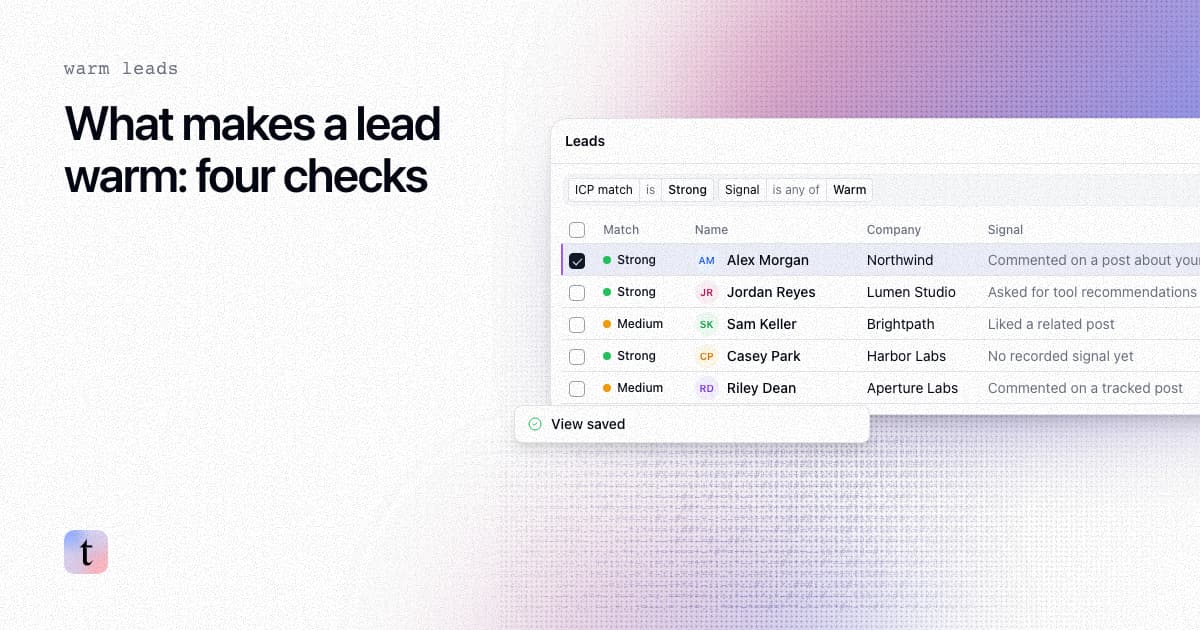
What makes a lead warm? Four checks before you contact anyone
What a warm lead is, and four checks to run before you contact anyone: fit, recent activity, relevance to your offer, and enough context to write.
Best B2B Intent Data Providers for Sales Teams (2026)
Compare the best B2B intent data providers for 2026 by signal quality, lead enrichment, CRM routing, AI-agent readiness, and best-fit use case for sales.