
How executive search firms find C-suite clients on LinkedIn: exits, investors and who decides
How retained executive search firms find C-suite clients on LinkedIn: leadership exits, funding and senior hiring, investors to track and the first message.
TL;DR: Executive search firms find C-suite clients on LinkedIn by spotting the moments that come before a search (a leader leaving, a funding round or new owner, a wave of senior hiring, a CEO talking about building the team) and reaching the CEO, board member or investor who will choose the firm, with a short note that names that moment. The firms that do this well track the investors, board members and portfolio companies around their clients, and check each company for the reason to write before anything is sent.
traxy runs this whole loop end to end. It finds high intent leads from social intent (posts, comments and likes on LinkedIn, and the people who engage with the investors, board members and company pages you track), keeps only people with a 50%+ ICP match, enriches and researches each one, then runs relevant, personalized LinkedIn and email outreach to them from your own connected accounts on autopilot. Autopilot starts after you approve: you test the campaign on sample leads and approve the launch, then it sends on its own, or you approve every message.
This guide is for retained and executive search firms that place C-suite and VP leaders. If you run a contingency or staffing desk that sells to hiring managers, see how recruiters find clients on LinkedIn, and for the tool landscape on that side, the best LinkedIn lead gen tools for recruiting and staffing firms. For how traxy's outreach works, see LinkedIn outbound with traxy.
traxy wrote this guide and sells the tool it describes. The example messages below are fictional, and nothing here is a promise of mandates, meetings or revenue.
How do executive search firms find C-suite clients on LinkedIn?
They find a company that is about to need a senior leader, work out who will choose the search firm (usually the CEO, a board member or an investor), and reach that person with a note grounded in something public, before the search is already with another firm. On LinkedIn that breaks into three jobs: knowing which companies are close to a leadership change, knowing who decides there, and writing a first message that earns a reply.
Retained search works differently from contingency recruiting in three ways. The buyer is a CEO, founder, chair or investor rather than a hiring manager. There are fewer buyers, so each one deserves a closer look before you write. And the reason to write is more often a change at the company, such as a departure, a new owner or a growth plan, than a job post. Referrals and repeat clients stay the base of most search firms. LinkedIn is how you reach the people you don't know yet, and how you notice when people you do know are near a search.
The work has two halves, and traxy covers both. The first is finding the right people at the right moment: the executives and investors whose LinkedIn activity, or whose company's news, says a leadership hire is coming. The second is the outreach to them: a researched, personal LinkedIn and email sequence from your own accounts, with a reply going to one inbox.
What signals come before an executive search?
The clearest signals are a leadership exit, a funding round or change of owner, senior hiring in one function, and a CEO or founder talking publicly about building the leadership team. None of them proves a mandate exists, so treat each one as a reason to start a conversation, not as proof of a need.
Leadership exits and job changes
When a CFO, CRO or COO leaves, the company needs a replacement, and the board or CEO often wants a shortlist fast. You usually see it in public first: the leader posts about a new role, former colleagues comment their congratulations, or the company page announces an interim. The other side of a job change matters too. An executive who has started as CEO somewhere new often rebuilds the team under them, which makes them a buyer of search in their first months.
In traxy, job changes and leadership exits come from research on each lead in a campaign, not from a live event feed. The campaign checks each company for the change you describe and keeps the source link on the lead. Job change signals in outbound covers how to turn a role change into a message.
Funding rounds, acquisitions and new owners
A growth round, a private equity acquisition or a recapitalization usually comes with a plan, and the plan often needs leaders the company doesn't have yet: a CFO who has run an exit process, a CRO for a new sales motion, a COO to scale operations. In backed companies the investor often shapes these hires. Research on each lead checks for a recent round or deal and keeps the source, and leads that raised get their own group and message variant in the campaign. See funding round signals in outbound for when a round is a good reason to reach out and when it isn't.
Senior hiring in one function
Several open VP or director roles in the same function can mean the team is being rebuilt, or that the leader above them is next. A company advertising a senior role it has struggled to fill may also be ready to hand it to a retained firm. Open roles come from research on each lead's company: the campaign looks up the roles you ask about and returns what you need, such as the title, location, link and date posted. It is research, not a job feed. Hiring signals in outbound covers the setup.
CEOs talking about leadership on LinkedIn
CEOs and founders write and comment about building their leadership team, their first CFO hire, succession, or the board asking for a stronger operator. That is social intent, and it is the part traxy finds natively on LinkedIn. You put those topics in your Signal Brief, and traxy finds the people who post, comment on or like posts about them, keeps those with a 50%+ match to your ICP, and shows the post or comment behind each lead with its date. Each lead is labeled Warm, Related or Activity by how strong the evidence is.
How traxy handles signals outside LinkedIn
Exits, funding, deals, hiring and job changes are checked by research on each lead in a campaign. You can also describe any situation as a custom signal in plain English, for example "PE-backed companies whose CFO left in the last six months", under Targeting > Intent signals or by asking trax, and campaigns research each lead for it. When a required fact isn't found, the lead stays in traxy and you can choose to skip it in that campaign. There is no timing promise: a public event shows up when the research finds a source for it.
Who should a search firm track on LinkedIn?
Track the investors, board members and portfolio companies that sit around the companies you place into, plus your own partners and the executives you have placed. Their posts draw the CEOs, chairs and operating partners who hire search firms, and traxy turns those engagers into leads when they fit your ICP.
Investors and operating partners
Under Targeting > People, track the LinkedIn profiles of the private equity and venture partners, operating partners and talent partners active in your sectors, and tag each one with the investor relationship. traxy watches their posts and qualifies the people who engage. A portfolio CEO commenting on an operating partner's post about a value creation plan is a lead with context you can use.
Board members and chairs
Track the independent directors and chairs who post in your sectors, with an influencer or custom relationship. Each tracked profile shows the leads it surfaced, their ICP match and the posts they came from, so after a few weeks you can see which board voices draw the executives you want and drop the ones that don't.
Portfolio companies and target accounts
Under Targeting > Companies, add the investment firms and portfolio companies you want to work with, by domain or LinkedIn company page. traxy reads the posts on each company page and keeps the engagers who fit your criteria. It finds people engaging with that page's posts, not every employee at the company, so pair it with research on each lead when you need to know who sits where.
Your partners, placed executives and yourself
Track your own profile and your partners' profiles, so engagement on your posts becomes qualified leads. Track the executives you have placed, too: they move on and hire again, and the people in their network who engage with them are often their peers. The same idea works for referrals. Nostra, a traxy customer that sells to Shopify retailers, added its customers, board members, advisors and employees to traxy, and when a prospect engages with one of them, the person who knows the prospect asks for the intro (Nostra case study). Who to track on LinkedIn for leads covers the wider list.
Who decides on a C-suite search: the CEO, the board or the investor?
It depends on the seat and on who owns the company. The board decides on a CEO search, the CEO usually decides on the roles that report to them, and in investor-backed companies the investor often shapes both. Reach the person who will choose the firm, and keep the others in view.
Seat | Who usually chooses the firm | Who often shapes the choice |
|---|---|---|
CEO | The chair or the board's nominating committee | Lead investor or deal partner, departing CEO in a planned succession |
CFO, COO, CRO, CTO and other direct reports | The CEO | Operating or talent partner in backed companies, CHRO or head of talent |
VP and functional heads | The C-suite leader the role reports to | CHRO or head of talent, who often runs the process |
Several seats across a portfolio | The investment firm's talent or operating partner | Portfolio CEOs |
In traxy, set this under Targeting > Lead criteria. Add the roles and seniority of the people who hire you, such as CEO, founder, chair, board member, CHRO, and operating or talent partners. Add the company side too: the industries, company sizes, revenue and funding you place into, and the cities or countries you cover. Exclude the staffing and recruiting industry so other search firms stay out of your leads (keeping peers, vendors and recruiters out of your leads). When you need to know who sits on a board or which firm led the last round, ask the campaign's research for it and have it return the source link for each fact.
How do you run this in traxy, step by step?
You set up your client profile and signals once, track the people around your clients, review the leads traxy finds, and then build a campaign that researches each lead and prepares the outreach. Nothing sends until you approve the launch.
Set up from your website. Enter your firm's website and traxy drafts your lead criteria (ICP) and the signals to watch, then shows a lead preview. Fix anything that is off, so the criteria describe the people who hire you, not the candidates you place.
Write your Signal Brief. Under Targeting > Intent signals, add the topics that come before a search in your market: building a leadership team, a first CFO hire, succession planning, preparing for a sale. Add custom signals for the situations you want researched, such as a recent C-suite departure.
Track the people around your clients. Track investors with the investor tag, board members and industry voices under Targeting > People, and investment firms and portfolio companies under Targeting > Companies. You can also paste a single LinkedIn post, such as a busy post about a CEO succession, and get the engagers who fit your ICP.
Search for the situation. In social intent search, describe the person and the moment in plain English, for example "CEOs of PE-backed industrial companies posting about building their leadership team", and search 71M+ scanned LinkedIn likes, posts and comments. Or ask trax, the traxy agent, to discover new leads who fit; it shows an approval card before the run starts.
Review the leads. Open each lead's Signals tab to see the post, comment or like behind it and its date. Assign leads to the partner who covers that sector, tag them, or leave a note, so two partners don't approach the same CEO.
Build a campaign that researches each lead. Under Outbound > Campaigns, or by asking trax, pick a shared lead view and describe the research you need. For example: "Check this company for a C-suite or VP change in the last six months, a funding round or acquisition, and open senior roles. Return the source link and date for each, and mark it verified only if the source is dated." The campaign researches each lead for those facts before any message is prepared, groups the leads by signal and gives each group its own personalized message variant. Research-only campaigns can record findings without sending anything.
Test, then review the launch. Run the campaign on sample leads to read the research and the drafts; nothing is sent. Edit what doesn't sound like your firm. At launch you see who joins, who is skipped (held by another campaign or contacted before), the sender, the steps and the delivery mode.
Approve and let it run. Choose to approve every message in a review queue, or let the approved campaign send on its own on autopilot. Sequences run across LinkedIn and email from your connected sender accounts, with limits, active hours and ramp-up, and waits can depend on events such as a connection being accepted. Replies, unsubscribes and hard bounces stop the sequence, and every conversation lands in one inbox across LinkedIn and email (LinkedIn outbound with traxy).
You can run every step by hand in the app, through trax in one chat, or from Claude, ChatGPT, Codex, Cursor or Grok through the traxy MCP, which can draft, test and launch campaigns, manage sequences and senders, and answer replies, with a yes in chat before anything sends (the LinkedIn GTM MCP). Leads can also go to Slack, a webhook, Zapier, n8n or Clay, so your partners see them where they already work.
What should a search firm's first message say?
Name the public event you saw, say what your firm does for companies in that exact situation, and ask one easy question. Keep it short, keep it to what the evidence shows, and leave the candidate talk for the call.
Lead with the evidence. Mention the round, the announcement or the post, in the person's own terms. If the research didn't find a dated source, don't use the fact.
Be specific about seat, sector and stage. "CFO searches for PE-backed healthcare services companies" says more than "executive search across industries".
Handle exits with care. A departure can be sensitive. Write about the role and the plan, never about why someone left.
Respect confidential processes. Many senior searches run quietly. Offer a conversation, not a list of names.
Ask one question. A short call, or whether the role is being filled internally, is enough for a first note.
Three fictional examples, one per signal:
After a funding round: "Saw the growth round you announced last month. We run CFO and COO searches for PE-backed healthcare services companies at your stage. Worth a short call about the leadership hires the plan needs?"
After a CEO comments on a leadership post: "Your comment on Maria's post about hiring a first CRO stuck with me, especially the point about founders selling too long. We place first sales leaders at Series B software companies. Open to comparing notes on what that search looks like?"
After a new owner: "Congratulations on the acquisition closing. When portfolio companies we work with change hands, the finance seat is often the first one the new owner looks at. If that's on your list, happy to share how we run those searches."
In traxy, each signal group gets its own message variant, so the funding leads, the leadership-post leads and the new-owner leads each get the note that fits them. traxy prepares the drafts from the research on each lead, and you read and edit them in the test before anything sends. For more on turning one signal into one message, see job change signals in outbound and hiring signals in outbound.
What are the limits of finding search clients on LinkedIn?
LinkedIn shows public activity, not private decisions, so some searches will start without any public signal. Know these limits before you build the process around them.
Confidential searches stay quiet. A board replacing a CEO quietly won't post about it. traxy finds public LinkedIn activity and what research can source; it can't see a search that hasn't been made public.
Engagement is not a mandate. A CEO liking a post about leadership teams is a reason to write, not a signed search. The ICP match shows fit, not the chance they will hire you.
Outside signals come from research. Exits, funding, deals and open roles are found by research on each lead in a campaign, not by a live event feed, and there is no timing promise.
traxy is not an ATS or a candidate database. It wins clients; your ATS or recruiting CRM still runs candidates and placements. Leads reach it through a webhook, Zapier, n8n, Clay or a CSV export.
LinkedIn has sending limits. Outreach sends from your own connected accounts with limits and ramp-up, and no tool can promise zero risk of a LinkedIn restriction. A short list of relevant notes is safer than volume.
Where other tools fit better: if you need full board rosters, ownership data or deal histories across a whole market, a private company or deal database covers that better than traxy, which starts from the people showing activity. If your bottleneck is candidates rather than clients, a sourcing tool or your ATS is the right place to spend. Many firms use one of those for coverage and traxy for timing and outreach.
FAQ
How do retained search firms get new clients beyond referrals?
They reach CEOs, boards and investors at the moment a leadership hire comes up, using public signals such as a departure, a funding round, a new owner or a CEO posting about the team. traxy finds those people from LinkedIn activity and the investors and companies you track, researches each one for the event, and runs LinkedIn and email outreach from your own accounts once you approve the campaign.
Can traxy tell me when a CFO leaves a company?
Through research on each lead, not as a live alert. A campaign checks each lead's company for the change you describe, such as a C-suite departure in the last six months, and keeps the source link on the lead. You can also describe it as a custom signal so campaigns look for it.
Can I track private equity firms and their portfolio companies?
Yes. Track partners and operating partners as people with the investor tag, and track the firm and its portfolio companies by domain or LinkedIn company page. traxy qualifies the people who engage with their posts against your ICP. It finds engagers, not every employee at those companies.
Can I target C-suite executives by industry and city?
Yes. Lead criteria cover roles, departments, seniority and locations for people, and size, industry, revenue, funding and keywords for companies. Only people with a 50%+ match become leads.
Does traxy send messages without my approval?
No. You test the campaign on sample leads with nothing sent, review who joins at launch and approve it. Then it runs on autopilot, or you approve every message in a review queue. Replies, unsubscribes and hard bounces stop the sequence.
Does traxy replace my ATS?
No. traxy finds and reaches the clients; your ATS or recruiting CRM keeps the candidates and placements. traxy has no native ATS integration, so leads go there through a webhook, Zapier, n8n, Clay or a CSV export.
Can I run this from Claude or ChatGPT?
Yes. Connect the traxy MCP to Claude, ChatGPT, Codex, Cursor or Grok to search social intent, research leads, draft, test and launch campaigns, manage sequences and senders, and reply in the inbox. The AI asks for your yes before anything sends or launches. Setup is in the AI clients docs.
How is this different from contingency recruiting?
Contingency desks sell to hiring managers and start from open roles. Retained search sells to CEOs, boards and investors and starts from leadership changes and owners' plans. The contingency version is in how recruiters find clients on LinkedIn.
Related reading
Try it: see how LinkedIn and email outreach runs in traxy, from the first high intent lead to the reply in your inbox.
Keep reading
All LinkedIn Lead Generation guides
LinkedIn Lead Generation (2026): What It Is, Strategy, Tips and Tools for B2B
What LinkedIn lead generation is, a 7-step B2B strategy, the 5 main tactics, tips, tools and metrics, plus every LinkedIn lead generation guide we publish.
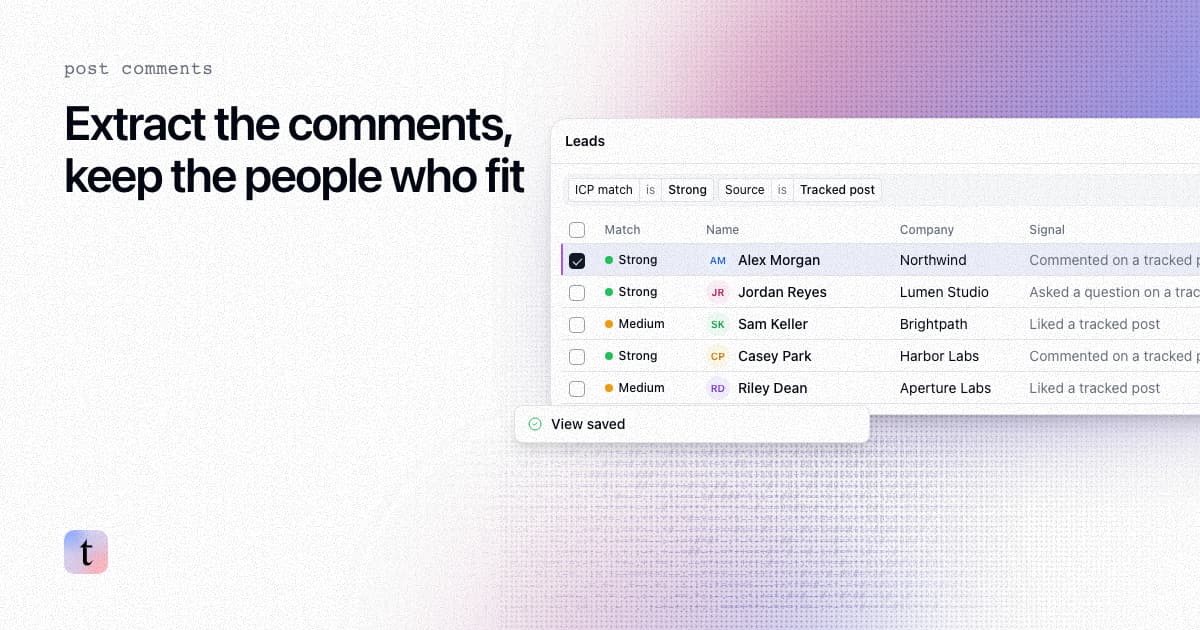
How to extract comments from a LinkedIn post, and keep only the commenters who fit your ICP
Four ways to extract comments from a LinkedIn post, what each returns and risks, and how to keep only the commenters who fit your ICP.

How to follow up with people who commented on your LinkedIn lead magnet post
Follow up with LinkedIn lead magnet commenters: sort who fits, send the resource, then one relevant second message over LinkedIn and email, with consent care.