
Not getting new leads from LinkedIn? Seven checks before you change anything
New LinkedIn leads stopped? Check filters, discovery runs, lead capacity, criteria, signal topics, tracked sources and routes, in that order.
When new LinkedIn leads stop showing up, the cause is usually one of seven things: a filter hiding them, a discovery run that's paused or still processing, a lead capacity limit, criteria that are too narrow, signal topics that drifted from your buyers, tracked sources that went quiet, or leads that arrived but never reached your other tool. Check them in that order, from cheapest to fix to most disruptive. Changing your ICP or message before you know which one it is tends to make the problem harder to read.
Last checked: November 11, 2026, against traxy's no new qualified leads, discovery runs and plan and capacity docs.
The checks below use traxy, the LinkedIn GTM tool where teams find, qualify and work their LinkedIn leads. The order applies to most lead sources: confirm the leads are missing before you go looking for why.
1. Are the leads hidden, not missing?
Start with the screen you're looking at. In Leads, confirm:
the workspace (if you belong to more than one)
the view, search, score filter and date range
whether the leads you expect are in Done, Snooze, Clients or Bad fit, or in Settings > Deleted leads
A saved view stores filters, so a view built last month for "Warm signals, ICP match 80+" can look empty this week even while new leads arrive below that line. Open the unfiltered list before you conclude anything.
A score filter only narrows what you see. It doesn't change who qualifies, and lowering it won't create new leads (lead criteria docs).
2. Is discovery running?
Open trax > Discovery runs and read the latest run. A run can be queued, running, finished or unable to start. A finished run with few matches is a different problem from a run that hasn't finished.
Open the run to see its status, the profiles scanned and the results. A scanned profile is not a qualified lead, so a run can scan many people and deliver few. That points to targeting or supply, covered in checks 4 to 6.
If a run can't start, read the reason before you retry. Repeating the request doesn't bypass workspace access, capacity or an active run.
3. Have you reached lead capacity?
Each workspace has a lead capacity for the current period. A person counts once, when first delivered as a qualified lead. Rediscovering them, recording another signal, enriching, exporting or restoring them doesn't count again.
When capacity is reached, discovery of new people pauses. Monitoring, signals and enrichment for leads you already have can continue. Open the capacity indicator in the navigation to see usage and the reset date (plan and capacity).
traxy's docs separate two cases that look similar on the surface:
What the run says | What it means | What to do |
|---|---|---|
Capacity reached | You've received the leads available this period | Wait for the reset, or change your plan in Settings > Plan |
Low supply | Discovery isn't finding enough people who match | Fix targeting and sources (checks 4 to 6) |
If capacity remains but supply is low, more capacity won't help. The docs put it plainly: an upgrade is not the first fix for low supply.
4. Are your lead criteria too narrow?
Open Targeting > Lead criteria. Look for:
Conflicting requirements, like a seniority level that rarely exists at the company size you picked
Stacked filters across role, industry, location and size that leave a tiny market
Stale criteria that describe last year's buyer
A narrower ICP produces fewer, better-fitting leads. That's often the right trade, but make it on purpose. Qualification requires an ICP match of at least 50% against your criteria, so a criteria change moves who clears that bar (how qualification works).
After you save a change, traxy can offer to check your active leads against the new criteria. Choose Check leads or Keep all leads. Nothing moves until you confirm.
5. Have your signal topics drifted?
Open Targeting > Signals and read the Signal Brief. It describes the problems and topics that make someone relevant. Two failure patterns show up:
Too broad. Topics like "sales" or "growth" match lots of activity and few buyers.
Too clever. Topics phrased in your internal language that buyers rarely use in posts or comments.
Rewrite topics the way your buyers talk. Open a few recent leads, read their Signals tab and ask whether the recorded activity relates to your offer. If the people are right but the topics are wrong, change the signals. If the people are wrong, change the criteria. Keep the two separate.
6. Did your tracked sources go quiet?
If most of your leads came from tracked profiles, check them in Targeting > Tracking > People:
Is each profile still active?
Has the person posted since you added them? Ongoing monitoring follows the five most recent posts published after you add a profile. Someone who stopped posting stops producing new engagers.
Does the audience still fit? A creator who moved from sales topics to hiring topics brings a different crowd.
Replace quiet sources with active ones. For a specific older post, use Track post instead of waiting. Our guide on who to track on LinkedIn for leads covers how to choose.
7. Did the leads arrive, but not in your other tool?
If leads appear in traxy but not in Slack, a webhook or another connected tool, discovery worked and delivery is the issue. Check the integration's route:
Is the route active, or paused after repeated failures?
Does the route use the view you think it does?
Is the route's ICP threshold higher than the leads arriving?
Was the route created after the leads came in? Automatic routes apply to leads entering the audience from that point on. Saving or editing a route doesn't send leads already in the view; send those manually (routes).
Fix the connection or receiver before you resume a paused route.
A worked example
A founder notices her Slack channel went silent for a week. She checks in order:
Leads view. New leads are there, so discovery is working.
Slack route. Paused after repeated delivery failures.
Fix. She fixes the Slack connection, resumes the route and sends the week's leads to Slack manually from Leads > Send to.
Without the order, she might have rewritten her ICP to "get more leads" and spent the next week reading the effect of a change she didn't need.
When to change the strategy
If all seven checks pass and leads are still thin, the market may be small for the signals you chose. Options include adding a second signal family, tracking competitor and influencer profiles your buyers follow, or using Social intent search to find posts about the problem in plain English. For a broader look at list quality, see test the list before you rewrite the copy.
FAQ
Why did my LinkedIn leads suddenly stop?
In traxy, start with the quick checks: a filter or view hiding new leads, lead capacity being reached for the period, or a paused route that stopped delivery to another tool.
Does lowering the ICP match filter give me more leads?
No. The filter changes what you see. Qualification still requires a 50% ICP match against your criteria.
Will buying more capacity fix low lead volume?
Only if capacity is the cause. If discovery reports low supply, refine targeting and sources instead.
Can I ask trax why I'm not getting leads?
Yes. Ask trax to review your lead criteria and suggest changes, and read the latest run in trax > Discovery runs. Review any change trax proposes before you approve it.
Next step
Open trax > Discovery runs in traxy, read the latest run's status and work down the list from there.
Keep reading
All LinkedIn Lead Generation guides
LinkedIn Lead Generation (2026): What It Is, Strategy, Tips and Tools for B2B
What LinkedIn lead generation is, a 7-step B2B strategy, the 5 main tactics, tips, tools and metrics, plus every LinkedIn lead generation guide we publish.
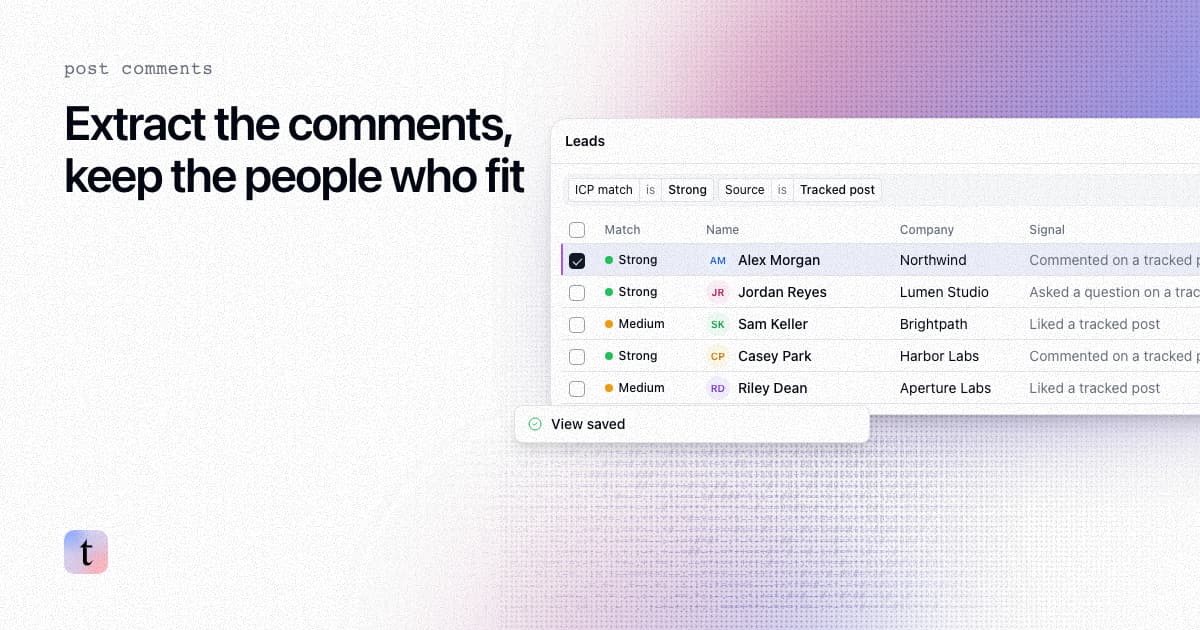
How to extract comments from a LinkedIn post, and keep only the commenters who fit your ICP
Four ways to extract comments from a LinkedIn post, what each returns and risks, and how to keep only the commenters who fit your ICP.
How to find leads from the people who engage with a LinkedIn company page
Most company page engagers are employees, job seekers and peers. How to find the ones who fit your ICP, with the post that brought each one in.