TL;DR: LinkedIn InMail is a paid message you can send to LinkedIn members you're not connected to. You need a Premium, Sales Navigator or Recruiter plan, and each InMail uses one credit: 5 a month on Premium Career, 15 on Premium Business, 30 on Recruiter Lite and 50 on every Sales Navigator plan. Unused credits roll over for 90 days, and you get a credit back when the recipient responds within 90 days. Regular messages to 1st-degree connections are free and don't use credits.
What Is LinkedIn InMail?
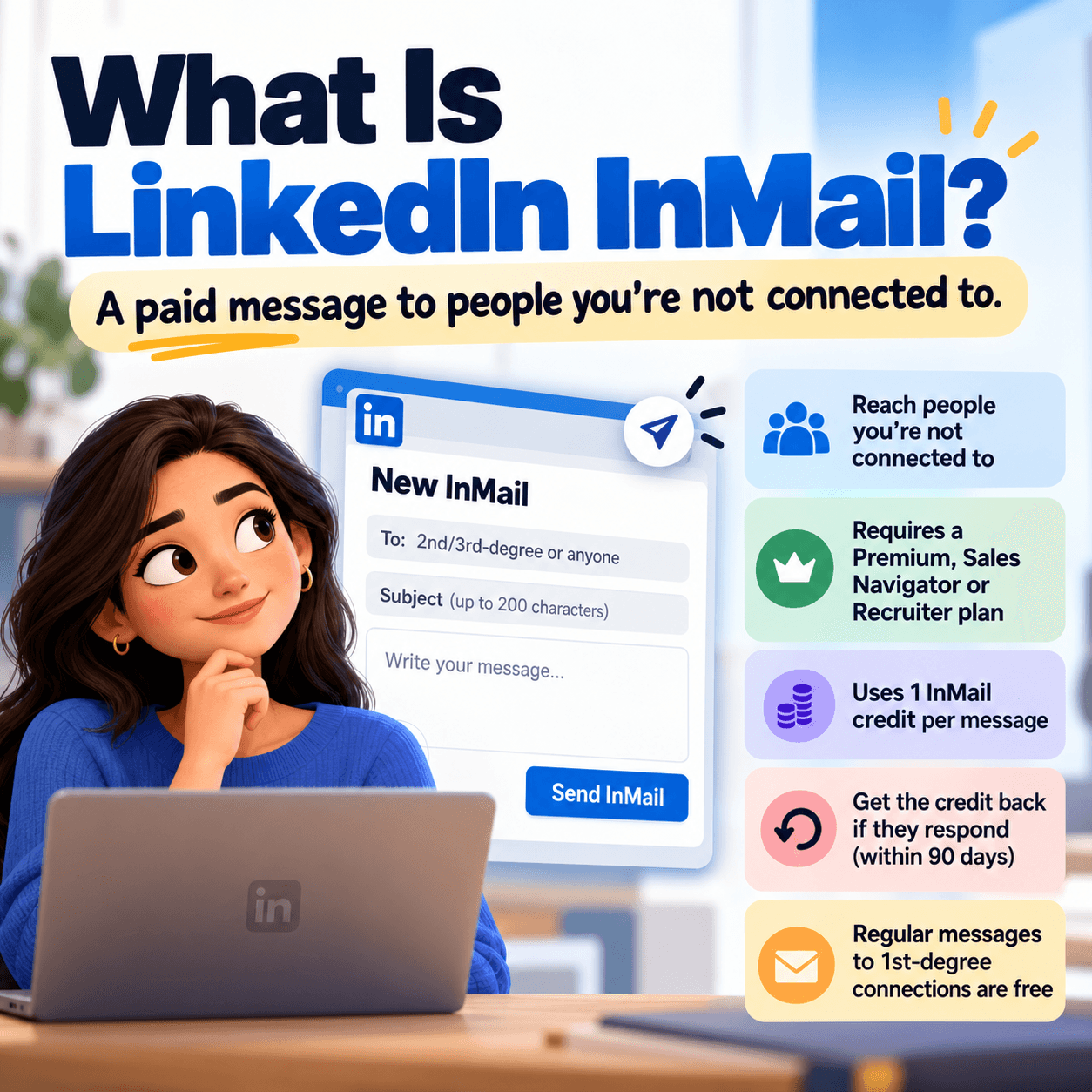
LinkedIn InMail is LinkedIn's paid direct message for reaching people outside your network. A normal LinkedIn message only works with your 1st-degree connections. InMail lets you message 2nd- and 3rd-degree connections and people outside your network without sending a connection request first.
Every InMail has a subject line (up to 200 characters) and a message body, and it lands in the recipient's LinkedIn inbox marked as InMail. Sending one costs an InMail credit, which comes with a paid LinkedIn subscription. Free LinkedIn accounts don't get InMail credits.
One exception: members who turn on Open Profile can receive messages from people they aren't connected to, and those messages don't use an InMail credit.
The Problem InMail Solves (and the One It Creates)
Without InMail, the only way to reach a stranger on LinkedIn is a connection request, and that means waiting for them to accept before you can say anything useful. For sellers and recruiters working a target list, that wait is the bottleneck.
InMail removes the wait, but it adds a budget. Credits are limited, they expire, and every message sent to someone who ignores it is gone for good. So the real question isn't whether InMail works. It's who is worth one of your credits.
How InMail Credits Work
Credits by plan
LinkedIn plan | InMail credits per month | Maximum balance you can build up |
|---|---|---|
Premium Career | 5 | 15 |
Premium Business | 15 | 45 |
Sales Navigator (Core, Advanced and Advanced Plus) | 50 | 150 |
Recruiter Lite | 30 | 120 |
All three Sales Navigator tiers include the same 50 credits a month, so upgrading from Core to Advanced doesn't buy you more InMail. For plan-by-plan prices, see our breakdown of LinkedIn Sales Navigator pricing.
Rollover and expiration
Unused credits carry over to the next month, but each credit expires 90 days after it was issued. That's why balances top out at a few months' worth of credits. If you cancel your subscription, your remaining InMail balance goes to zero.
Getting credits back
LinkedIn returns the credit when the recipient responds to your InMail within 90 days, including when they accept or decline it. A credit stays spent when the message is ignored or goes unanswered for more than 90 days. In practice, well-targeted InMail costs far less than the sticker math suggests, and poorly targeted InMail costs full price.
Can you buy more InMail credits?
Not on Premium or Sales Navigator. InMail credits come with your plan's monthly allowance, so the way to get more is a plan with a bigger allowance, a refunded credit from a reply, or messages to Open Profile members that don't use credits at all.
What InMail Actually Costs Per Credit
LinkedIn doesn't sell InMail on its own, but you can work out what each credit costs by dividing the plan's list price by its monthly allowance. These are LinkedIn's US list prices per seat.
Plan and billing | List price | Credits per month | Cost per credit |
|---|---|---|---|
Premium Business (monthly) | From $69.99/month | 15 | ≈$4.67 |
Sales Navigator Core (monthly) | $119.99/month | 50 | ≈$2.40 |
Sales Navigator Core (annual) | ≈$89.99/month | 50 | ≈$1.80 |
Sales Navigator Advanced (monthly) | $159.99/month | 50 | ≈$3.20 |
This assumes you use every credit and none come back. Each reply returns a credit, so a high response rate lowers your real cost per conversation. And you're not really paying for credits alone: the plan also includes search, lists and other features. Still, the math is a useful gut check. Every InMail you send to someone who isn't a fit is a few dollars of budget that could have gone to a real buyer.
LinkedIn InMail vs Message: What's the Difference?
InMail | Regular message | Message to an Open Profile | Message Ads (paid) | |
|---|---|---|---|---|
Who you can reach | Members you're not connected to | Your 1st-degree connections | Members with Open Profile turned on | A targeted ad audience |
What you need | Premium, Sales Navigator or Recruiter plan | A connection | The recipient has Open Profile turned on | A LinkedIn Campaign Manager account |
Cost | One InMail credit | Free | No credit used | Ad spend |
Subject line | Yes | No | Yes | Yes |
Best for | One-to-one outreach to specific people you can't reach otherwise | Ongoing conversations with people who already know you | Reaching open, active members without spending credits | One-to-many campaigns sent as sponsored messages |
The short version: if you're connected, send a message. If you're not connected and the person is a strong fit, InMail skips the connection request. Message Ads (formerly Sponsored InMail) are a LinkedIn ad format sold through Campaign Manager, not part of your InMail credits.
How to Send InMail on LinkedIn
Get a plan that includes InMail. Premium, Sales Navigator and Recruiter plans come with monthly credits; free accounts don't.
Open the person's profile. In LinkedIn, select Message on the profile of someone you're not connected to (on some profiles it's under More). In Sales Navigator, open the lead page and select Message.
Write a specific subject line. You have up to 200 characters, but short and specific reads better. Reference why you're reaching out to this person now. Our list of LinkedIn cold message subject lines has formulas to start from.
Keep the body short and about them. One clear reason for reaching out, one relevant point of value, one easy question.
Send and track. Sending uses one credit unless the recipient has Open Profile. If they respond within 90 days, the credit comes back.
When an InMail Is Worth a Credit: A 5-Point Checklist
They match your ICP. Right role, seniority, company size and industry. If they'd never buy, don't spend the credit.
You have a reason to reach out now. A recent post, a comment on a topic you cover, a new role or a company change gives your message context.
They're active on LinkedIn. People who post, comment and react are far more likely to see and answer an InMail than dormant profiles.
A connection request isn't the better move. If you already share connections or they've engaged with your content, a personalized connection request may cost nothing and work just as well. See our guide to LinkedIn connection acceptance rates.
You can check Open Profile first. If they accept messages from anyone, you can reach them without spending a credit.
Frequently Asked Questions
What is LinkedIn InMail?
LinkedIn InMail is a paid message that lets you contact LinkedIn members you're not connected to, without sending a connection request first. It includes a subject line and uses one InMail credit, which comes with Premium, Sales Navigator and Recruiter plans.
How many InMail credits do you get on LinkedIn?
Premium Career includes 5 InMail credits a month, Premium Business 15, Recruiter Lite 30, and every Sales Navigator plan (Core, Advanced and Advanced Plus) 50. Free LinkedIn accounts don't include InMail credits.
Do LinkedIn InMail credits roll over?
Yes, for a limited time. Unused credits carry over, but each credit expires 90 days after it was issued, so balances cap at roughly three months of credits: 15 on Premium Career, 45 on Premium Business, 150 on Sales Navigator and 120 on Recruiter Lite. Cancelling your plan resets the balance to zero.
What is the difference between LinkedIn InMail and a message?
A regular LinkedIn message is free but only works with your 1st-degree connections. InMail reaches members you're not connected to, includes a subject line, and uses one credit from a paid plan. Messages to members with Open Profile turned on don't use a credit.
How do you send an InMail on LinkedIn?
With a Premium, Sales Navigator or Recruiter plan, open the profile of someone you're not connected to and select Message (on some profiles it's under More). Add a subject line of up to 200 characters, write your message and send. In Sales Navigator, start from the lead page and select Message.
Do you get InMail credits back?
Yes. LinkedIn returns the credit when the recipient responds within 90 days, including accepting or declining your InMail. Credits for messages that are ignored or go unanswered past 90 days aren't returned.
The Bottom Line
LinkedIn InMail is the fastest way to reach someone outside your network, but it runs on a small, expiring budget: 50 credits a month at most on Sales Navigator, and a few dollars of plan cost behind every one. The teams that get the most from InMail don't send more of it. They spend credits only on ICP-fit people who are active and showing interest right now, and they send regular messages or connection requests to everyone else. That's the targeting problem traxy solves: its discovery agent scans LinkedIn every hour for people in your ICP who are engaging with your market, enriches them with contact data and routes them to your workflow, so your InMail credits go to buyers who are already paying attention. Plans start at $149/month with a 7-day free trial, no credit card or LinkedIn login required.
Related reading: