
How agencies find new clients from LinkedIn posts and comments with social intent search
How agencies find new clients on LinkedIn: search posts and comments for people asking for your service, check fit, and reply to what they asked.
The most direct way for an agency to find new clients on LinkedIn is to find the people already asking for the service you sell. They write posts like "who is good at AEO?" and comments like "anyone know a good agency for this?" With traxy's social intent search, you describe that buyer and need in one sentence, and traxy searches more than 71 million LinkedIn likes, posts and comments. Each match comes with the person's company, ICP match and the post or comment behind it. You check fit, save the strong ones, and reach out from your own LinkedIn and email with a reply to what they asked.
Why is agency lead generation hard on LinkedIn?
Most agencies run into the same problems:
Referrals are lumpy. They arrive in batches and dry up without warning.
Title lists are crowded. "Marketing Director at a 50-person SaaS company" is a list many agencies in your category are already messaging.
Content takes time. Posting builds an audience, but many of the people who like your posts are peers rather than buyers.
Agency services are easy to delay. A prospect without a current problem has no reason to switch or hire this quarter.
All four get easier when you spend your outreach time on people who have said, in public, that they have the problem you solve. traxy's launch post for social intent search described this group as "ppl in the comments literally asking 'anyone know a good agency for this?'" (launch post).
What does a buying signal look like for an agency?
For a service business, the useful signals are about the problem and the search for help:
Signal | Example | Strength |
|---|---|---|
Asks for a recommendation | "Can anyone recommend an AEO agency?" | Strong |
Describes the problem | "We don't show up in ChatGPT answers at all" | Strong |
Compares options | "Agency or in-house for podcast production?" | Strong |
Comments on the topic | "Same here, our CRM is a mess" | Medium |
Likes a post about the topic | Liked a post about AEO agencies | Weak |
Keep the strength in mind when you write. traxy's guidance is to respond to the specific problem raised in a comment or question and to avoid claiming intent to purchase (use signals in outreach).
Worked example: an AEO agency finding its next clients
AEO (answer engine optimization) is the example traxy used at launch, so we'll follow it through.
Step 1: Set up the agency's own workspace
Use a workspace for your agency's own client acquisition, separate from any client work. traxy's docs recommend keeping separate client or business contexts in the right workspace and checking which one you are in before making changes (agency outreach).
Step 2: Pick one service and one buyer
Choose a single offer per campaign. For this example: AEO for B2B software companies, sold to founders and heads of marketing.
Open Lead criteria and set roles (founder, CEO, head of marketing), company size, industry (software) and location (lead criteria). Open Signals and write the problems your buyers raise: "asking how to show up in AI answers", "asking for an AEO or GEO agency", "noticing traffic loss from AI search" (signals).
Step 3: Search in plain English
Open trax and ask. Example prompts:
"find me founders looking for AEO help"
"find heads of marketing at software companies asking how to show up in ChatGPT answers"
"find people who commented asking for an AEO agency recommendation"
Results come back as a table of people with their company and signal, such as "Commented asking who does AEO" or "Posted about AI search visibility" (product page).
Step 4: Review and mark fit
Open each promising lead. Check the Signals tab for the source post or comment and its date (review qualified leads). Mark Good fit or Bad fit with a reason, such as "too small for a retainer" or "already working with an agency" (how qualification works).
Step 5: Save a shared view
Save the strong matches as a shared view in Leads, for example "AEO: asked for help" (filter and save audiences). Use assignments and notes so your team can see who is handling each lead (tags, notes, and assignments).
Step 6: Build the campaign and review it
Ask trax to prepare a campaign for the view. Example prompt:
"Create a campaign for 'AEO: asked for help'. Connect on LinkedIn first. Once they accept, send a message about the question they asked. Follow up by email if they don't reply."
Test the plan and read the previews. Check the audience, the messages and the sender before you approve the launch (review and launch). Outreach goes from your own connected LinkedIn account and mailbox (sender accounts). Replies come into Inbox, where you take the conversation from there (use Inbox).
The same method for other agency types
The steps stay the same. The prompt and the signals change with the service:
Agency type | Example prompt |
|---|---|
Podcast production | "marketing leaders comparing podcast agencies" |
Email and retention | "ecommerce founders asking about retention emails" |
RevOps or CRM consulting | "heads of RevOps unhappy with their CRM" |
Finance and accounting services | "CFOs talking about month-end close" |
LinkedIn content or ghostwriting | "founders asking who can help them post on LinkedIn" |
The first four come from traxy's product page.
What should the first message say?
Reply to what they said. For a strong request, a message with four parts works:
Their words. "Saw you asked who can help with showing up in AI answers."
One useful pointer. Something they can check today, such as whether their key pages answer the questions buyers ask in ChatGPT.
Why you. One line on who you do this for.
A small ask. "Want me to send the checklist we run on new clients?"
For a weaker signal, such as a like, use the topic as context and lead with the useful pointer. Don't write as if they asked you for help.
Two other ways agencies find clients in traxy
Search answers "who is asking right now?" Two other sources keep adding people over time:
Follow the voices your buyers listen to. Add creators in your niche, a competitor agency's founder, or a company page to the people, posts and companies you follow in traxy. traxy checks their recent posts and surfaces engagers who fit your ICP (track people, posts, and companies).
Check one post. Paste a LinkedIn post URL, such as a viral post about your service, and ask trax for the ICP-fit people in its audience. See find leads from any LinkedIn post with the traxy agent.
If you also run LinkedIn content for clients, that is a different job with its own workflow. See how LinkedIn content agencies use traxy.
What are the limits?
The database is LinkedIn today. Instagram and Facebook groups are listed as coming soon on the product page.
Some people post requests to collect pitches. A reply to the launch post asked how to filter them out (reply). Check fit, look at their posting history, and keep the first message useful.
A public request often draws several agency replies. Speed and relevance matter more than a long pitch.
FAQ
How do agencies find clients on LinkedIn?
Find the people already asking for your service. Search posts and comments for recommendation requests and problem descriptions, check fit, then reply to what they said. traxy's social intent search does this from one plain-English sentence.
What is the best lead source for an agency?
For outbound, people who have publicly asked for the service you sell are the strongest source, because the need is already stated. Referrals and content still matter alongside them.
Can I use traxy for my agency's own clients and for client work?
Yes. Keep them in separate workspaces and check which workspace you are in before making changes.
Does traxy send the messages for me?
traxy runs LinkedIn and email sequences through your own connected accounts. You test the campaign and approve the launch before anything sends.
Should I mention the post they commented on?
Yes, when it supports the message. Refer to the topic they raised. Avoid implying they want to buy from you.
Does it work beyond LinkedIn?
The database covers LinkedIn today. Instagram and Facebook groups are listed as coming soon.
Start with one service and one sentence at traxy.ai/social-intent-search.
Keep reading
All LinkedIn for Agencies guides
LinkedIn for Agencies: The Complete Guide (2026)
LinkedIn for agencies: how to run multi-client lead generation, content operations, automation, and signal-based prospecting at scale in 2026.
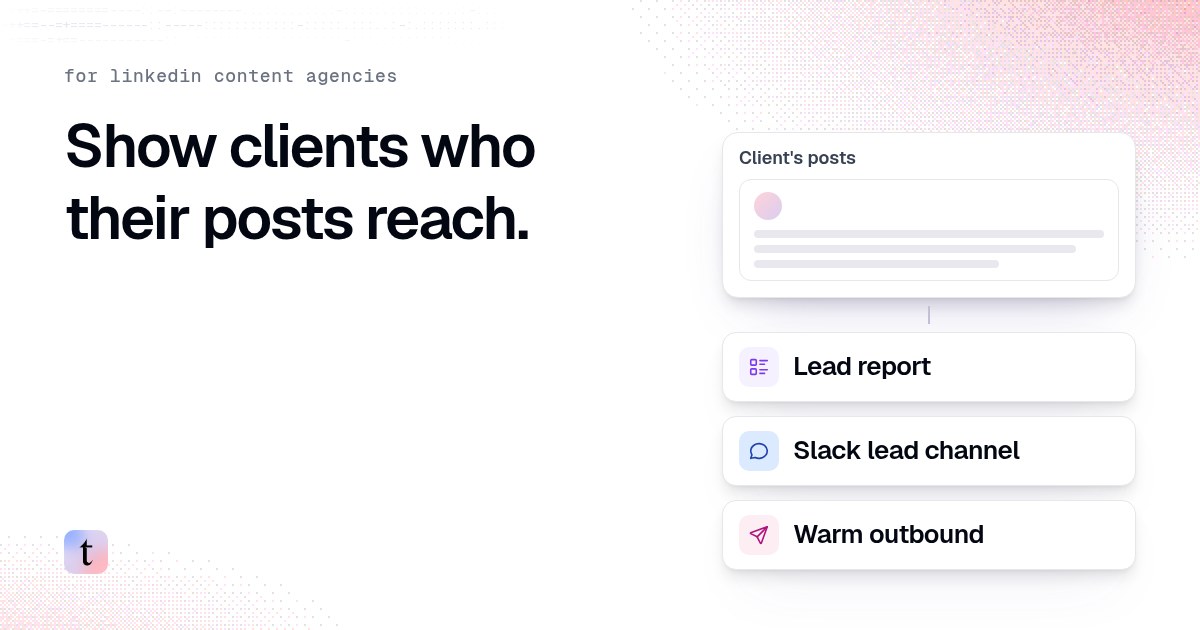
How LinkedIn content agencies use traxy: client lead reports, Slack alerts and warm outbound
Three things a LinkedIn content agency can add to a retainer: a monthly lead report, a Slack channel for the client's sales team, and warm outbound.
How to send a client's LinkedIn leads to their sales team in Slack
Connect Slack in the client's traxy workspace, save a shared view, route it to the client's channel, send a test and name one owner for every alert.