
How LinkedIn content agencies use traxy: client lead reports, Slack alerts and warm outbound
Three things a LinkedIn content agency can add to a retainer: a monthly lead report, a Slack channel for the client's sales team, and warm outbound.
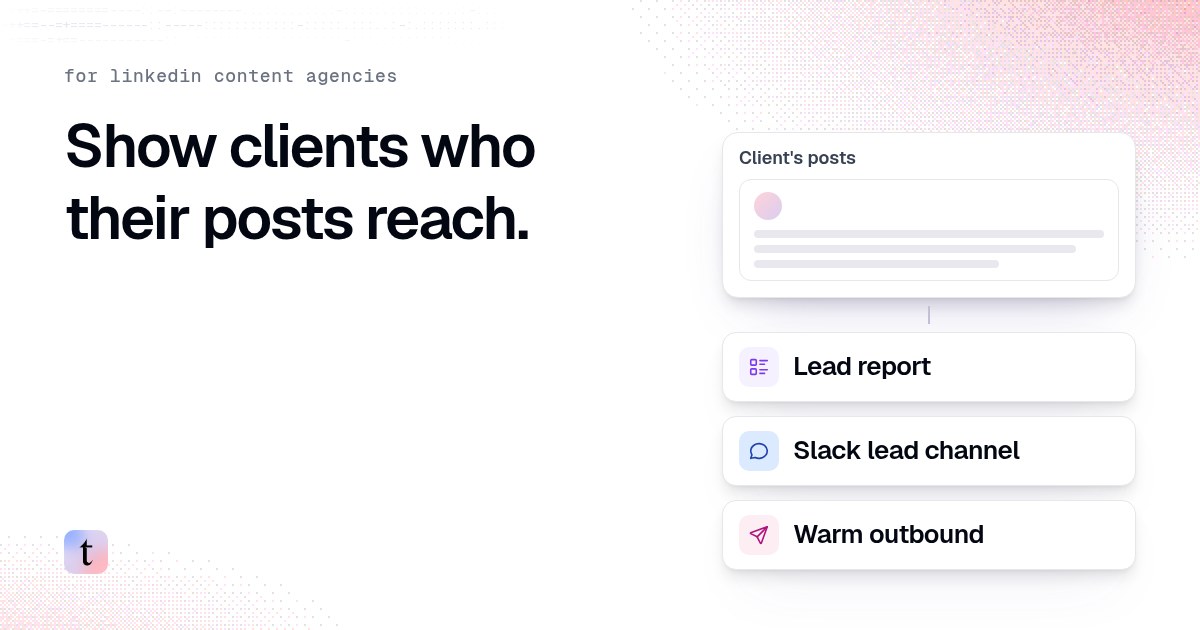
A LinkedIn content agency can show clients who their posts reach by adding three things to the retainer: a monthly report of qualified people who engaged with the client's posts, a Slack channel where the client's sales team sees new fits as they qualify, and, if the client wants it, warm outreach to those people. In traxy, each client gets its own workspace with its own lead criteria, the client's founder and executives are followed as LinkedIn profiles, and every lead comes with the post that brought it in.
This guide is for the owner of a LinkedIn content or ghostwriting agency. It covers what each of the three services looks like, where each step happens in traxy, example prompts for trax (the chat agent inside traxy), and where the agency's job stops and the client's sales team takes over.
Why do content clients ask "is this working?"
Most content retainers report impressions, follower growth and engagement rate. Those numbers describe the posts. They say little about whether the right people saw them.
The question a founder asks around month three or four is closer to "did any buyers notice?" An impressions chart cannot answer it. A list of named people who fit the client's ICP and engaged with a specific post can.
One agency owner described this in our case study on how a LinkedIn content agency proves ROI and gets past the six-month churn cliff. The rest of this guide is the setup behind that kind of report, written so any agency can copy it.
What are the three ways a content agency uses traxy?
Service | What the client gets | Who acts on it | Where it lives in traxy |
|---|---|---|---|
Lead report | A monthly list of qualified people who engaged, grouped by post | Client's founder or sales lead | Leads, saved views, Insights, CSV export |
Slack lead channel | New qualified people posted to a client channel as they arrive | Client's sales rep | Integrations > Slack, Routes |
Warm outbound | Outreach to qualified engagers, approved before anything sends | The agency or the client, as agreed | Campaigns, Sequences, Inbox |
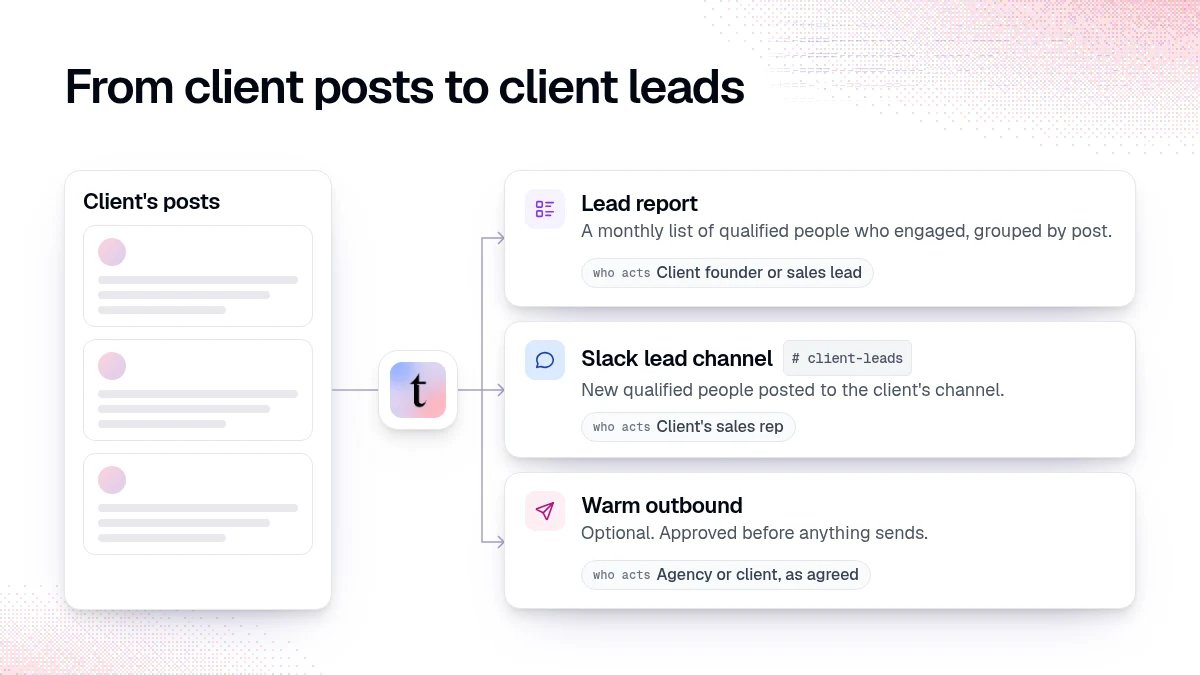
Most agencies start with the report, add Slack once the client trusts the list, and offer outbound as a separate, larger scope. You do not need all three to show value.
How do you set up a client in traxy?
1. Give each client its own workspace
Leads, lead criteria, campaigns and integrations belong to a workspace (members and workspaces). Keep each client separate so one client's ICP never filters another client's leads. Use the workspace switcher and check which workspace is open before you change anything.
Add the client's company and product context under Settings > Company, so qualification understands what the client sells.
2. Write the client's lead criteria and signals
Open Lead criteria and describe who the client sells to: roles, seniority, departments, locations, company size, industry and the niche keywords that separate a buyer from a broad audience (lead criteria). Then open Signals and describe the problems and topics that make someone relevant to the client's offer (signals).
Example prompt in trax:
"This workspace is for {client}, who sells {offer} to {buyer role} at {company type}. Review our lead criteria and signals and suggest a narrower audience. Show me the proposed values before saving."
Configuration changes show up as approval cards with the proposed values. Read them before you approve.
A person qualifies only with an ICP match of at least 50 percent (how qualification works). This matters for agencies, because a client's posts attract peers, other agencies and job seekers. The criteria keep them out of the report.
3. Follow the client's people
In the area where you follow LinkedIn people, posts and companies, add the client's founder and each executive you write for as profiles. traxy checks recent posts when you add a profile, then keeps following new posts from that profile (track people, posts and companies). For one older post outside that window, add the post by its URL.
4. Agree on the handoff before the first lead arrives
Name one person on the client's side who owns follow-up. Without that person, leads pile up and the report becomes another unread document.
Service 1: what goes in a monthly lead report?
The report answers one question for the client: which posts brought in people who could buy, and who are they?
Open Leads in the client's workspace and filter to the month and the signal strength you want to show. Warm and Related are the useful labels for a report (signals).
Save it as a shared view, for example "October report."
Open Insights for lead volume, trends, audience breakdowns and the top posts (Insights).
Export the view as a CSV with the columns you want the client to see (exports).
Example prompts in trax:
"List the qualified leads from October with a Warm or Related signal, grouped by the post that brought them in."
"Which of {founder}'s posts this month brought in the most leads at {company type} companies?"
A useful report has four parts:
Top posts by qualified people, with the number of fit people each post brought in.
Named people worth a conversation, with role, company and the post they engaged with.
What changed, for example a topic that drew more fit engagers than last month.
What the client's team did: who was contacted and what happened. The client supplies this part.
Keep two numbers apart. A qualified person who engaged is a lead. A meeting or a deal is the client's sales result. If you connect Google Calendar, Meetings shows meetings attributed to traxy leads (meetings and outcomes). Report meetings and revenue as the client's numbers, recorded by the client.
Service 2: how do you set up a client Slack channel?
The monthly report shows the pattern. A Slack channel shows each person while the post is still fresh.
Open Integrations > Slack and connect the Slack workspace the client's team uses (Slack).
Save a shared view with the leads the client should see, for example Warm and Related leads from the founder's posts.
Open Routes, add the view, choose the client's channel and pick Auto or Manual delivery (route leads to other tools).
Use Test trigger and check the test message in the channel with the client's sales owner.
Automatic routes cover leads that enter the view from that point on. Send leads already in the view by hand from Leads > Send to.
Our step-by-step guide to sending a client's LinkedIn leads to their Slack covers channel choice, thresholds and who owns each alert.
Service 3: when should a content agency run warm outbound?
Only when the client asks for it and the scope says who sends. Some clients want leads and nothing else. Others want the agency to start conversations from the founder's account. Agree in writing which it is.
When outbound is in scope, the work happens in the client's workspace:
Save a shared view of the people to contact.
Ask trax to prepare a campaign for that view and the client's offer (create a campaign).
Write the message template yourself, with the client's voice and a reference to the topic the person engaged with.
Test the campaign. A test prepares research and previews and sends nothing.
Review the launch dialog: who joins, who is excluded, the sender and the delivery mode (review and launch).
Example prompt in trax:
"Create a campaign for the leads in our 'Founder post engagers' view. Offer: {client offer}. Use my template below. Test it on a few leads first and show me the previews."
Reference only what the evidence supports. A like on a post shows interest in a topic. It does not show budget, timing or a buying decision (outbound from qualified signals).
How do you price and package this?
That is a decision for each agency, and we do not publish numbers for it. Two patterns we see: the report is folded into the content retainer as proof of value, and outbound is sold as a separate scope because it adds sending, inbox work and responsibility for replies.
What should the agency not promise?
That every engager is a buyer. Many will be peers or other agencies, and qualification filters most of them.
That the posts caused a deal. Engagement is one touch among many. Report what you can show.
That the client's team will follow up. The agency can deliver the list and the channel. The client owns the conversation.
FAQ
Can a ghostwriter use this without running outbound?
Yes. The lead report and the Slack channel need no sending at all. Many ghostwriters stop there.
Do I need a separate traxy workspace for each client?
Separate workspaces keep each client's criteria, leads and integrations apart. Check the workspace switcher before every change.
Does the client need to log in to traxy?
No. They can receive the report as a CSV and the alerts in Slack. You can also invite them as members if they want to review leads themselves.
How soon after setup do leads appear?
When you add a profile, traxy checks its recent posts for qualified people. After that, leads arrive as the client posts and people engage.
What if the report is mostly peers and agencies?
Tighten the lead criteria, mark wrong leads Bad fit with a reason, and ask trax to suggest a narrower audience.
Related reading
How a LinkedIn content agency proves ROI and gets past the six-month churn cliff
LinkedIn content operations for agencies managing several clients
Running LinkedIn content for clients? See how agencies use traxy.
Keep reading
All LinkedIn for Agencies guides
LinkedIn for Agencies: The Complete Guide (2026)
LinkedIn for agencies: how to run multi-client lead generation, content operations, automation, and signal-based prospecting at scale in 2026.
How to send a client's LinkedIn leads to their sales team in Slack
Connect Slack in the client's traxy workspace, save a shared view, route it to the client's channel, send a test and name one owner for every alert.

Someone liked your client's case study post. Now what?
A like alone rarely means intent. Reach out when the person fits the ICP and the post is close to a buying decision, and mention the topic, not the like.