
LinkedIn Boolean search vs plain-English social intent search: when to use each
How LinkedIn Boolean search works, where it falls short for finding buyers, and when a plain-English social intent search finds people with a reason to talk.
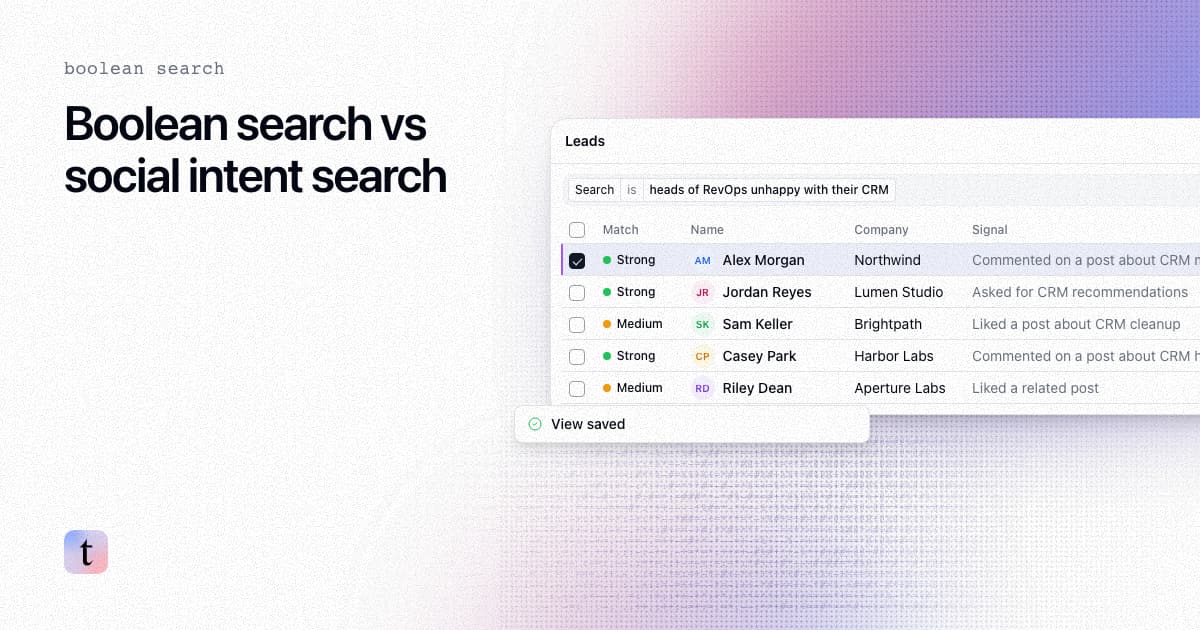
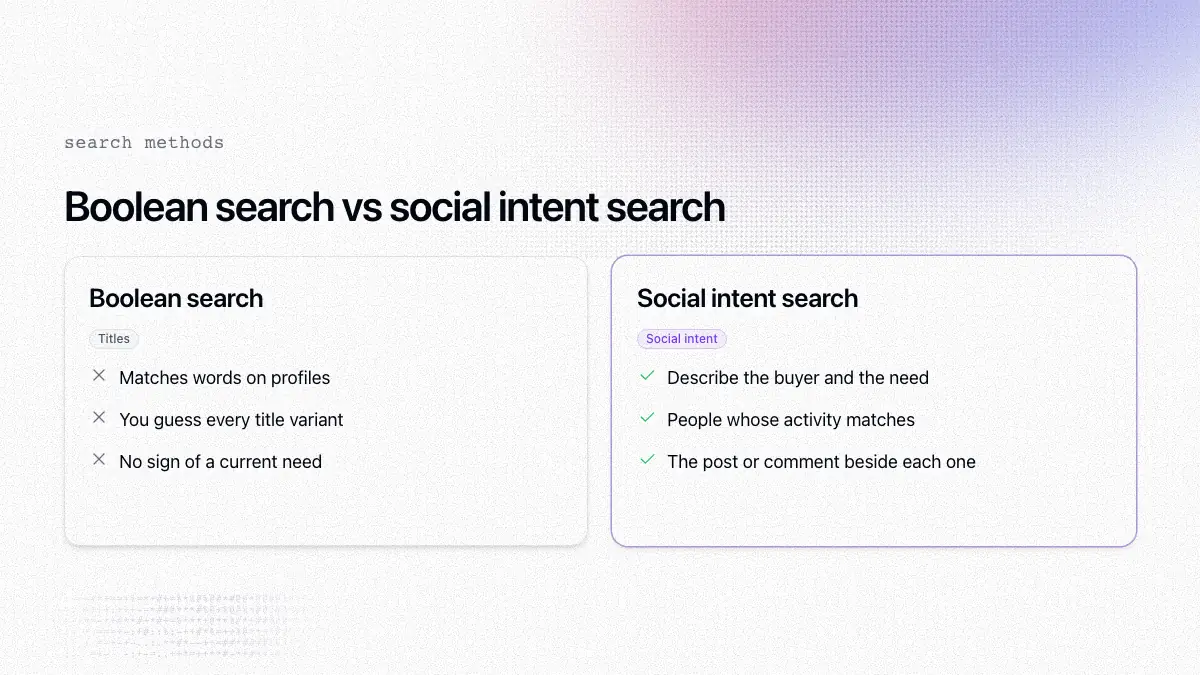
TL;DR: LinkedIn Boolean search finds people whose profiles contain the words you combine with AND, OR, NOT, quotes and parentheses. It is good at "who has this title at this kind of company," but it cannot tell you who has posted or commented about a problem. Plain-English social intent search works the other way around: you describe the buyer and the need in a sentence, and traxy searches its database of LinkedIn likes, posts and comments for people whose activity matches, each with the post or comment behind it. Use Boolean search to map an account or a role. Use social intent search to find people with a reason to talk now.
Last checked: November 9, 2026.
How does LinkedIn Boolean search work?
You type a Boolean string into LinkedIn search. LinkedIn's help center lists these operators (LinkedIn Help):
Quotes for an exact phrase:
"head of revenue operations"AND to require all terms:
founder AND SaaSOR to accept any term:
CMO OR "VP Marketing" OR "Head of Marketing"NOT to exclude a term:
VP NOT (assistant OR SVP)Parentheses to group logic
Operators must be uppercase, and LinkedIn does not support wildcards such as *. When you combine operators, LinkedIn resolves quotes first, then parentheses, then NOT, then AND, then OR.
What do Boolean strings for prospecting look like?
Three illustrative strings for LinkedIn people search:
RevOps leaders, excluding junior roles:
("revenue operations" OR RevOps) AND (head OR director OR VP) NOT (intern OR coordinator)Ecommerce founders (see also how to find founders who fit your offer):
(founder OR "co-founder" OR CEO) AND (ecommerce OR Shopify OR DTC)Finance leaders:
(CFO OR "VP Finance" OR "Head of Finance") NOT (assistant OR intern)
Test any string in LinkedIn before you rely on it, because results depend on how people write their profiles. Sales Navigator adds filters such as company size, industry and seniority on top of keyword search. For how Sales Navigator compares with an engagement-based approach, see traxy vs Sales Navigator.
Where does Boolean search fall short for finding buyers?
Boolean search matches words on profiles, which leaves four gaps when the goal is finding someone ready for a conversation.
Titles do not show need. A string can find heads of RevOps at 50-person software companies. It cannot tell you which one has complained about their CRM.
You have to guess the words. Titles vary ("Growth Lead," "Head of Demand," "Marketing Director"), and each variant you miss hides people who fit.
Strings get fragile. Long nested strings are hard to read, easy to break and hard to hand to a teammate.
Competitors can run the same strings. If your list comes from title filters, theirs may too, and the people on it hear the same pitch from several vendors.
LinkedIn post search helps with the first gap, since you can search posts for a phrase and read the results. It still depends on guessing the exact words, and it does not combine commenters and reactors across posts into one fit-checked list.
How does plain-English social intent search work?
traxy launched social intent search on October 29, 2026 (launch post). Instead of a string, you write a sentence. LinkedIn's own natural-language people search also takes sentences, but it matches profiles; traxy matches likes, posts and comments. traxy runs it against its database of LinkedIn likes, posts and comments, which the product page describes as more than 71 million engagements, and returns matching people (social intent search).
Simplified versions of the strings above, with illustrative social intent searches:
Boolean string (finds titles) | Social intent search (finds titles plus need) |
|---|---|
| "heads of RevOps unhappy with their CRM" |
| "ecommerce founders asking about retention emails" |
| "CFOs talking about month-end close" |
| "founders looking for AEO help" |
Each result shows the person, their company, their ICP match and the signal behind the match, such as a comment on a post about the topic. For more on the method, see social intent search on LinkedIn.
Where does each step happen in traxy?
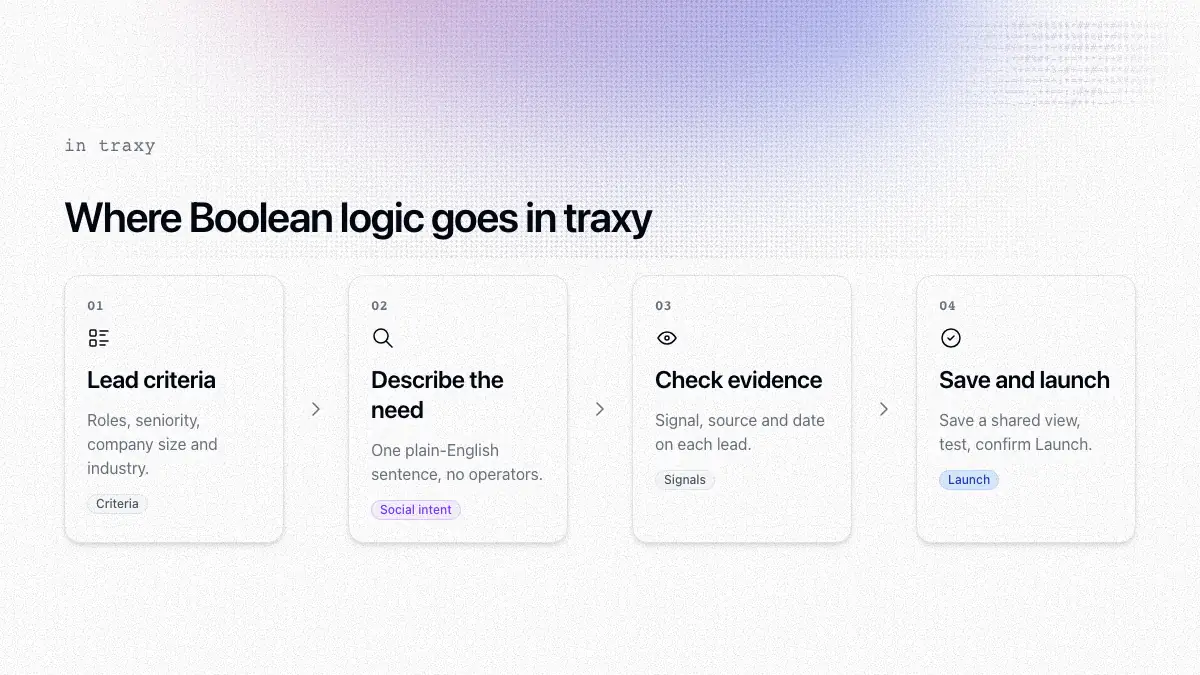
1. Put your title logic into lead criteria
The work that goes into a Boolean string still has a home. Set roles, departments, seniority and locations, plus company size, industry and relevant niches in lead criteria (lead criteria). This replaces the OR-lists of titles. A person must meet your criteria and have an ICP match of at least 50% to qualify as a lead (qualification).
2. Put the need into the search
Describe the buyer and the need together, for example "founders looking for AEO help" or "marketing leaders comparing podcast agencies." You do not need operators, quotes or exclusions. If results drift, make the sentence more specific about the need.
3. Check the evidence
Open a lead and check its signals and the source and date of the recorded evidence before you reference it (leads). Signal labels (Warm, Related, Activity or ICP match) describe the strength of the evidence, separate from the ICP match score (signals).
4. Save the audience and reach out
Filter to the audience you want and save it as a shared view (saved views) and create a campaign for it. A test prepares research and previews without sending outreach, and nothing launches until you confirm Launch (review and launch).
When should you still use Boolean search?
Boolean search is still the right tool when:
You are mapping an account. You need every finance leader at one named company, whether or not they post.
Your buyers rarely engage in public. Some roles read but seldom like, post or comment, so they will not appear in an engagement database.
You need a fixed title list. For example, every CISO in a region for an event invite.
Social intent search fits better when you want people with a reason to reach out now, when you would rather describe the problem than guess title variants, and when you want evidence to open your message with. You can use both: Boolean search or criteria to define who fits, and social intent search to decide who to contact first.
What are the limits?
traxy's database covers LinkedIn engagement. The product page lists Instagram and Facebook groups as coming soon.
People who never like, post or comment will not appear in results, and a missing signal does not prove someone has no interest (signals).
A like is weaker evidence than a comment or a post. Read the signal before you treat a match as a request.
FAQ
Does LinkedIn still support Boolean search?
Yes. LinkedIn's help center describes Boolean search with uppercase AND, OR and NOT, quotes and parentheses.
Does Sales Navigator support Boolean search?
Sales Navigator accepts keyword searches and adds filters such as company size, industry and seniority. Check LinkedIn's current help pages for the exact operators each search field supports.
Can Boolean search find people by what they posted?
Partly. LinkedIn post search can match words in posts, but it will not return commenters and reactors as a fit-checked list of people.
What is plain-English lead search?
You describe the buyer and the need in a normal sentence, such as "heads of RevOps unhappy with their CRM," and the tool finds matching people. In traxy it runs against a database of LinkedIn likes, posts and comments.
Can I search from Claude or ChatGPT?
The product page says you can use social intent search from Claude or ChatGPT through the traxy MCP. See how to find and review LinkedIn leads from Claude with traxy.
Next step
Take one Boolean string you use today, rewrite it as a sentence that names the need, and compare who comes back. Try it at social intent search, or start with traxy.
Keep reading
All LinkedIn Sales Navigator guides
LinkedIn Sales Navigator (2026): What It Is, Key Features and How to Use It to Find Buyers Who Are Already Engaging
LinkedIn Sales Navigator explained: what it is, its key features and plans, how to use it step by step, its limits, and every Sales Navigator guide we have.
traxy vs Sales Navigator: Which to Use?
Sales Navigator finds people who fit your ICP; traxy shows who is already engaging. Compare features, pricing and when to use each, or both.
LinkedIn Premium (2026): How Much It Costs, Career vs Business vs Sales Navigator and Is It Worth It for B2B Sales?
How much LinkedIn Premium costs, Career vs Business vs Sales Navigator, what each plan includes and whether LinkedIn Premium is worth it for B2B sales.