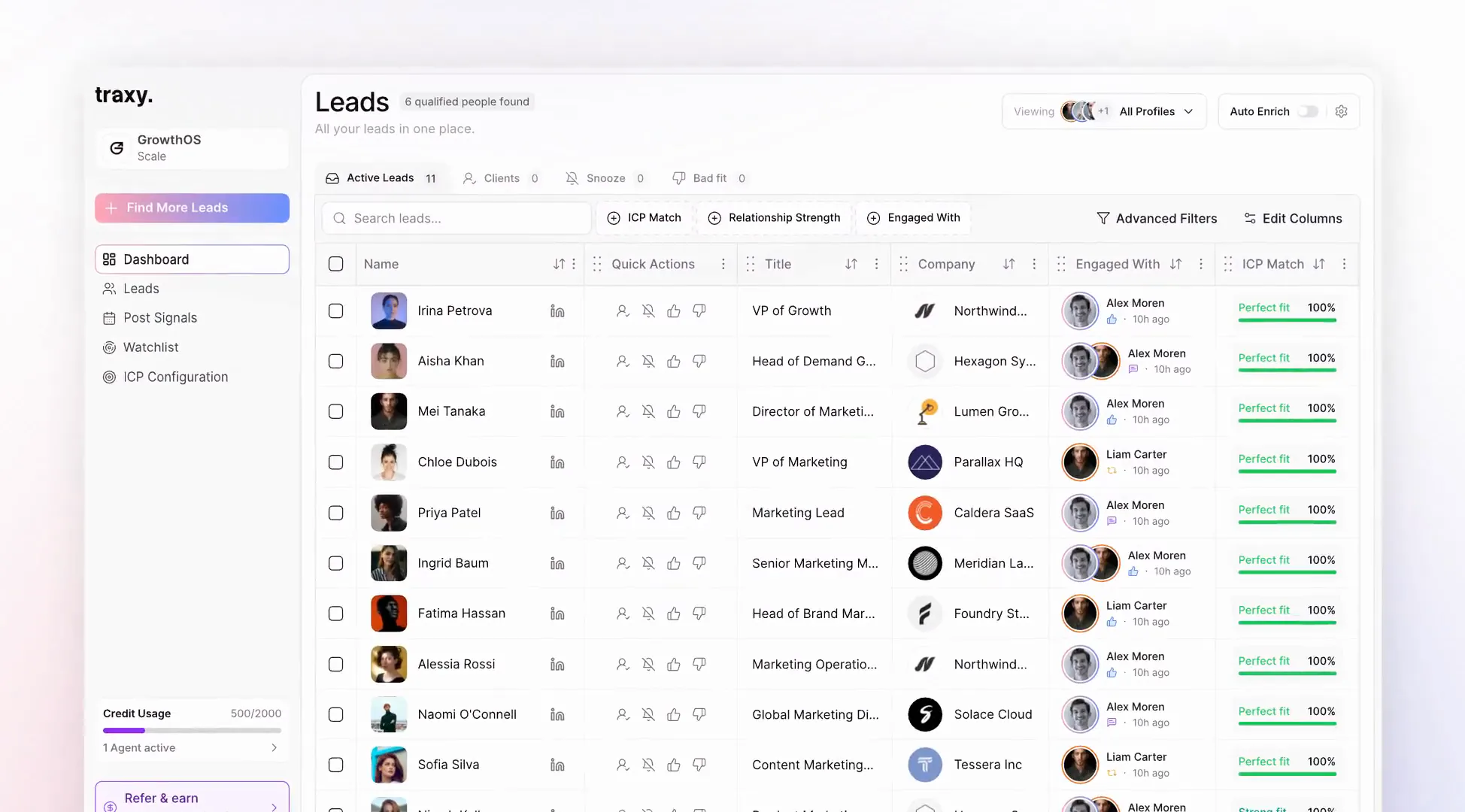
Find your first leads with traxy
Define your ideal customer, find relevant engagement and build a lead list you can act on.
Define who you want to reach
Describe the roles, companies and market that fit your offer. A specific ideal customer profile helps traxy distinguish a relevant prospect from someone who simply engaged with a post.
Let discovery scan your market
Give the Discovery Agent your ICP. It scans LinkedIn engagement across your market every hour, checks who fits and evaluates whether the signal matters.
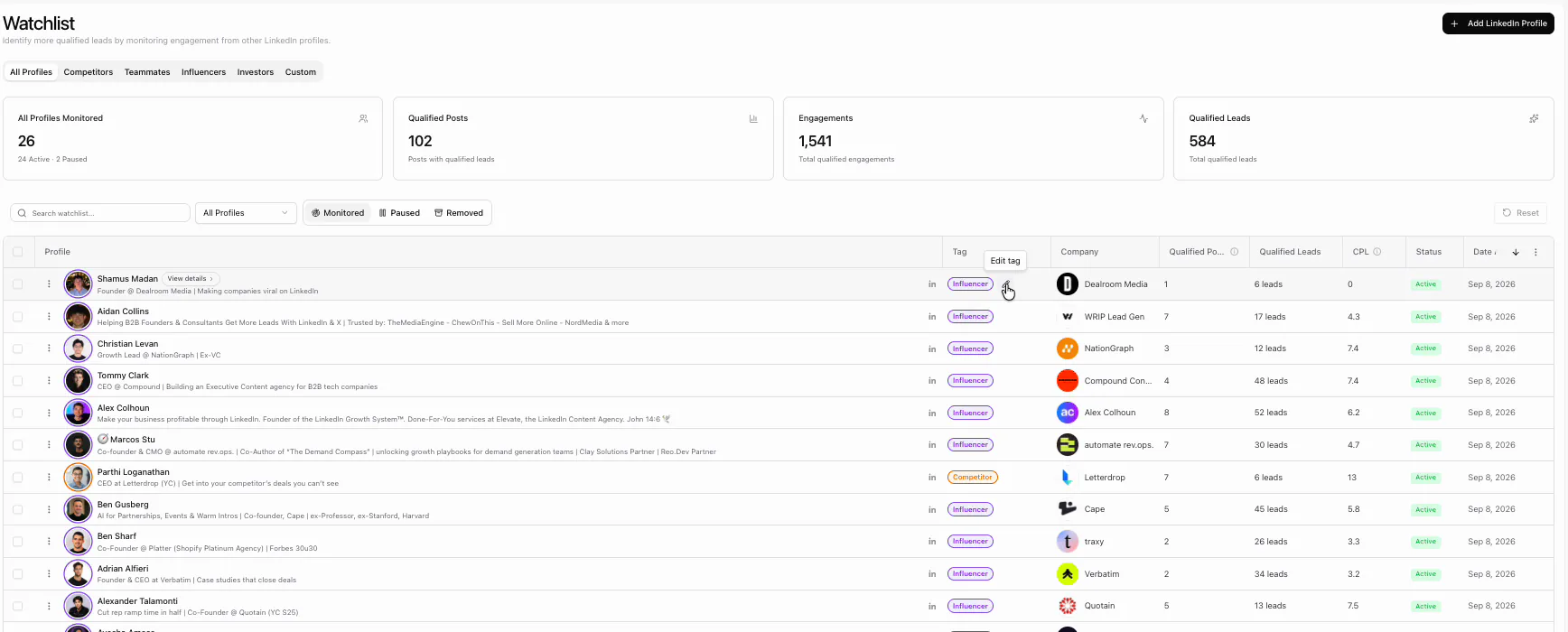
Add profiles to your watchlist
Track yourself, teammates, competitors and people your buyers follow. The watchlist finds leads in engagement with the posts from the profiles you add.
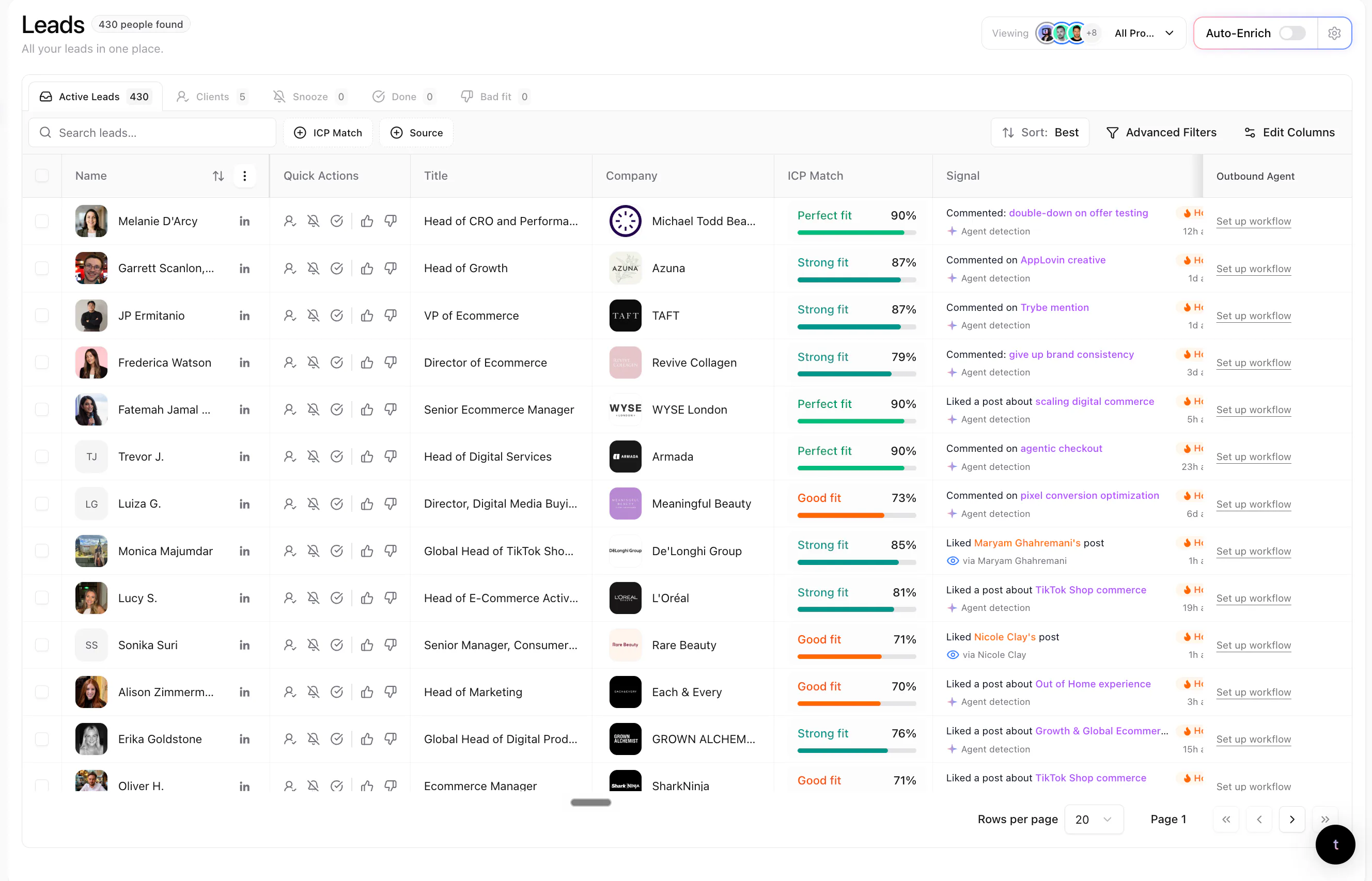
Review the lead and the reason
Check the fit, the engagement and how recently it happened. Use that context to decide who to contact and what would make your message relevant.