
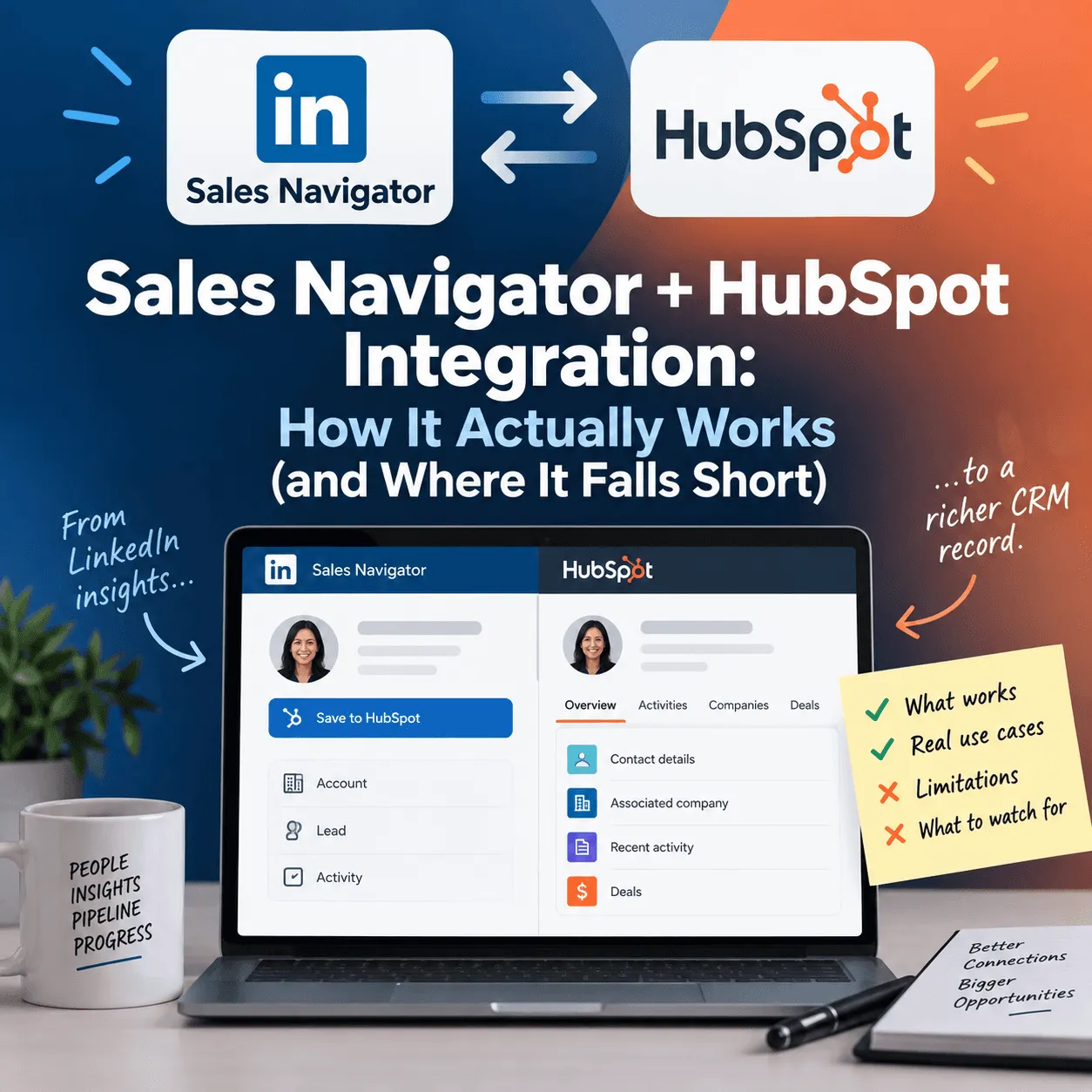
Sales Navigator + HubSpot Integration: How It Actually Works (and Where It Falls Short)
How Sales Navigator’s HubSpot integration actually works, what Advanced Plus costs, and which tools cover the real-time gap it leaves.
TL;DR: LinkedIn Sales Navigator connects to HubSpot in two ways: a free, view-only embedded card that shows LinkedIn profile data inside HubSpot records, and a deeper CRM Sync that logs InMails, notes and calls and flags job changes. Both require the custom-quoted Advanced Plus plan, which public estimates put around $1,600–$1,800 or more per seat, per year. The sync only logs activity that already happened inside Sales Navigator, so most teams add a signal-tracking or enrichment tool on top.
What "Sales Navigator CRM Integration" Actually Means
"Sales Navigator integrates with HubSpot" gets used to describe two genuinely different things, and mixing them up is the most common source of confusion for teams evaluating their stack.
The first is the embedded LinkedIn card: a view-only panel inside a HubSpot contact or company record showing a person's LinkedIn profile, job history, and TeamLink connections. It doesn't import or sync any data between the two platforms. It's a window, not a pipe.
The second is CRM Sync proper: bi-directional data flow between Sales Navigator and HubSpot, including automatic activity logging (InMails, notes, calls) and field mapping between the two systems. This is the version people usually mean when they ask whether Sales Navigator "syncs" with a CRM, and it's a materially bigger commitment than the free embedded card. If you're deciding between this and a dedicated LinkedIn CRM, our comparison explains how the two differ.
Why This Trips Up Teams Comparing Their Options
Before any of this existed, reps kept LinkedIn and their CRM in two separate tabs, manually copying notes, InMail threads, and job-change alerts from one into the other by hand. Sales Navigator's CRM features were built to close that gap. But because the two integration paths look similar from the outside and carry the same LinkedIn branding, teams frequently assume they have live sync when they've actually only got the read-only card, or budget for CRM Sync without realizing which Sales Navigator plan unlocks it in the first place.
How the Integration Actually Works, Tier by Tier
Sales Navigator sells three plans, and CRM capability is not evenly spread across them:
Core is the entry tier: advanced search, unlimited searches, InMail credits, saved lists, and job-change alerts. No CRM features and no Buyer Intent scoring.
Advanced adds Buyer Intent signals, Smart Links, TeamLink warm paths, and team-level admin controls and reporting. Buyer Intent here tracks interactions tied to your own company presence (profile and company-page visits, engagement with your posts, InMail acceptance, and connections with your employees), plus "passive" signals like a prospect's engagement with competitor content. It does not scan a prospect's independent activity across LinkedIn unless that activity touches your company somehow.
Advanced Plus is the only tier with CRM integration at all, sold on a custom quote rather than published pricing. This is where both the embedded HubSpot card and the deeper bi-directional CRM Sync live, alongside Salesforce and Microsoft Dynamics 365 support. The sync logs InMails, notes, and mobile-app call activity into CRM records and flags contacts who've changed companies.
On security, Sales Navigator's own documentation describes encryption in transit and at rest, OAuth-based authentication for the HubSpot connection, and access control that inherits the permission structure already set up in your CRM, meaning Sales Navigator doesn't grant broader visibility than your CRM already allows. Imported data is kept isolated per customer, admins can disable the integration and purge synced data at any time, and SSO runs on standard SAML 2.0. LinkedIn points to its trust-and-compliance site for the underlying certifications rather than listing them on the integration page itself, so teams with specific compliance requirements (SOC 2, ISO 27001, etc.) should confirm directly with LinkedIn rather than assume from the marketing copy.
What Sales Navigator's CRM Sync Doesn't Do
Three real gaps show up once a team is actually running on Advanced Plus:
It only sees activity aimed at your company. Buyer Intent and CRM Sync both center on interactions the prospect had with you: visiting your profile, engaging with your posts, accepting your InMail. A prospect posting about a relevant problem, changing jobs into a buying role, or engaging heavily with a competitor's content is invisible to this system unless it happens to intersect with your own presence. Tools built specifically to track a person's or account's broader LinkedIn activity (including traxy, which watches engagement signals across LinkedIn rather than only activity directed at one company's page) are the natural complement here.
CRM Sync is a steep, all-or-nothing gate. It's not an add-on you attach to a cheaper plan; it requires upgrading the entire seat to Advanced Plus, at a price LinkedIn doesn't publish and public estimates put in the four figures annually, per seat. Some teams instead use third-party connectors such as Surfe to get CRM sync working on top of a cheaper Sales Navigator tier, without paying for Advanced Plus at all.
Logged activity isn't the same as a live, actionable alert. Even with full CRM Sync running, what lands in HubSpot is a record of something that already happened: an InMail sent, a note taken, a job change flagged on the next refresh. It doesn't route into an automated workflow the moment it fires. A workflow layer like Clay, which can trigger on job-change and company-news signals via webhook and auto-sync enriched records into a CRM, is built specifically to close that last step. And because neither Sales Navigator nor Clay verifies contact-level accuracy on its own, teams also often add a dedicated enrichment tool such as Lusha to confirm the email or phone number behind a flagged contact before a rep reaches out.
Data Snapshot: What Each Layer Actually Costs
Sales Navigator prices below are LinkedIn's per-seat monthly list prices. For annual billing, team costs and the free trial rules, see our guide to LinkedIn Sales Navigator pricing.
Tool / Tier | Price | What It Covers |
|---|---|---|
Sales Navigator Core | $119.99/month ($1,079.88/year billed annually) | Search, InMail, job-change alerts; no CRM, no Buyer Intent |
Sales Navigator Advanced | $159.99/month ($1,799.88/year billed annually) | Adds Buyer Intent (company-directed signals only), Smart Links, TeamLink |
Sales Navigator Advanced Plus | Custom quote; public estimates ~$1,600–$1,800+/seat/year | Only tier with CRM Sync (HubSpot, Salesforce, Dynamics 365) |
Clay | Free tier; Launch from $167/month; Growth from $446/month (unlocks CRM auto-sync and webhook signal automation) | Job-change/company-news signals, multi-provider enrichment, CRM workflow automation |
Lusha | Free (40 credits/month); paid tiers scale from there | Contact-level email/phone verification and enrichment |
Sales Navigator Alone vs. Sales Navigator + a Signal Layer
Capability | Sales Navigator (Advanced Plus) Alone | Sales Navigator + Complementary Tools |
|---|---|---|
Logs InMails, notes, and calls to CRM | Yes | Same, native |
Tracks a prospect's own posts/job changes across LinkedIn, not just interactions with you | No | Yes: traxy, Clay job-change signals |
Routes a signal into a workflow the moment it fires | No, it surfaces on the Sales Navigator homepage/alerts feed | Yes: traxy signal routing, Clay webhooks |
Verifies contact-level email/phone accuracy | No | Yes: Lusha enrichment |
Works without upgrading to the top Sales Navigator tier | No, CRM features are Advanced Plus-only | Yes: traxy, Clay, and connectors like Surfe layer on top of any tier |
How to Decide What Your Team Actually Needs
Confirm which HubSpot integration you actually have. Check whether you're using the view-only embedded card or true bi-directional CRM Sync. The two get conflated often enough that teams sometimes budget as if they have one when they only have the other.
Check your current Sales Navigator tier. CRM features of any kind don't exist below Advanced Plus, so this determines whether the conversation is "upgrade" or "add a layer" in the first place.
Decide whether activity logging is enough, or whether you need visibility into a prospect's independent LinkedIn activity. If your team needs to know when a target account's employees post, comment, or change jobs (not just when they interact with you), native Sales Navigator won't cover it regardless of tier.
Weigh Advanced Plus's per-seat cost against a lighter add-on. A signal or enrichment tool layered onto a cheaper Sales Navigator tier is often materially less expensive than upgrading every seat to Advanced Plus.
Map who actually acts on a flagged signal. Sales Navigator surfaces intent and Advanced Plus logs activity, but something still has to route a signal into a rep's actual workflow in real time. Decide whether that's a person checking a dashboard or an automated pipeline before choosing your stack; our guide to routing LinkedIn engagement signals into HubSpot walks through one setup.
FAQ
Does LinkedIn Sales Navigator integrate directly with HubSpot?
Yes, but as two different things: a free, view-only embedded profile card, and a separate CRM Sync that logs activity bi-directionally. Only the second one moves data between the platforms, and both require the Advanced Plus plan.
What Sales Navigator plan do I need for CRM sync?
Advanced Plus is the only tier with CRM integration of any kind. Core and Advanced, even with Buyer Intent, don't include CRM features at all.
Is Sales Navigator's CRM sync real-time?
It logs InMails, notes, and calls and flags job changes, but that's activity logging, not a live alert. Nothing pushes automatically into a rep's workflow the instant something happens. It surfaces on the Sales Navigator homepage, email digest, or mobile app instead.
How secure is Sales Navigator's CRM integration?
Per LinkedIn's own documentation, data is encrypted in transit and at rest, access control inherits your CRM's existing permissions, imported data is isolated per customer, admins can purge it at any time, and SSO uses SAML 2.0. Specific compliance certifications aren't listed on the integration page itself, so confirm those directly with LinkedIn if they're a requirement.
What can teams use instead of paying for Advanced Plus just to get CRM access?
Third-party connectors such as Surfe can sync Sales Navigator activity into a CRM on top of a cheaper Sales Navigator tier. For the parts native sync doesn't cover at all (tracking a prospect's activity beyond your own company's page, routing signals into a workflow in real time, and verifying contact data), teams typically add a dedicated tool for each: a signal-tracking platform like traxy, a workflow/enrichment layer like Clay, and a contact-verification tool like Lusha.
Whichever path you take, the decision usually comes down to one question: do you need a record of what already happened, or a live signal the moment it does? Sales Navigator's own integration, even at its most expensive tier, is built for the former, which is exactly the gap a dedicated engagement-signal layer like traxy is built to close.
Keep reading
All LinkedIn Sales Navigator guides
LinkedIn Sales Navigator (2026): What It Is, Key Features and How to Use It to Find Buyers Who Are Already Engaging
LinkedIn Sales Navigator explained: what it is, its key features and plans, how to use it step by step, its limits, and every Sales Navigator guide we have.
LinkedIn Premium (2026): How Much It Costs, Career vs Business vs Sales Navigator and Is It Worth It for B2B Sales?
How much LinkedIn Premium costs, Career vs Business vs Sales Navigator, what each plan includes and whether LinkedIn Premium is worth it for B2B sales.
LinkedIn Sales Navigator Pricing (2026): How Much It Costs, Core vs Advanced, Free Trial & Is It Worth It?
LinkedIn Sales Navigator pricing 2026: Core costs $119.99/mo, Advanced $159.99/mo, Advanced Plus by quote. Team cost, free trial rules and if it's worth it.