
The Personalized LinkedIn Outbound Guide (that got me 251 Interested Leads in 4 Weeks)
I sent 9,930 LinkedIn connection requests in 4 weeks and got 251 interested leads. Here is the full personalized outbound process, step by step.
I sent 9,930 LinkedIn automated connection requests in the last 4 weeks with personalized messages based on intent signals.
and got 251 interested leads :)
There are a LOT of "LinkedIn outbound" gurus... don't listen to them.
I'll teach you more about LinkedIn outbound than any of these cringe course sellers
& how I automated the whole process
My results in the past 4 weeks:
- 9,930 connection requests sent
- 3,902 accepted (39.3%)
- 2,131 messaged
- 603 replied (28.3%)
- 251 interested (41.9% of replies)
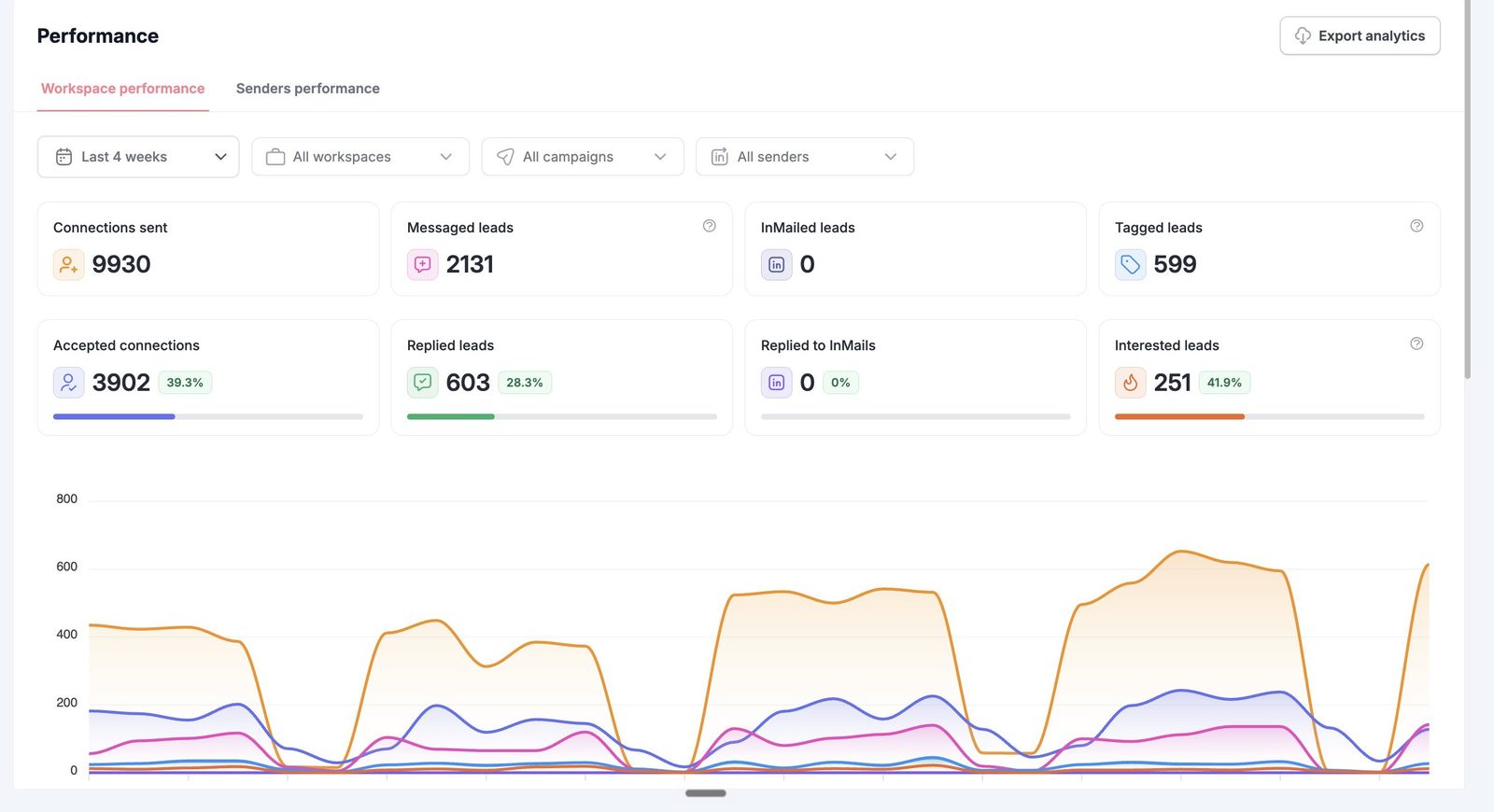
What got me there was being really picky about who gets a request, picking the message based on what the research finds, and making the ask so easy that saying yes takes two seconds.
Below is everything, in the order I'd set it up if I was starting from zero today. With some of our message templates included.
1. First principles
There are two things you need right before you send a single request: your profile, and who you're connecting with.
The profile part is self explanatory.
The "who" part is the important part, and it's where most people overlook it.
Your profile
You already know this stuff, so I'll keep it quick.
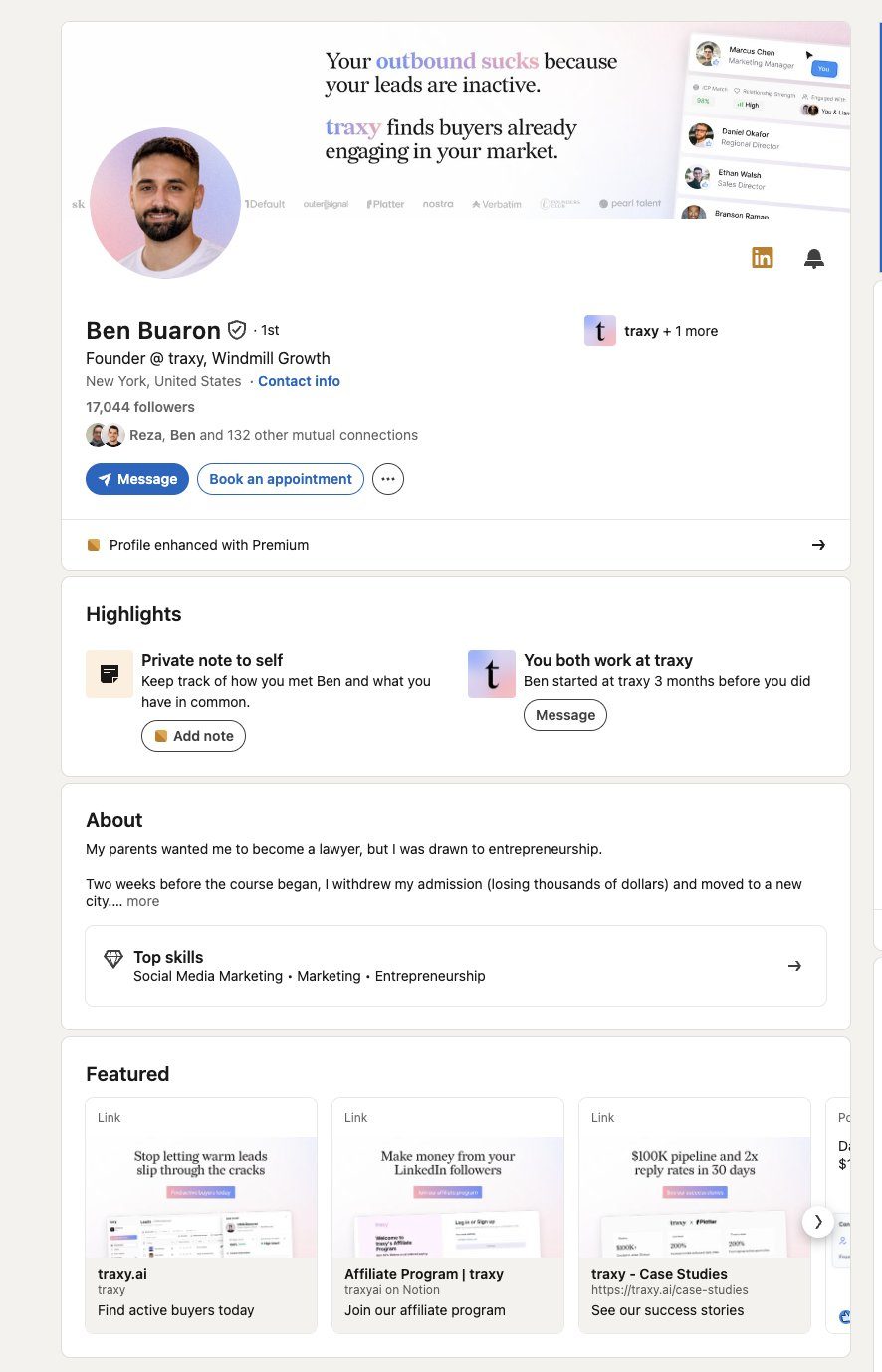
When someone gets your request, they click your profile and decide in a couple seconds. So get the basics right:
- A headline that says who you help and with what
- A Featured section with proof in it
- A good profile picture
- A banner that backs up the headline
Don't spend weeks redesigning your banner before you send anything.
Get it to "clearly a real person who does a real thing" and continue.
Here's Ben Buaron's for reference:
Who you connect with
This is where the results come from.
Most people "get a list of leads" and start blasting. Fundamentally wrong. You want to reach people where your offer actually fits, where you have results to back it up, in an industry you know.
If you sell to agencies and you have agency results, reach out to agencies. Sounds obvious. Look at most people's campaigns and it clearly isn't.
One ICP per campaign
Every campaign gets one ICP. One.
The reason is personalization. When everyone in a campaign is the same kind of person, you can write for their pain points. You know what their life looks like, what they're hiring for, what's annoying them.
When a campaign mixes agency founders, SaaS founders and consultants, the message has to be generic enough to fit all of them, which means it fits none of them.
Why title lists and Sales Nav lists fall flat
The normal way to build a list is a title search. "Founder", "CEO", "Head of Growth", a company size filter, done.
The problem is a title match tells you almost nothing. It doesn't tell you they're active on LinkedIn. It doesn't tell you they're in your market right now. Plenty of them haven't posted or engaged with anything in months.
You end up spending connection requests on people who were never going to see your message, let alone reply.
Go after warm leads
What I do instead is pull leads that are an ICP match AND warm.
Warm means they've engaged with posts in my market, or with my own content. They're on LinkedIn, they care about the topic, and they've shown it recently.
Someone who engaged with a post about the exact problem you solve is a completely different person to message than someone who happens to have "Founder" in their headline.
How I find them every day
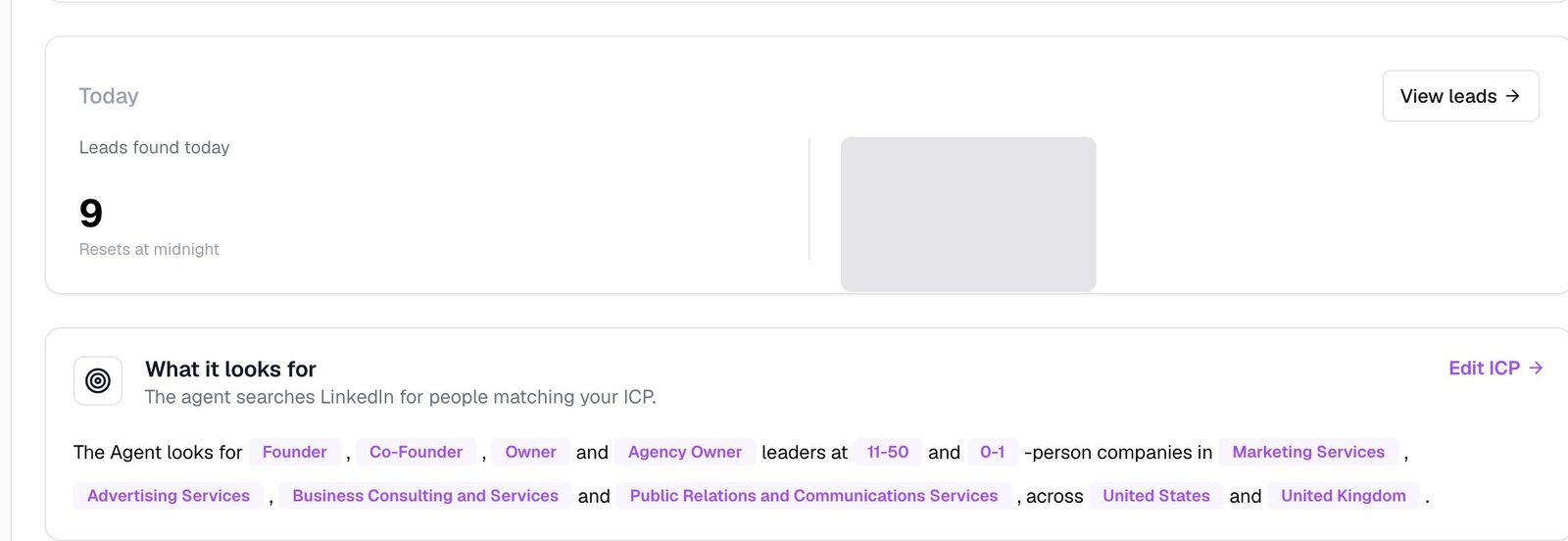
I have a traxy agent running and finding me 30 or 40 of these leads a day.
In traxy, you set who fits in Lead criteria and what to look for in Signals. Every qualified lead has an ICP match of at least 50%, and a lead's signal is labeled Warm when it is a direct signal relevant to your offer (how qualification works). To review them, ask trax: "Show me warm leads at software companies." For new people, ask for new leads or choose Find more (work with trax). You can also add LinkedIn profiles or a specific post URL to find people through their engagement (docs).
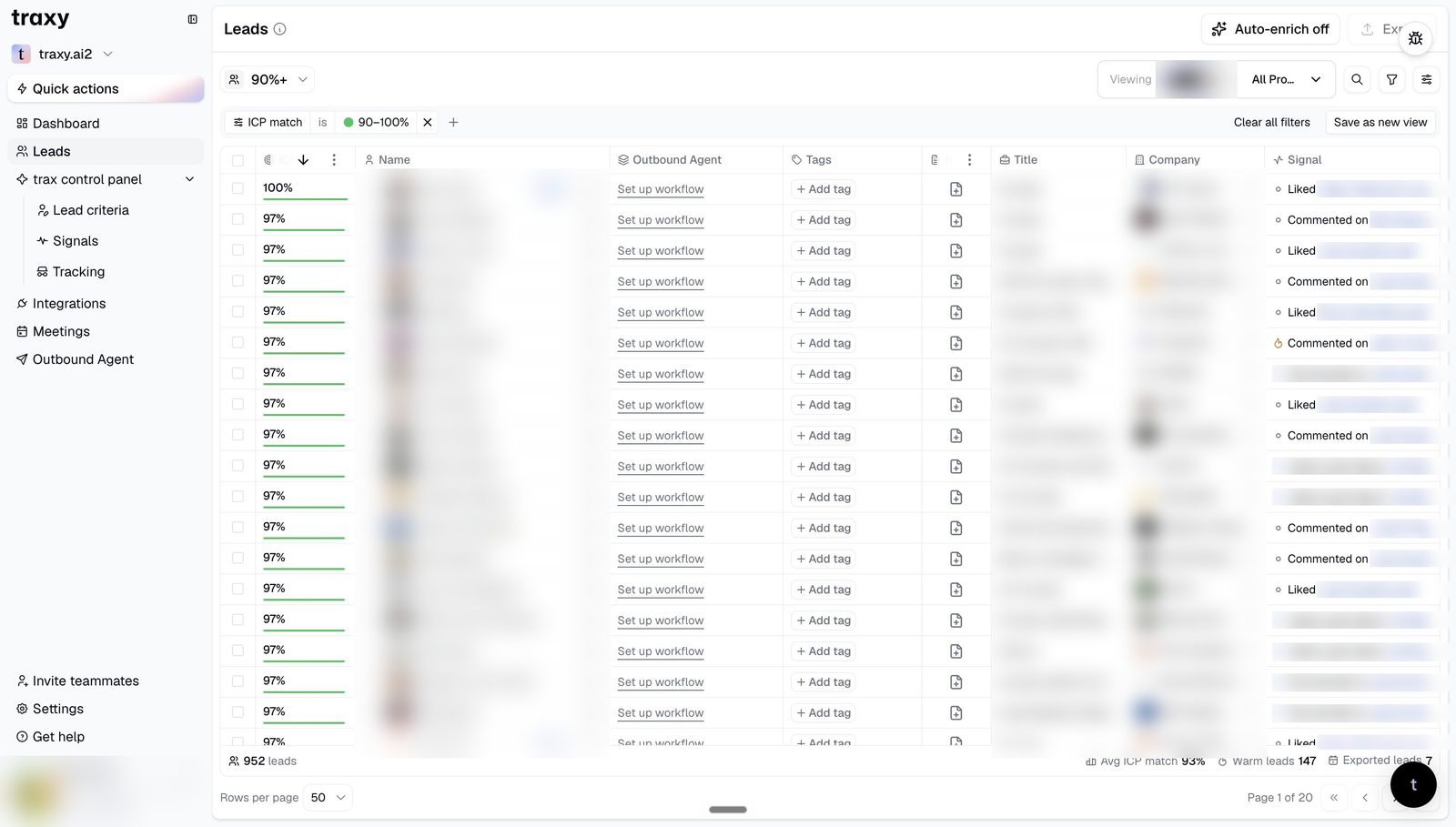
It also does the research. Open any lead and its Signals tab shows the recorded observations and source links where available, like what they engaged with (review qualified leads). For anything beyond that, like how their company handles outbound, you tell trax what to research when you create a campaign, for example "Research how each company handles outbound" (create a campaign).
What you never do is have AI completely write your message.
You do the research and create a template when you can use the research to personalize the message with ai.
More on that in a sec
2. Signals first, then templates
Once you've got a warm list of relevant leads, the research tells you which message each person gets.
The flow goes: research finds a signal, the signal picks the template. You don't write one message and send it to everyone.
The signal tree
Here are some examples.
We nailed down that we're reaching out to agency founders. Then:
- Hiring for a specific role → this message
- Posted more than 2 times in the last 30 days → this message
- More than [NUMBER] employees → a different message
Different signals, different messages.
An agency founder who's hiring and an agency founder who's posting every day are in different spots. They should get different messages.
Use the right signals
Most people use the wrong signals.
"I just noticed you're the CEO of {company}." Cool. So did everyone else who scraped the same list. That's their job title. And people can tell it's AI from a mile away.
A good signal is something that happened. They opened a role. They started posting more. They engaged with something in your space. Something that gives you an actual reason to be in their inbox this week.
And have your own writing style. If your messages sound like everyone else's AI messages, you get treated like everyone else's AI messages.
Don't go so niche you lose volume
On the flip side, don't build a tree with a branch for every tiny detail.
You want enough signals that each message feels written for that person, and few enough that every branch still has real volume behind it. If a branch only gets a handful of leads a month, fold it into a bigger one.
3. The message
Every outbound message we write loosely follows the same four steps:
- Observation
- Implication
- Value offer
- Low-friction ask
Observation is the signal. Implication is why that matters to them. The value offer is something useful you can give them. The ask is a yes they can give without thinking.
A real example
This is from a recruiting client's campaign. Name and brand removed.
"Hey {Name} - saw you're hiring a Director of Growth Marketing for {Brand}. I think we have someone who could be a great fit for you guys. All we do is recruit for E-commerce Brands, so we have a deep candidate network. Should I send over their resume? No need to hop on a call. If they look relevant, we can take it from there."
10 minutes later:
"That would be awesome"
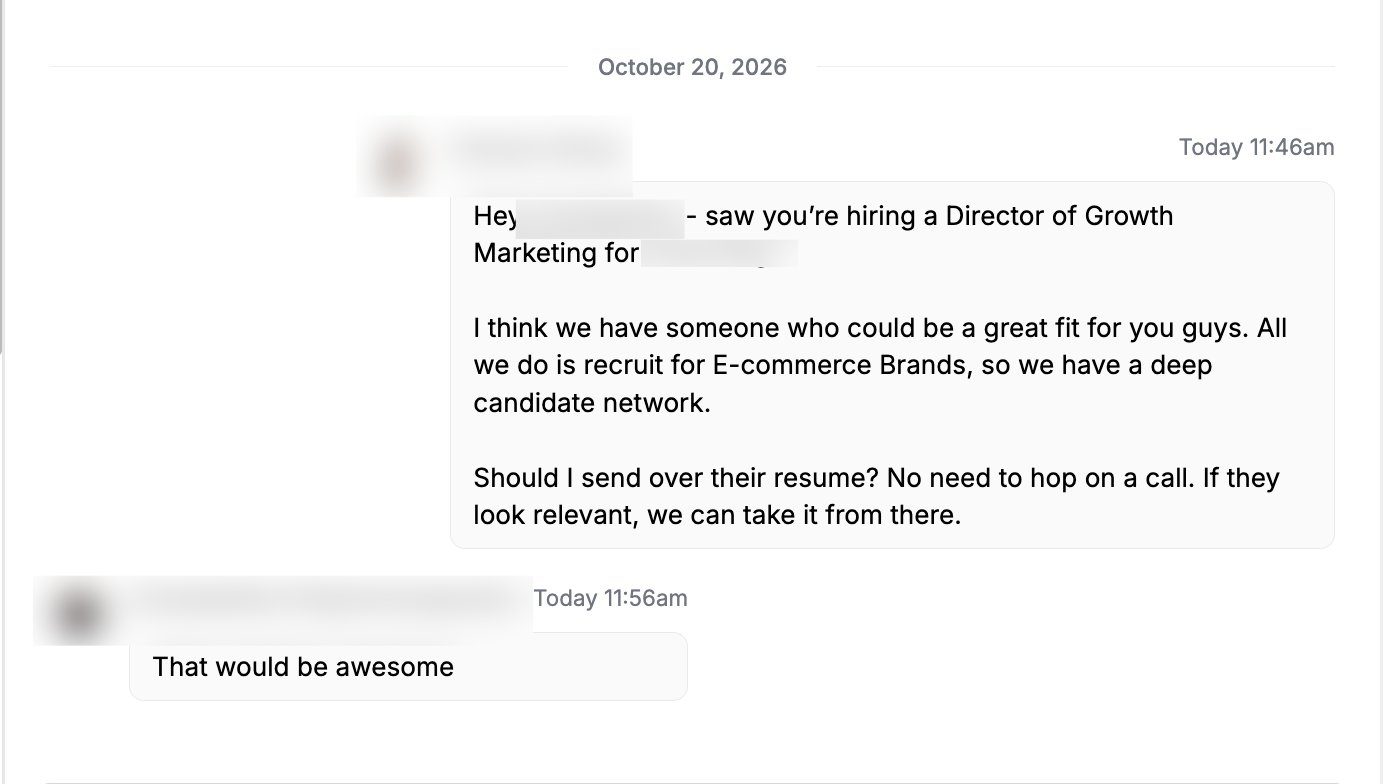
Break it down:
- Observation: "saw you're hiring a Director of Growth Marketing"
- Implication: "I think we have someone who could be a great fit for you guys"
- Value offer: "All we do is recruit for E-commerce Brands, so we have a deep candidate network"
- Ask: "Should I send over their resume? No need to hop on a call."
"No need to hop on a call" takes the pressure off. Saying yes costs them literally nothing.
More templates we use
Same four steps, but with different b2b companies and different signals.
Recruiting, short version
"{{first_name}} - saw that you guys are hiring for {{most_senior_open_role}}, i'm pretty sure i have the perfect guy for yall. want me to share their resume?"
The signal here is their most senior open role. When there's no usable opening, there are backup versions pitching a team lead or a general candidate.
GTM / managed IT
"hey [first_name], was looking through [company_short] and had a couple ideas for [gtm_opportunity]. [matched approved proof, e.g. we helped Temple IT land 15 new clients in 6 months. figured some of what worked there could be useful for you guys too.] want me to send them over?"
The proof slot gets whichever approved result matches the lead best.
E-commerce email agency
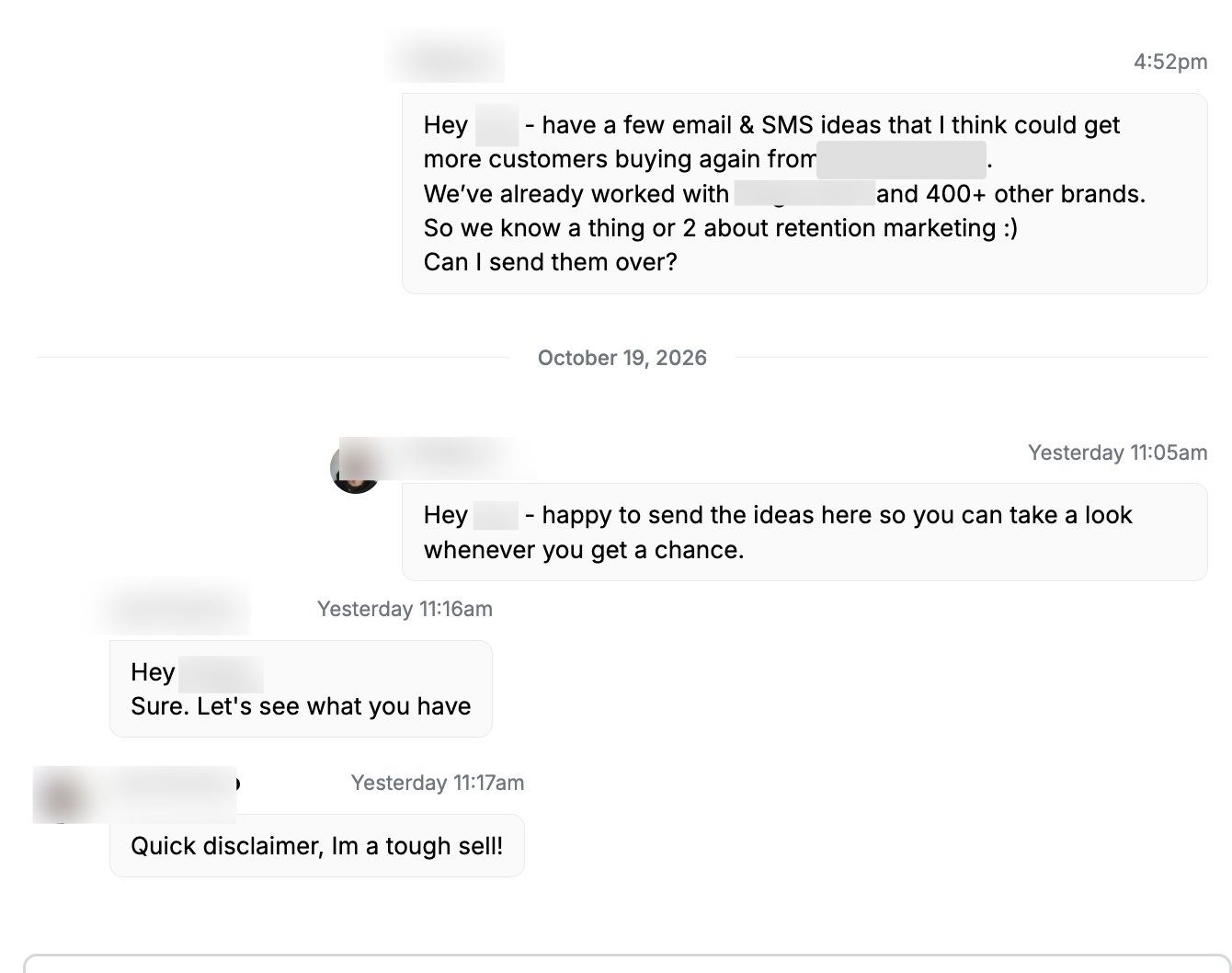
"Hey {name} - just checked out {product}, {specific product thought}! {personal note} {Question about a relevant email flow or popup} {Offer to share a relevant example or tailored ideas}. Want me to send them over? :)"
The question changes based on what the research finds on their store: reorder emails, popups, welcome flows, cross-sell, cart recovery, subscriptions.
Every one of them ends with an easy ask. "Want me to send them over?" "Should I send over their resume?" One easy yes.
4. Timing and the chain
Message as soon as they accept
Send the first message as soon as they accept the connection request.
In a traxy sequence, a step's wait can depend on an event such as connection acceptance (sequences).
They accepted because they looked at your profile and something made sense. That's when you're most top of mind. The longer you wait, the more you go back to being a stranger. Just like Alex Hormozi says the faster you dial a lead from the point of interested the higher the reply rate and there is a big drop off after that initial phase.
Split it into a chain
Don't dump everything in one giant block. Split it into a chain of messages, 1, 2, 3-ish.
Some campaigns open with something like this (no direct ask here but it is a conversation starter):
"Hey {Name}, good to connect.
Just checked out {Agency}.
Hope agency life's treating you well and the clients are behaving haha."
Keep the ask simple
Make the ask as simple as possible.
If they have to think about how to answer, most won't lol. "Want me to send them over?" can be answered with one word. "What are your biggest growth challenges heading into Q1?" is something they have to actually check and they might forget about.
5. How to route to a call
This is how we turn replies into actual sales conversations.
The message should route straight into a call, not into a random question about their business.
"How are you handling lead gen right now?" gets you a reply, sure.
Then you're several messages deep doing appointment setting, trying to drag the conversation toward a call it was never pointed at.
You want the least amount of appointment setting possible.
Framing is everything
Give the value offer straightforwardly, then give them a direct way to get on a call.
Look at the recruiting example again. Resume is first, "no need to hop on a call", "if they look relevant, we can take it from there."
The yes is to something direct.
Then the call is the natural next step after that, so you don't have to fight for it lol.
Same with "I had a couple ideas for X, want me to send them over?" They say yes, you send them, and walking through the ideas on a call is the obvious next move.
If you're running outreach by hand, you can have real back-and-forth conversations. When it's automated, the framing has to do that job for you.
6. Final tips
Don't waste requests on dead leads
LinkedIn caps your connection requests. Every request you send to someone inactive, or outside your ICP, is one you don't get to send to someone who'd actually reply.
Get the most relevant leads you can. That's the whole reason I use traxy for this.
Research the right signals
The research is what makes the message work. Hiring, posting, engaging with posts in your market. Find the thing that gives you a real reason to reach out, and let that decide the template.
Never let AI write the outbound
Don't use AI to write your messages. People can tell, and it reads exactly like all the other AI messages in their inbox.
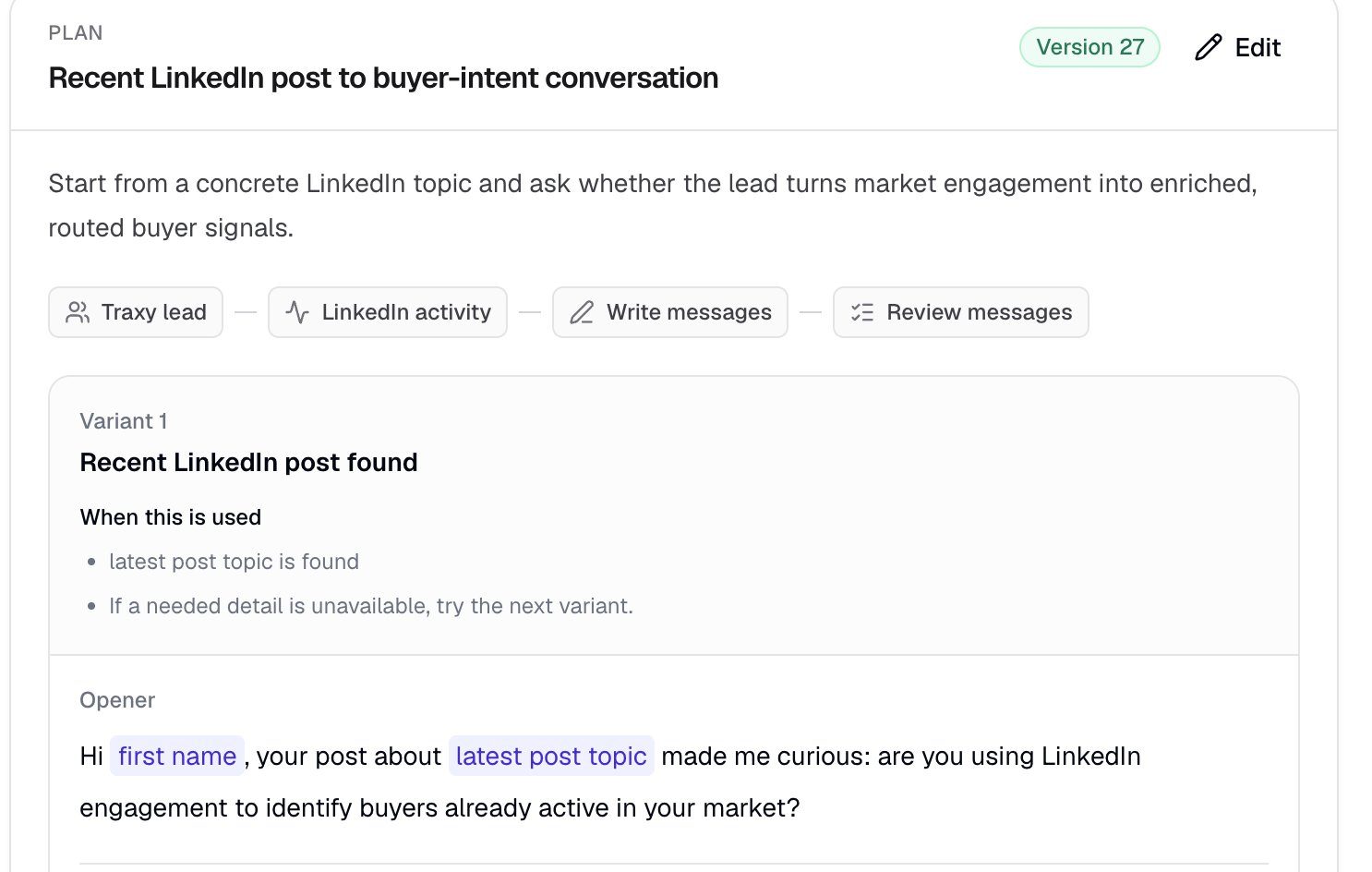
Write templates in your own style. Then let AI fill in the parts that come from research: the role they're hiring for, the product they sell, the specific thought about their store. AI fills the slots. You write the message.
In traxy, you describe the research facts and message context you need when you create a campaign, then test it. The test prepares the research and a preview for each lead without sending anything, so you can check every claim against the research before launch (create a campaign, review and launch).
Automate it without it feeling automated
You can run this at volume.
It should still read like you sat down and wrote it to them.
it feels personalized because you are going based on signal.
If a message would feel weird coming from you face to face, it'll feel weird in their inbox.
In traxy, you connect your LinkedIn account and mailbox in Sender accounts, build a sequence with LinkedIn and email steps, and confirm Launch. If your delivery mode requires approval, you approve each message in the campaign's review queue before it goes out (review and launch). Replies land in Inbox, and a reply stops the sequence.
Final thoughts
Yeah, I'm building @traxy_ai, so I'm a bit biased about the lead sourcing part.
But I use the leads every day & for all our dfy clients, the results speak for themselves.
Everything else in here works with whatever tool you use.
The message templates, the signal tree, the timing and the ask you don't need traxy for.
And now you can do this whole LinkedIn outbound workflow on traxy
everything from
- Finding warm leads from LinkedIn engagement (Signals, Leads)
- Doing research on those leads for signal (create a campaign)
- Personalized outreach based on signal (outbound from qualified signals)
- Automating the LinkedIn outbound (sequences, Inbox)
Related guides: Build an outreach sequence for warm leads, Turn research into two message variants, Find your first leads with traxy
Originally published on X by Adam Salmanov, Oct 21, 2026
Open the traxy docs